

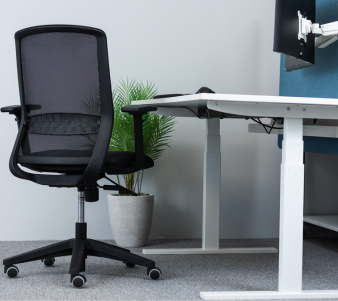
How to choose the right ergonomic office chair
A complete buying guide from KOS Ergonomics. Learn which adjustments matter, how to match a chair to your body and your working day, and what Irish DSE regulations require, so you buy a chair that supports you for years.
Your chair is the piece of equipment your body is in contact with for most of the working day. A good one adapts to you, supports a healthy posture and encourages you to move. A poor one forces you to adapt to it, and over months and years that shows up as back, neck and shoulder pain.
The right chair depends on three things: how long you sit, what your body needs, and the work you do. Use the table below as a starting point, then read on for the detail.
Office chairs at a glance
| How you work | Chair type | Look for | Examples from KOS |
|---|---|---|---|
| Occasional use, under 4 hours a day | Adjustable task chair | Seat height, backrest height and tilt, basic lumbar support | ErgoX2 Homeworkers Chair |
| Full working day, 4–8 hours | Fully adjustable ergonomic chair | Seat depth, adjustable lumbar, synchronous mechanism, 3D or 4D armrests | HÅG Capisco Puls, HÅG Creed |
| Long days or existing back pain | Back care chair | Independent seat and back adjustment, contoured or inflatable lumbar, headrest option | Opra 400, Logic 400, Malmstolen 4000 |
| Shift work, 24/7 control rooms | 24-hour chair | Rated for continuous multi-user use, heavy-duty build, full adjustability | Svenstol S5, Fortis PI 400 |
| Raised benches, labs, sit-stand desks | Saddle stool or lab chair | Higher seat range, forward seat tilt, foot ring or glides, easy-clean upholstery | BackApp 2.0, KOS Support Saddle 4501 |
Start with how you work
Before you compare features, be clear about how the chair will be used. Research on office workers consistently shows that most of the working day is spent seated, often in long unbroken stretches.1 The more of your day you spend in the chair, the more adjustability and build quality you need.
Questions to ask yourself
- How many hours a day will you sit? A chair for a quick daily check of emails is very different from one used for eight hours of focused screen work.
- Will more than one person use it? Shared and hot-desk chairs need a wide adjustment range and controls that are easy to find, so each user can set it up in seconds.
- What tasks do you do? Intensive typing favours an upright or slightly forward posture. Reading, phone calls and meetings favour the ability to recline.
- What is your desk height? A fixed desk that is too high for you may mean a higher seat and a footrest. A sit-stand desk opens up saddle stools and perching seats.
- Do you have existing pain or a medical condition? Back, neck, hip, coccyx or pregnancy-related needs can change the right answer completely. This is where a consultation pays for itself.
No chair makes long periods of static sitting healthy. The best chairs make it easy to change position through the day, and they work best alongside regular breaks and, where possible, a sit-stand desk.
The 8 adjustments that matter
An ergonomic chair is only as good as its fit. These are the adjustments our consultants check first, and the ones to look for on any product page.
- 1Seat height
- 2Seat depth
- 3Lumbar support
- 4Backrest height and tilt
- 5Seat tilt
- 6Armrests
- 7Headrest or neckrest
- 8Base and castors
1Seat height
Set so your feet rest flat on the floor with your thighs roughly horizontal and knees level with or slightly below your hips. Shorter and taller users should check the chair's minimum and maximum height carefully.
Check: feet flat without pressure under the thighs. If your desk forces a higher seat, add a footrest.
2Seat depth
A sliding seat lets you sit fully back against the backrest while leaving a small gap behind your knees. Too deep and you perch forward, losing back support. Too shallow and your thighs are unsupported.
Check: a gap of roughly two to four fingers between the seat edge and the back of your knees.
3Lumbar support
Your lower spine has a natural inward curve. Good lumbar support fills that curve so you don't slump. Look for support that adjusts in height and, ideally, depth or firmness. Inflatable lumbar pads let you fine-tune pressure.
Check: firm, even contact at the small of your back, not at your shoulder blades or hips.
4Backrest height and tilt
The backrest should move up and down to match your back length and tilt to support you both upright and reclined. A tension control lets you set how easily it moves for your body weight, and a lock holds your preferred angle.
Check: the backrest follows you as you lean back without pushing you forward.
5Seat tilt
A slight forward seat tilt opens the hip angle and helps keep the pelvis in a neutral position, which many people find eases lower back pressure during typing. A backward tilt suits reading and relaxed tasks.
Check: you can tilt the seat without sliding forward or feeling pressure behind your knees.
6Armrests
Armrests should support your forearms with shoulders relaxed and elbows close to your body, at or just below desk height. Height, width, depth and pivot adjustment (often called 4D) lets them tuck under the desk so you can sit close.
Check: no shrugging or reaching. If armrests stop you getting close to the desk, lower them or choose a chair without.
7Headrest or neckrest
Useful if you recline often, take long calls or have neck issues such as whiplash. It should support the base of the skull when you lean back and adjust in height and angle so it doesn't push your head forward when upright.
Check: support when reclined, no contact pushing your head forward when you sit up.
8Base and castors
A five-star base gives stability. Choose castors to suit your floor: hard castors are generally suited to carpet and soft castors to hard floors such as wood, tile or laminate.5 Braked castors or glides suit high seats and labs.
Check: the chair rolls smoothly but doesn't drift away when you sit down.
Fitting your body
Most standard chairs are designed around average body dimensions. If you are noticeably shorter, taller or larger than average, a standard chair may never fit, no matter how you adjust it. The European standard for office work chairs, EN 1335-1, defines dimension ranges for different chair types based on anthropometric data, which is a useful sign that a chair has been designed to accommodate a range of users.6 The KOS range includes dedicated chairs for different body sizes.
| If you are | Common problem with standard chairs | What to look for | Explore |
|---|---|---|---|
| Shorter | Feet don't reach the floor, seat too deep, backrest lumbar too high | Low minimum seat height, short or sliding seat, lower lumbar position | HM360 for shorter people |
| Taller | Knees higher than hips, thighs unsupported, backrest ends mid-back | Extended gas lift, deeper seat, high backrest with headrest | Chairs for taller people |
| Larger | Seat too narrow, frame or gas lift not rated for your weight | Wider seat, heavy-duty frame and base, a stated weight rating above your weight | HM560 heavy-duty chair |
| Pregnant | Changing posture, pelvic and lower back discomfort | Wide adjustment range, seat tilt, adjustable lumbar, easy controls | Pregnancy chairs |
The general European safety standard for non-domestic seating covers users weighing up to 110 kg.7 If you are heavier, choose a chair with a higher stated rating rather than assuming a standard chair is suitable.
Chair mechanisms explained
The mechanism under the seat controls how the seat and backrest move when you lean back. It has a big effect on comfort over a long day, so it's worth understanding the options.
| Mechanism | How it moves | Best for |
|---|---|---|
| Permanent contact backrest | Backrest angle adjusts and stays in contact with your back; the seat is fixed | Shorter sitting periods and upright tasks |
| Synchronous | Seat and backrest recline together at a set ratio, so your feet stay on the floor as you lean back | Full-time office work and mixed tasks |
| Asynchronous / independent | Seat tilt and backrest angle adjust separately and can be locked in place | Back care users who need a precise, tailored position |
| Weight-sensing | Recline resistance adjusts automatically to the user's weight | Shared and hot-desk chairs |
| Saddle and forward-tilt seats | A higher, open hip angle between sitting and standing, often with a rocking or balancing seat | Sit-stand desks, labs and active working |
For most people working full days, a synchronous mechanism with a tension control is a strong default. If you have back pain or a clinical need, independent seat and back adjustment usually gives our consultants more room to get the fit right.
Specialist seating
Beyond standard task chairs, KOS offers a wide range of specialist seating. If one of these describes your situation, start here.
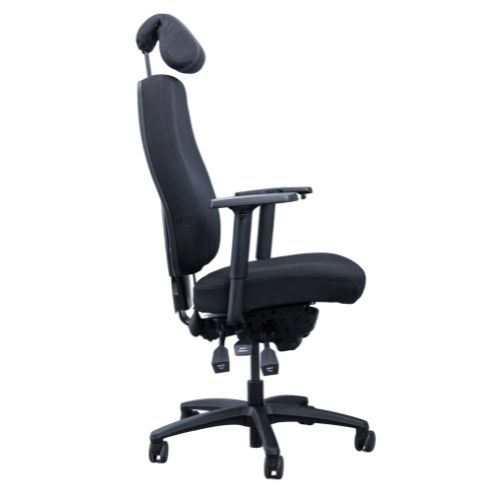
Back care chairs
Designed for people with existing back pain or who sit for long days. Expect contoured backrests, adjustable or inflatable lumbar support, independent seat and back adjustment, and optional headrests. They cost more than a standard task chair, but a premium chair built to last over 10 years can work out better value than replacing cheaper chairs several times.
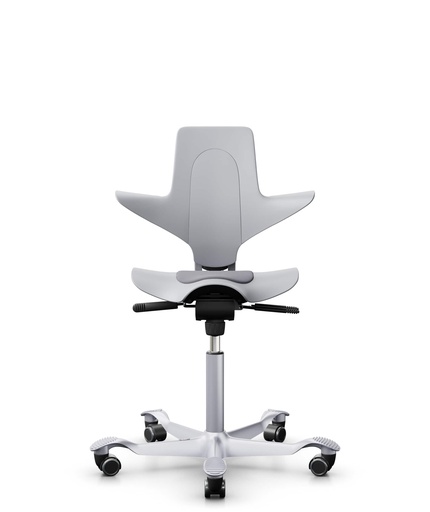
Saddle, kneeling and active chairs
These encourage movement and a more open hip angle. Saddle seats such as the HÅG Capisco suit higher desks and people who like to shift position often. Kneeling chairs tilt you forward to support an upright spine. They're best as part of a varied day rather than for every hour of sitting, so try one before committing.
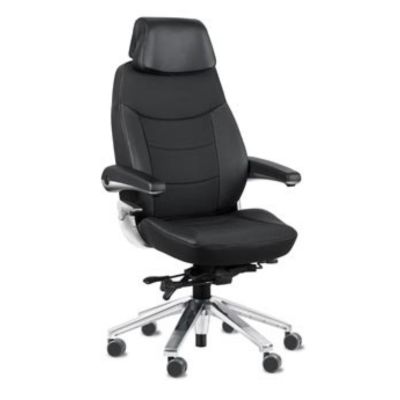
24-hour control room chairs
Built for round-the-clock use by multiple shift workers. They use heavier-duty frames, mechanisms and upholstery than a standard office chair, with full adjustability so every user can set up quickly at shift change.
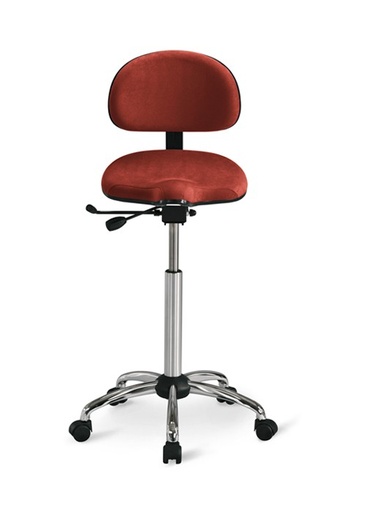
Lab, medical and dental chairs
Labs and clinics need higher seat ranges for benches, foot rings, braked castors or glides, and upholstery that's easy to clean. Some environments also need cleanroom or ESD-safe chairs. Dental and clinical saddles support the forward-leaning postures these jobs demand.
Popular chairs in our range
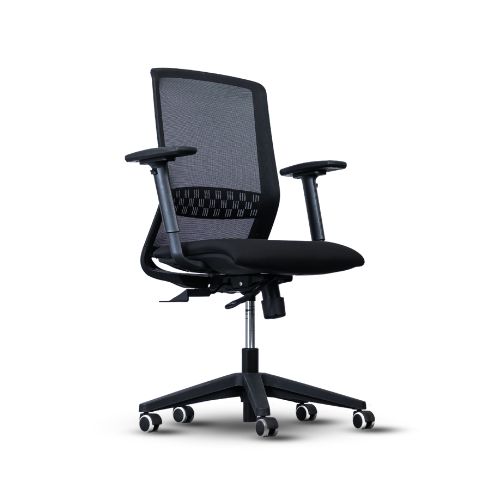
ErgoX2 Homeworkers Chair
Mesh back with adjustable seat height, armrests and lumbar support.
View chair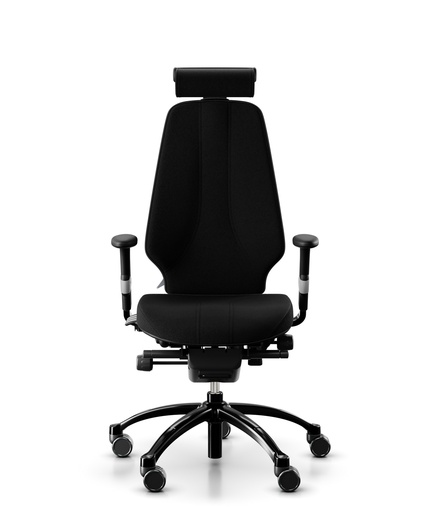
Logic 400
A back care chair for people who sit for long days.
View chair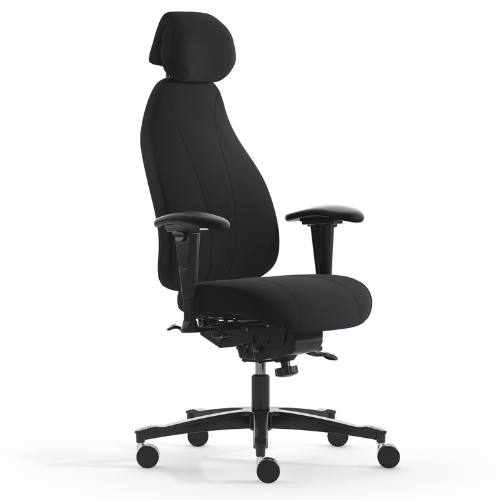
Malmstolen 4000
Premium Scandinavian back care seating.
View chair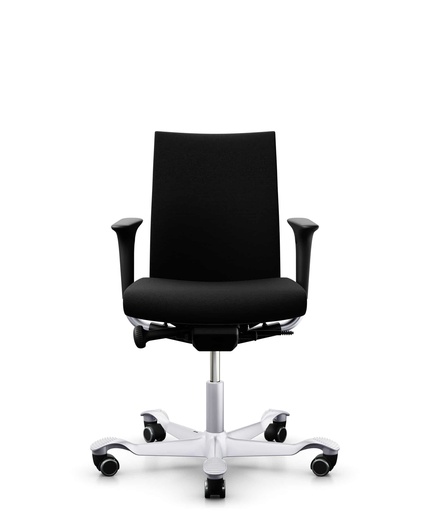
HÅG Creed
Fully adjustable, with design that suits the home office.
View chair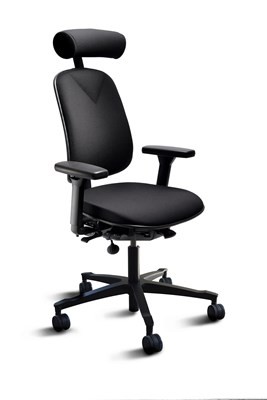
HM360
A back care chair designed for shorter people.
View chair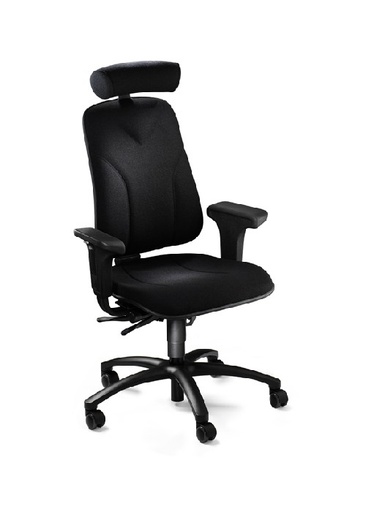
HM560
A heavy-duty back care task chair for larger people.
View chairMaterials, build and warranty
Upholstery
- Mesh lets air circulate, which suits warm rooms and people who run hot. Quality varies a lot, so check the tension feels supportive rather than hammock-like.
- Fabric over moulded foam gives cushioned, even support and is the most common choice for all-day seating. Higher-density foam holds its shape for longer.
- Leather and vinyl look premium and wipe clean, which suits executive offices, clinics and 24-hour environments, but can feel warmer.
- Easy-clean and ESD finishes are needed in labs, cleanrooms and electronics environments.
Build quality
Look at the gas lift, mechanism and base as closely as the cushions. A durable chair holds its adjustments without creeping, has controls that still work smoothly after years of use, and comes with replaceable parts. Ask about the warranty on the frame, mechanism and gas lift separately, and whether repairs are available.
Standards
For work chairs, look for compliance with EN 1335, the European standard covering office work chair dimensions and safety.6 For 24-hour environments, ask whether the chair is designed and tested for continuous use.
What Irish DSE regulations require
If you're buying for employees, the chair is part of your legal duties. Chapter 5 of Part 2 of the Safety, Health and Welfare at Work (General Application) Regulations 2007 covers display screen equipment, including workstation assessments by a competent person.4 The minimum requirements for a work chair are straightforward:8
Minimum DSE work chair requirements
- The chair is stable and allows easy freedom of movement and a comfortable position
- The seat is adjustable in height
- The seat back is adjustable in both height and tilt
- A footrest is available to anyone who wants one
These are minimums. A chair can meet them and still be wrong for a particular employee, which is why a DSE assessment should come before buying chairs for staff with specific needs.
How to set up your new chair
Even the best chair won't help if it isn't adjusted. Work through these steps in order, sitting all the way back in the seat.
-
Set the seat height Feet flat on the floor, thighs roughly level, knees at or slightly below hip height.
-
Adjust the seat depth Slide the seat until there's a two to four finger gap behind your knees.
-
Position the lumbar support Raise or lower the backrest or lumbar pad until it sits in the curve of your lower back.
-
Set the backrest angle and tension Choose an upright or slightly reclined angle, then adjust tension so the back supports you without resisting movement.
-
Adjust the armrests Lower or raise them so your shoulders are relaxed and forearms are level with the desk.
-
Check your desk and screen If your elbows are below the desk surface, raise the chair and add a footrest. Set the top of the screen at about eye level, an arm's length away.
See our step-by-step guide: Set up your office workstation in 6 minutes.
Common chair buying mistakes
A chair that looks the part but lacks seat depth or lumbar adjustment won't fit you for long days.
Bold styling and deep recline don't replace the adjustability needed for a full working day.
If your feet don't reach the floor or your knees sit above your hips, no amount of adjusting will fix it.
Many people use a chair exactly as it arrived. Set it up properly on day one and revisit it as your setup changes.
A single chair across a workforce rarely suits shorter, taller or larger employees, or those with back pain.
Comfort is personal. Try chairs for more than a minute, in your working posture, before you decide.
Sit in the chair before you commit
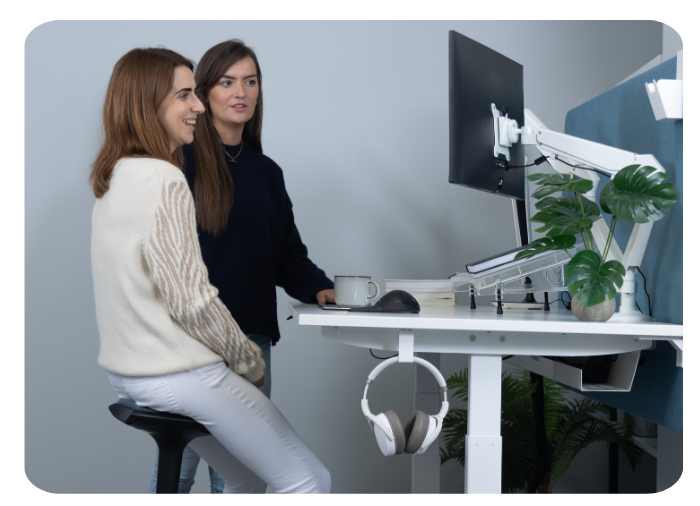
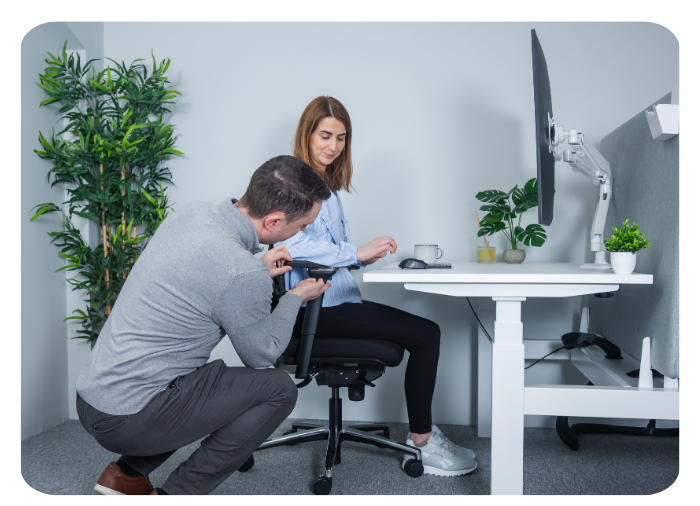
Reading about chairs only goes so far. At our showrooms you can test Ireland's largest range of ergonomic chairs side by side, and a KOS consultant will adjust each one to your body and recreate your working setup.
Frequently asked questions
What is the best office chair for back pain?
Look for a back care chair with adjustable lumbar support, seat depth adjustment and independent seat and backrest adjustment, so the chair can be set precisely to your spine. Because back pain varies so much, we recommend trying chairs in a showroom or booking a consultation before you buy.
How much should I spend on an ergonomic chair?
Match your spend to how long you sit. For occasional use a well-adjustable task chair is enough. If you sit all day or have pain, a premium ergonomic chair built to last over 10 years is usually better value than replacing cheaper chairs several times.
How high should my office chair be?
Your feet should rest flat on the floor with your thighs roughly horizontal and knees at or slightly below hip level. If that leaves your desk too high, raise the chair and use a footrest.
Is a mesh or fabric chair better?
Mesh is more breathable and suits warmer environments. Fabric over moulded foam gives more cushioned support. Both can be excellent; fit and adjustability matter more than the material.
Do Irish employers have to provide ergonomic chairs?
Employers must meet the display screen equipment requirements of the Safety, Health and Welfare at Work (General Application) Regulations 2007. For chairs, that means a stable chair with height-adjustable seat, a backrest adjustable in height and tilt, and a footrest for anyone who wants one. A DSE assessment identifies whether an individual needs more.
Can I try KOS chairs before I buy?
Yes. Book a free appointment at our Dublin or Tipperary showroom to test chairs with a consultant, add a 1-on-1 ergonomic consultation, or book a remote video consultation if you can't travel.
Sources
- Biddle et al., SMART Work & Life trial protocol, BMC Public Health (2018). ncbi.nlm.nih.gov/pmc/articles/PMC6137871
- European Agency for Safety and Health at Work, OSHwiki, based on the 6th European Working Conditions Survey (2015). oshwiki.osha.europa.eu/en/themes/health
- Russell, Maître and Watson, Work-related Musculoskeletal Disorders and Stress, Anxiety and Depression in Ireland, ESRI/HSA (2016). esri.ie/pubs/RS53.pdf
- S.I. No. 299/2007, Safety, Health and Welfare at Work (General Application) Regulations 2007. irishstatutebook.ie/eli/2007/si/299
- Canadian Centre for Occupational Health and Safety, Working in a Sitting Position: Work Chairs. ccohs.ca
- CEN, EN 1335-1:2020+A1:2022 Office furniture, Office work chair, Dimensions. standards.iteh.ai
- CEN, Furniture – Safety, strength and durability – Requirements and test methods for non-domestic seating (listed alongside EN 1335-1:2020). standards.iteh.ai
- Minimum requirements for display screen equipment (work chair), Schedule 4, S.I. No. 299/2007. irishstatutebook.ie

 and then Add to Home Screen.











