

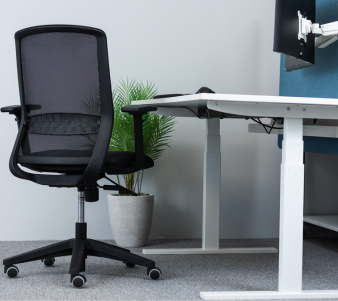
How to choose the right desk and sit-stand desk
A complete buying guide from KOS Ergonomics. Find out whether a sit-stand desk is right for you, what separates a stable, long-lasting desk from a wobbly one, how to size your workspace, and how to set the right height sitting and standing.
Your desk sets the height of everything you work with: your keyboard, mouse, screen and, indirectly, your chair. Get it wrong and you'll hunch, reach or shrug all day. Get it right, and especially if it lets you change position, and your whole workstation starts working with your body.
This guide covers every type of desk we supply, from compact home office desks to fully customisable electric sit-stand desks. Start with the table, then read on for what to check before you buy.
Desks at a glance
| Desk type | Best for | Trade-offs | Examples from KOS |
|---|---|---|---|
| Electric sit-stand desk (dual motor) | Full-time desk work, back pain, multiple monitors, shared desks | Higher upfront cost; needs a power socket | Scandic-Desk, Elevate Desk |
| Compact sit-stand desk | Home offices and smaller rooms | Smaller desktop and lower weight capacity than a full-size frame | KonSe KO1060 |
| Adjustable home office desk | Setting a fixed working height to suit you in a home office | Not designed for switching between sitting and standing through the day | Mobel Adapt |
| Fixed-height desk | Occasional use, or where the chair and footrest can be adjusted to fit | Can't adapt to different users or to standing | Bourne Design Homeworkers Desk |
| Sit-stand desk converter | Adding standing to an existing desk, or trialling sit-stand working | Sits on top of your desk, raising keyboard height when seated | ESS1 Standing Desk Converter |
| Executive desk | Private offices and client-facing spaces | Larger footprint | Executive desks |
Why choose a sit-stand desk?
Office-based workers are one of the most sedentary groups, spending 70–85% of their time at work sitting.1 A sit-stand desk makes it easy to break that up without leaving your work.
The evidence is encouraging. In the SMArT Work trial, published in The BMJ, office workers given sit-stand desks alongside support to use them sat for 82 minutes less per day after 12 months than a control group, with the effect building over time rather than fading. The researchers also reported signs of improved job performance and psychological health.1 A second BMJ trial in 2022 found a similar programme reduced sitting by about an hour a day over a year.2
Prolonged standing is linked to lower back pain, leg discomfort and circulation problems such as varicose veins.3 The benefit of a sit-stand desk comes from changing position regularly, not from swapping one static posture for another.
A sit-stand desk is especially worth considering if you:
- Sit for most of your working day
- Experience lower back, neck or shoulder discomfort when sitting for long periods
- Share a desk with colleagues of different heights, as each user can set their own height at the touch of a button
- Are noticeably shorter or taller than average, so a standard 72–75cm desk doesn't suit you seated
What to look for in a sit-stand desk
Sit-stand desks can look almost identical online but perform very differently. These are the eight things our consultants check.
1Height range
The desk must go low enough for you to sit with relaxed shoulders and high enough to stand with your elbows at desk height. Shorter users need a low minimum; taller users need a high maximum.
Check: the minimum and maximum heights against your own seated and standing elbow height.
2Motor and lifting system
Dual-motor desks have a motor in each leg, giving smoother, more even lifting and higher weight capacity than single-motor or manual crank desks. Three-stage legs usually allow a wider height range than two-stage legs.
Check: dual motor for full-size desks and heavier setups.
3Stability at full height
Wobble is the most common complaint with cheaper desks, and it gets worse the higher the desk goes. It makes typing uncomfortable and monitors shake. Frame steel thickness, leg design and cross-bracing all make a difference.
Check: type and push gently on the desk at standing height. It should feel solid.
4Weight capacity
Add up everything on the desk: monitors, arms, laptop, docking station, under-desk storage and anything you lean on. Higher capacity also tends to mean a more robust frame that lasts longer.
Check: comfortable headroom above your total equipment weight.
5Speed and noise
If a desk is slow or loud, people stop adjusting it. A quick, quiet desk is one you'll actually use, particularly in shared offices.
Check: adjustment speed in mm per second and noise in decibels.
6Controls and memory
Memory presets let you jump straight to your sitting and standing heights. Some controls add Bluetooth app control, sit-stand reminders or anti-collision sensors that stop the desk if it meets an obstacle.
Check: at least two memory presets for shared or frequently adjusted desks.
7Desktop size and finish
Choose a size that fits your equipment with room to spare (see the sizing table below) and a matt, low-reflectance surface to avoid glare, which is also a DSE requirement.4
Check: depth of at least 80cm if you use a large or dual monitor setup.
8Build quality and warranty
Where and how a desk is made matters for the motors, electronics and frame. Look for a long warranty on the frame and motors, and a supplier who can service the desk.
Check: warranty length, what it covers, and country of manufacture.
Premium vs budget sit-stand desks
We've been testing sit-stand desks since 1991. Here's how our two most popular desks compare with a typical budget sit-stand desk, based on KOS testing and manufacturer specifications.
| Feature | Scandic-Desk | Elevate Desk | Typical budget desk |
|---|---|---|---|
| Lifting system | Dual-motor electric | Dual-motor electric | Basic motor or manual crank |
| Weight capacity | 130kg | 120kg | 50–70kg |
| Speed | 38mm/sec | 40mm/sec | Around 20mm/sec |
| Noise | Under 50dB | Under 45dB | 50–55dB |
| Stability | Stable with multiple monitors | Excellent stability | Often wobbles at maximum height |
| Desktop options | 1200–1800 x 800mm, 5 finishes, 3 frame colours | 1200 x 800mm, custom options available | Limited sizes, black or white |
| Controls | Standard, Bluetooth app control or anti-collision options | 4 memory positions | Basic up and down |
| Made in | Denmark | Netherlands | Usually mass-produced |
| Warranty | 5 years | 5 years | Often 1 year |
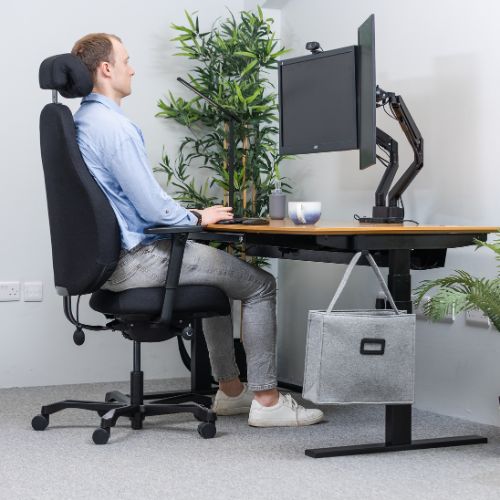
Scandic-Desk
Danish-made and fully customisable, with over 400 combinations of size, finish, frame and controls.
Configure your desk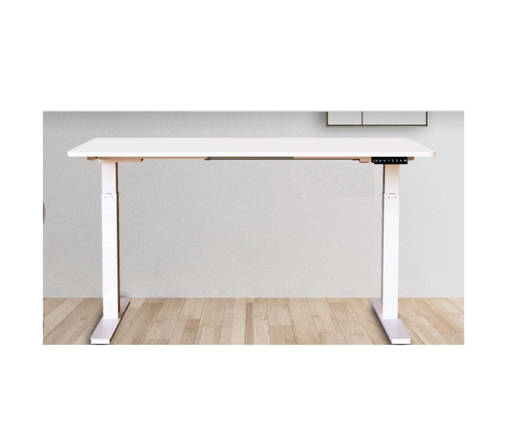
Elevate Desk
Dual-motor, quiet and stable, with four memory positions.
View desk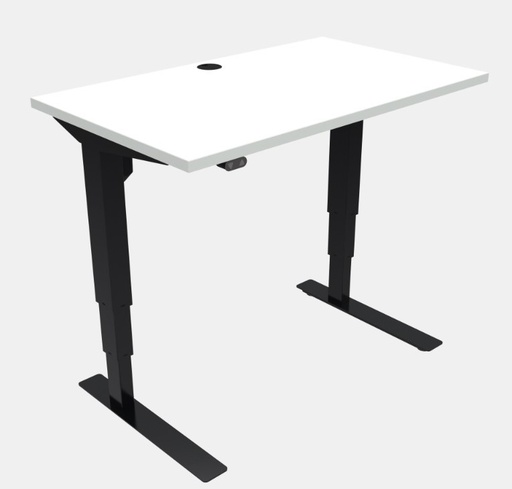
KonSe KO1060
A sit-stand desk sized for home offices and smaller spaces.
View deskChoosing the right size
Measure your space first, then think about what goes on the desk. As a general guide, a desk of around 120cm wide by 80cm deep suits most single-user workstations, though this isn't set in the regulations.5 What matters is enough room to position your screen, keyboard and documents flexibly and to change position comfortably.4
| Desktop width | Suits | Notes |
|---|---|---|
| 120cm | Laptop or single monitor, home offices | The most common size for a compact but complete workstation |
| 140cm | Single large monitor with paperwork, or laptop plus monitor | Extra room for documents and a phone or notepad |
| 160cm | Dual monitors | Lets two screens sit side by side with the main screen central |
| 180cm | Multiple screens, drawing or reference materials | Check room space and that the frame is rated for the extra weight |
With a sit-stand desk, check that nothing blocks it at full height, such as shelves, windowsills or radiators, and that cables are long enough to travel with the desk.
Setting the right desk height
The right desk height is based on your elbows, not a standard number. The same rules apply whether you're sitting or standing.
- 1Desk at elbow height, forearms level, shoulders relaxed
- 2Top of the screen at or just below eye level
- 3Screen about an arm's length away
- 4Feet flat on the floor or a footrest when seated
- 5Supportive footwear and an anti-fatigue mat when standing
-
Set your chair first Adjust your chair so your feet are flat and your thighs roughly level. See our chair buying guide for how.
-
Set your seated desk height With shoulders relaxed and elbows bent at about 90 degrees, raise or lower the desk until the keyboard sits at elbow height. Save it as a memory preset.
-
Set your standing height Stand tall in the shoes you usually wear, then raise the desk to elbow height again. Save this as your second preset.
-
Adjust your screen Position the top of the screen at or just below eye level, about an arm's length away. A monitor arm makes this easy at both heights.
How to use a sit-stand desk
The biggest mistake people make is not using the standing function, or standing for hours at a time. Build up gradually and aim for regular changes of position throughout the day. A simple routine we recommend is the 20-8-2 pattern:
Repeat every half hour. Use the "move" time to stretch, walk or refill your water.
Tips for getting started
- Start small. Begin with short standing periods and increase as your legs and feet adapt.
- Use memory presets and reminders. The easier it is to change height, the more often you'll do it.
- Stand on a mat, not a hard floor. An anti-fatigue mat and supportive shoes make standing far more comfortable.
- Plan your tasks. Stand for phone calls, video meetings and reading; sit for detailed, intensive typing.
- Listen to your body. If you feel discomfort, change position. Neither sitting nor standing should hurt.
Desk converters and home office desks
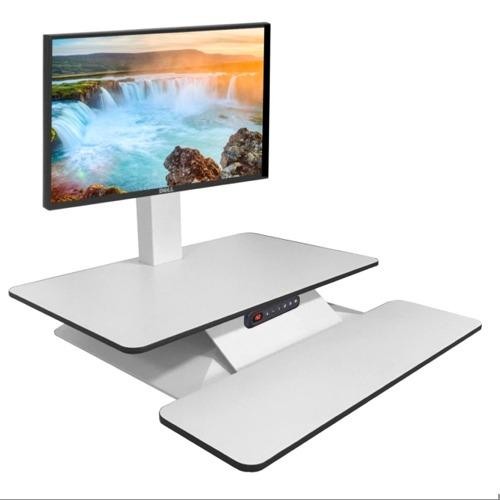
Sit-stand desk converters
A converter sits on top of your existing desk and lifts your screen and keyboard to standing height. It's a practical option if you can't replace your desk, work in a rented or shared space, or want to try sit-stand working first. Check that it's stable when raised, has room for your keyboard and mouse, and that your seated keyboard height is still comfortable once it's on the desk.
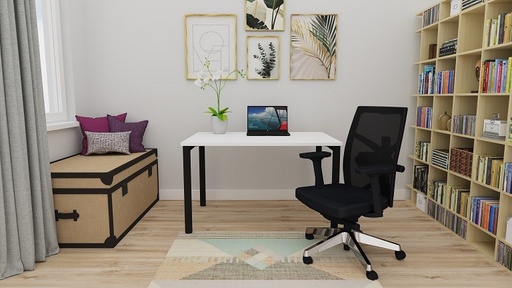
Home office desks
If space is tight or you only work from home part of the week, a well-sized home office desk can work well. Choose one with enough depth for your screen to sit an arm's length away and, ideally, some height adjustment. If the height is fixed, pair it with a fully adjustable chair and a footrest so you can still get your elbow height right.
Accessories that complete the setup
A desk is only one part of the workstation. These additions make a sit-stand desk more comfortable and easier to live with.
| Accessory | Why it helps | Explore |
|---|---|---|
| Monitor arm | Sets your screen at the right height and distance and frees up desk space | Single and multiple monitor arms |
| Anti-fatigue mat | Cushions your feet and encourages small movements while standing | Anti-fatigue matting |
| Cable tray | Keeps cables tidy and moving safely with the desk as it rises | Cable management |
| Under-desk drawer or laptop tray | Adds storage that travels with the desk without cluttering the surface | Scandic Secure Laptop Tray |
| Sit-stand or saddle chair | Supports a perching position between sitting and standing | HÅG Capisco Puls, BackApp 2.0 |
| Footrest | Supports your feet if a fixed desk means a higher seat | Office Footrest K154 |
What Irish DSE regulations require
Schedule 4 of the Safety, Health and Welfare at Work (General Application) Regulations 2007 sets minimum requirements for display screen workstations, including the desk.4
Minimum DSE work desk requirements
- A sufficiently large, low-reflectance work surface
- Room for a flexible arrangement of the screen, keyboard, documents and related equipment
- A stable, adjustable document holder where one is used
- Adequate space for the user to find a comfortable position and to change position
A sit-stand desk isn't a legal requirement for every employee, but it's often the most effective way to meet an individual's needs, for example where a DSE assessment identifies back pain, a height mismatch or a desk shared across shifts.
Common desk buying mistakes
A budget desk that wobbles at standing height quickly becomes a desk that's never raised.
If the desk can't go low or high enough for you, it will never fit, however good the motors are.
Monitors, arms and storage add up. Overloading shortens motor life and increases wobble.
A desk that's too shallow forces your screen too close. Plan for your full setup, not just a laptop.
Swapping hours of sitting for hours of standing brings its own aches. Alternate little and often.
A great desk still needs a good chair, correct screen height and tidy cables to work properly.
Feel the difference at full height
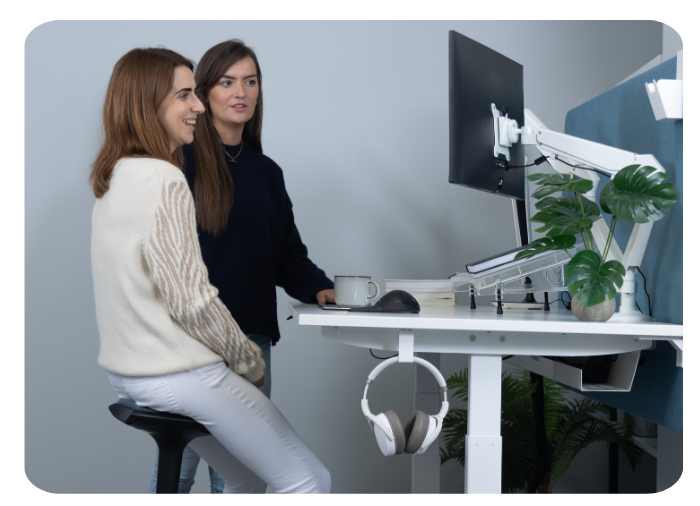
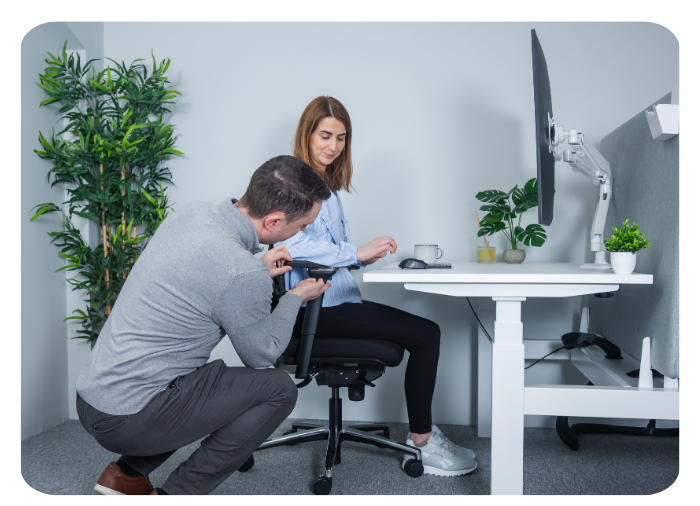
Stability, speed and noise are hard to judge online. At our showrooms you can raise and lower our sit-stand desks yourself, type at standing height and compare desks side by side, with a KOS consultant on hand to set everything up to suit you.
Frequently asked questions
Are sit-stand desks worth it?
For people who sit for most of the day, yes. Trials have shown sit-stand desks, combined with support to use them, can cut daily sitting by over an hour. The key is choosing a stable, easy-to-adjust desk you'll actually use, and changing position regularly.
How long should I stand at a sit-stand desk?
Build up gradually and change position little and often rather than standing for long stretches. A simple routine we recommend is 20 minutes sitting, 8 minutes standing and 2 minutes moving, repeated through the day.
What height should my desk be?
Set it to your elbow height, with shoulders relaxed and elbows bent at about 90 degrees, both when sitting and standing. This is why height-adjustable desks suit most people better than a fixed desk height.
Single motor or dual motor?
Dual-motor desks lift more evenly, carry more weight and are generally more stable and durable, which makes them the better choice for full-size desks, multiple monitors and shared workstations.
What size desk do I need?
Around 120cm by 80cm suits most single-monitor setups. Choose 160cm or wider for dual monitors, and always allow enough depth to keep your screen about an arm's length away.
Can I try KOS desks before I buy?
Yes. Book a free appointment at our Dublin or Tipperary showroom to test sit-stand desks with a consultant, add a 1-on-1 ergonomic consultation, or book a remote video consultation if you can't travel.
Sources
- Edwardson et al., Effectiveness of the Stand More AT (SMArT) Work intervention: cluster randomised controlled trial, The BMJ (2018); summary via Irish Heart. ncbi.nlm.nih.gov/pmc/articles/PMC6174726 · irishheart.ie
- SMART Work & Life cluster randomised controlled trial, The BMJ (2022), reported by EurekAlert. eurekalert.org/news-releases/961862
- Changes in Baropodometric Evaluation and Discomfort during the Workday in Assembly-Line Workers (review of prolonged standing risks). ncbi.nlm.nih.gov/pmc/articles/PMC11011590
- Schedule 4, S.I. No. 299/2007 Safety, Health and Welfare at Work (General Application) Regulations 2007, revised. revisedacts.lawreform.ie
- Spectrum Health, Ergonomics: what are my responsibilities and obligations as an employer? (2024). spectrumhealth.ie

 and then Add to Home Screen.











