

A bulging disc in the neck often starts as a stiff, aching neck that never quite settles. For some people it goes further: pain spreading into the shoulder blade, down the arm, or pins and needles in the hand. Long hours at a screen don't cause disc bulges on their own, but a monitor that is too low, a laptop on the desk, or a chair that lets you drift forward can keep the irritated disc and nerve loaded every working hour.
This article is general educational information written by the KOS clinical team. It is not a diagnosis or a substitute for advice from your GP, consultant or physiotherapist. If your symptoms are severe, worsening, or include any of the warning signs listed below, seek medical care first.
What is a bulging disc in the neck?
Between each of the seven vertebrae in your neck (the cervical spine) sits an intervertebral disc: a tough outer ring with a softer, gel-like centre. The discs absorb load and let the neck bend and turn. A bulging disc is when the disc extends a little beyond its normal margin, usually evenly around its edge. A herniated or prolapsed disc is when some of the inner material pushes through a weakness in the outer ring.
The levels most often affected are C5/C6 and C6/C7, the lower neck, which does a lot of the work when you look down or hold your head forward. Disc bulges are also very common on scans of people with no pain at all, and become more common with age. So a bulge on an MRI report is not always the cause of your symptoms. What matters is whether the disc, or the nerve root beside it, is irritated, and how much daily load you put through it.
| At a glance | |
|---|---|
| Typical symptoms | Neck pain and stiffness; pain between or over the shoulder blade; pain, tingling or numbness travelling down one arm into the hand (cervical radiculopathy); arm or grip weakness; symptoms worse looking down or holding one position |
| Common desk aggravators | Monitor or laptop below eye level; leaning towards the screen; working from a laptop without a stand; turning to a side monitor all day; reading documents flat on the desk; cradling a phone between ear and shoulder |
| Related conditions | Herniated or prolapsed cervical disc, cervical spondylosis (age related wear), foraminal stenosis, facet joint pain, and non-specific mechanical neck pain |
| Usual management | Staying active, load modification, a physiotherapist-led exercise programme, pain relief as advised; injections or surgery for a small number of specific cases |
Warning signs that need medical attention first
See your GP promptly if you notice:
- Arm or hand weakness that is getting worse, such as dropping things or a weakening grip
- Clumsiness in the hands, difficulty with buttons or handwriting, or feeling unsteady when walking, which can indicate pressure on the spinal cord
- Numbness or pins and needles in both arms
- Neck pain with fever, unexplained weight loss, or a history of cancer
- Severe pain that is constant, unrelieved by rest, or wakes you every night
Go to an emergency department or call 112 / 999 immediately if you have:
- New loss of bladder or bowel control, or sudden weakness in the arms or legs
- Neck pain after a fall, collision or other significant injury
- A sudden, severe headache with neck stiffness, fever or sensitivity to light
How your workstation loads the neck
The further your head moves forward or down from a balanced position over your shoulders, the harder the muscles and lower neck discs work to hold it there. A few minutes is not a problem. Seven or eight hours a day, five days a week, is a different story for an irritated disc.
| What we often see | What it does to the neck | What helps |
|---|---|---|
| Laptop flat on the desk | Head bent forward for hours, sustained load on the lower neck discs | Laptop stand with a separate keyboard and mouse |
| Monitor too low | Constant downward gaze and chin poking forward | Top of the screen at or slightly below eye level |
| Monitor too far away or text too small | Leaning in to read, pushing the head forward | Screen about an arm's length away; increase zoom or text size |
| Second screen off to one side | Sustained rotation, which can narrow the space where the nerve exits | Main screen directly in front; dual screens angled in a shallow V |
| Paper documents flat on the desk | Repeated looking down and back up | Document holder between keyboard and screen |
| Phone cradled on the shoulder | Side bending and compression on one side of the neck | Headset for calls |
| Chair without good back support, or perching forward | Upper back rounds and the head drifts forward to compensate | Sit back into a supportive backrest with the chair close to the desk |
Setting up your workstation for a bulging disc in the neck
- Screen at eye level. The top of the screen should sit at, or just below, eye level so you look straight ahead with a relaxed chin. If you wear varifocals, set it a little lower so you are not tipping your head back.
- Screen directly in front. Centre the monitor you use most with your keyboard so your neck is not rotated for hours. If you use two screens equally, place the join in front of you.
- Get the distance right. Roughly an arm's length away. If you find yourself leaning in, increase the text size rather than moving your head.
- Never work from a bare laptop. Raise it on a stand to eye level and use a separate keyboard and mouse.
- Sit back, not forward. Use the full backrest, with lumbar support in the small of the back, and pull the chair in so you don't have to reach. A supported lower and mid back makes it easier for the head to stay balanced.
- Keep documents up. A document holder at screen height avoids repeated looking down.
- Change position often. A sit-stand desk lets you alternate positions through the day. Short, frequent changes tend to suit an irritated disc better than long static spells in any one posture.
Equipment our physiotherapists often consider for a bulging disc in the neck
Products to discuss at your consultation
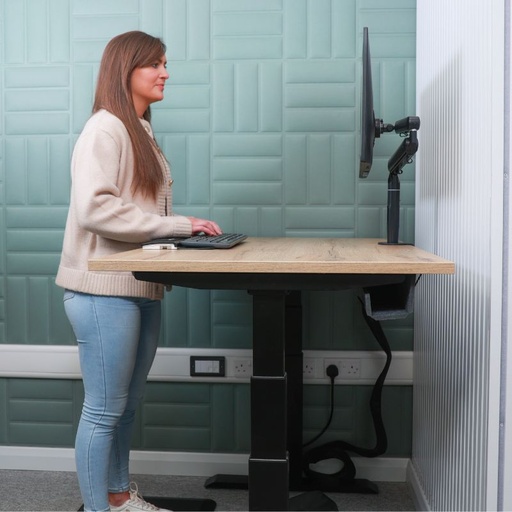
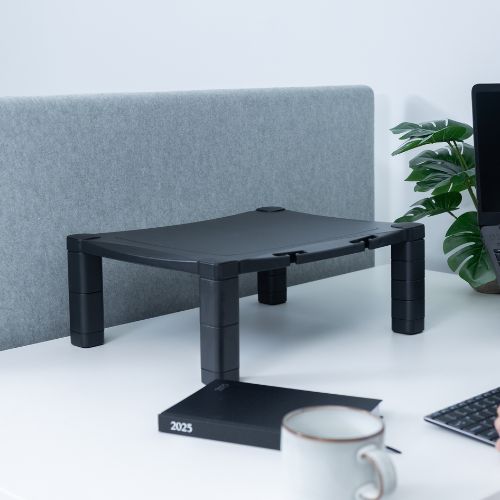
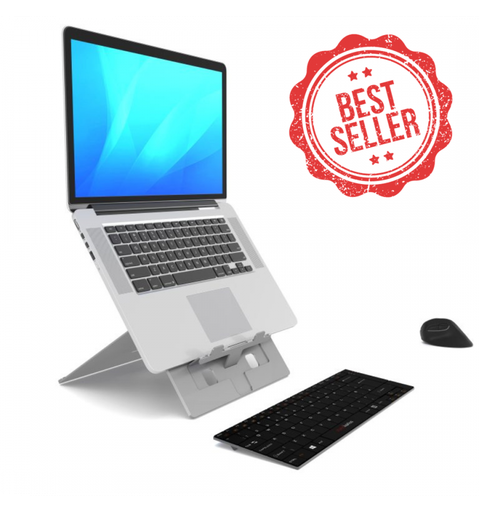
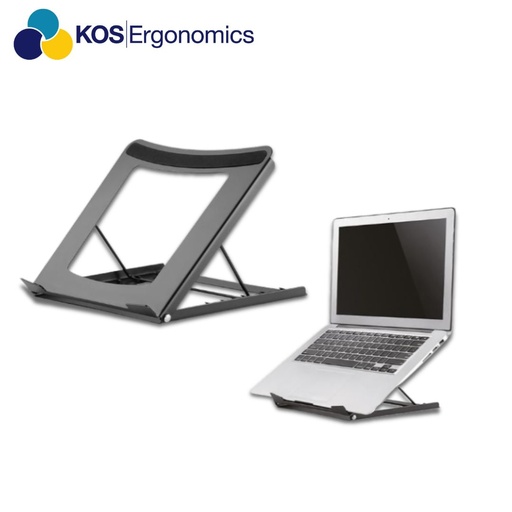
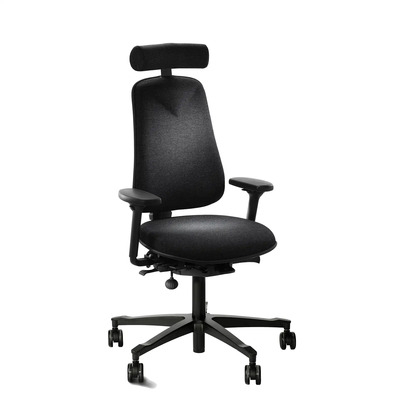
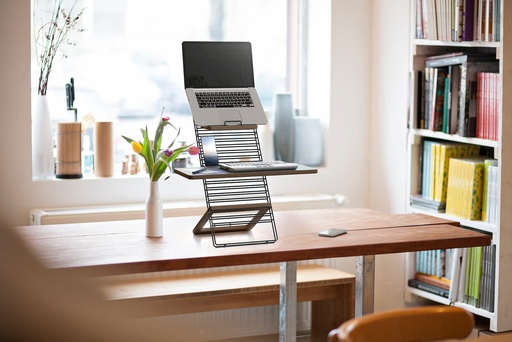
See all monitor arms and ergonomic chairs.
Why the right product for a neck disc is found in a consultation, not a basket
Every product above can help the right person, and none of them helps everyone. Neck disc symptoms vary a lot: which side, whether pain travels into the arm, which movements aggravate it, whether you wear varifocals, how tall you are and what your physio or consultant has told you all change the answer. The correct screen height for one person can be wrong by several centimetres for the next. That is why the most reliable way to choose is to sit down with one of our physiotherapists or clinical ergonomists, recreate how you work, and test options side by side before you spend anything.
In-person showroom consultation
Dublin (3 Clare Street, D02 KC82) or Tipperary (Tobin's Cross, Holycross). Try monitor arms, chairs and sit-stand desks set up to your measurements. Appointment only, so you get undivided attention.
Online showroom consultation
A live video consultation and guided product demonstration from your own desk, anywhere in Ireland. Ideal if you can't travel or want your real home setup reviewed.
Book a showroom consultation Ask a question first
Helping your neck recover
- Keep moving within comfort. Prolonged rest and neck collars are generally not recommended for disc related neck pain. Gentle movement and a physiotherapist-led exercise programme are the core of treatment, and most people improve over weeks to a few months.
- Break up static postures. Short, frequent movement breaks help more than one long break. Gentle neck turns, shoulder rolls and chin tucks within comfort counter hours in one position. Try our 10-minute workstation workout, skipping anything that increases arm symptoms.
- Watch your phone and tablet use. Looking down at a phone adds to the same forward load you are trying to reduce at your desk. Hold it higher, and use a headset for long calls.
- Nights. A pillow that keeps your neck roughly level with the rest of your spine, on your back or side, is usually more comfortable than sleeping on your front.
- Track your arm symptoms. Pain moving back towards the neck and away from the hand is usually a good sign. Spreading or worsening arm symptoms are a reason to get reviewed.
For general screen and chair positioning for neck pain without a disc component, see our guide to neck pain from computer work. If your disc problem is in the lower back, read our physio guide to the best office chair for a herniated disc.
For employers and H&S managers
If an employee reports neck or arm pain, Regulation 72 treats that as a reason to review their workstation. A generic DSE checklist is rarely enough when a diagnosed disc problem or nerve symptoms are involved. A detailed ergonomic assessment with one of our physiotherapists or clinical ergonomists gives you specific, defensible recommendations, and for complex, long-standing or return-to-work cases a workplace needs assessment looks at the whole role. Equipment is then matched to the person, not bought on guesswork.
Take the load off your neck
Book a free showroom consultation in Dublin or Tipperary, or an online consultation, and try monitor arms, laptop stands, chairs and sit-stand setups with one of our physiotherapists.
Frequently asked questions
Can sitting at a computer cause a bulging disc in the neck?
Desk work is rarely the single cause. Disc changes are influenced by age, genetics and general load. But hours with the head bent forward or turned to one side keep sustained pressure on the lower neck discs, and can aggravate an existing bulge and the nerve beside it.
What is the best monitor height for a bulging disc in the neck?
Generally, the top of the screen at or slightly below eye level, directly in front of you and about an arm's length away. Varifocal wearers usually need it a little lower. A monitor arm makes it easy to fine-tune.
Can I keep working with a bulging disc in my neck?
Many people can, often with workstation changes, more frequent movement breaks and sometimes temporary adjustments to duties. Your GP or physiotherapist can advise on your situation, and a detailed ergonomic assessment helps your employer put the right changes in place.
Is a bulging disc the same as a herniated disc?
Not quite. A bulge usually extends evenly beyond the disc's normal edge, while a herniation is when inner disc material pushes through a tear in the outer ring. Either can irritate a nerve, and both are usually managed conservatively first.
How long does a bulging disc in the neck take to heal?
Many people improve significantly over six to twelve weeks with activity modification and a structured exercise programme, though some take longer. Reducing the load on your neck through every working hour gives that recovery the best chance.
A bulging disc in the neck often starts as a stiff, aching neck that never quite settles. For some people it goes further: pain spreading into the shoulder blade, down the arm, or pins and needles in the hand. Long hours at a screen don't cause disc bulges on their own, but a monitor that is too low, a laptop on the desk, or a chair that lets you drift forward can keep the irritated disc and nerve loaded every working hour.
This article is general educational information written by the KOS clinical team. It is not a diagnosis or a substitute for advice from your GP, consultant or physiotherapist. If your symptoms are severe, worsening, or include any of the warning signs listed below, seek medical care first.
What is a bulging disc in the neck?
Between each of the seven vertebrae in your neck (the cervical spine) sits an intervertebral disc: a tough outer ring with a softer, gel-like centre. The discs absorb load and let the neck bend and turn. A bulging disc is when the disc extends a little beyond its normal margin, usually evenly around its edge. A herniated or prolapsed disc is when some of the inner material pushes through a weakness in the outer ring.
The levels most often affected are C5/C6 and C6/C7, the lower neck, which does a lot of the work when you look down or hold your head forward. Disc bulges are also very common on scans of people with no pain at all, and become more common with age. So a bulge on an MRI report is not always the cause of your symptoms. What matters is whether the disc, or the nerve root beside it, is irritated, and how much daily load you put through it.
| At a glance | |
|---|---|
| Typical symptoms | Neck pain and stiffness; pain between or over the shoulder blade; pain, tingling or numbness travelling down one arm into the hand (cervical radiculopathy); arm or grip weakness; symptoms worse looking down or holding one position |
| Common desk aggravators | Monitor or laptop below eye level; leaning towards the screen; working from a laptop without a stand; turning to a side monitor all day; reading documents flat on the desk; cradling a phone between ear and shoulder |
| Related conditions | Herniated or prolapsed cervical disc, cervical spondylosis (age related wear), foraminal stenosis, facet joint pain, and non-specific mechanical neck pain |
| Usual management | Staying active, load modification, a physiotherapist-led exercise programme, pain relief as advised; injections or surgery for a small number of specific cases |
Warning signs that need medical attention first
See your GP promptly if you notice:
- Arm or hand weakness that is getting worse, such as dropping things or a weakening grip
- Clumsiness in the hands, difficulty with buttons or handwriting, or feeling unsteady when walking, which can indicate pressure on the spinal cord
- Numbness or pins and needles in both arms
- Neck pain with fever, unexplained weight loss, or a history of cancer
- Severe pain that is constant, unrelieved by rest, or wakes you every night
Go to an emergency department or call 112 / 999 immediately if you have:
- New loss of bladder or bowel control, or sudden weakness in the arms or legs
- Neck pain after a fall, collision or other significant injury
- A sudden, severe headache with neck stiffness, fever or sensitivity to light
How your workstation loads the neck
The further your head moves forward or down from a balanced position over your shoulders, the harder the muscles and lower neck discs work to hold it there. A few minutes is not a problem. Seven or eight hours a day, five days a week, is a different story for an irritated disc.
| What we often see | What it does to the neck | What helps |
|---|---|---|
| Laptop flat on the desk | Head bent forward for hours, sustained load on the lower neck discs | Laptop stand with a separate keyboard and mouse |
| Monitor too low | Constant downward gaze and chin poking forward | Top of the screen at or slightly below eye level |
| Monitor too far away or text too small | Leaning in to read, pushing the head forward | Screen about an arm's length away; increase zoom or text size |
| Second screen off to one side | Sustained rotation, which can narrow the space where the nerve exits | Main screen directly in front; dual screens angled in a shallow V |
| Paper documents flat on the desk | Repeated looking down and back up | Document holder between keyboard and screen |
| Phone cradled on the shoulder | Side bending and compression on one side of the neck | Headset for calls |
| Chair without good back support, or perching forward | Upper back rounds and the head drifts forward to compensate | Sit back into a supportive backrest with the chair close to the desk |
Setting up your workstation for a bulging disc in the neck
- Screen at eye level. The top of the screen should sit at, or just below, eye level so you look straight ahead with a relaxed chin. If you wear varifocals, set it a little lower so you are not tipping your head back.
- Screen directly in front. Centre the monitor you use most with your keyboard so your neck is not rotated for hours. If you use two screens equally, place the join in front of you.
- Get the distance right. Roughly an arm's length away. If you find yourself leaning in, increase the text size rather than moving your head.
- Never work from a bare laptop. Raise it on a stand to eye level and use a separate keyboard and mouse.
- Sit back, not forward. Use the full backrest, with lumbar support in the small of the back, and pull the chair in so you don't have to reach. A supported lower and mid back makes it easier for the head to stay balanced.
- Keep documents up. A document holder at screen height avoids repeated looking down.
- Change position often. A sit-stand desk lets you alternate positions through the day. Short, frequent changes tend to suit an irritated disc better than long static spells in any one posture.
Equipment our physiotherapists often consider for a bulging disc in the neck
Products to discuss at your consultation
See all monitor arms and ergonomic chairs.
Why the right product for a neck disc is found in a consultation, not a basket
Every product above can help the right person, and none of them helps everyone. Neck disc symptoms vary a lot: which side, whether pain travels into the arm, which movements aggravate it, whether you wear varifocals, how tall you are and what your physio or consultant has told you all change the answer. The correct screen height for one person can be wrong by several centimetres for the next. That is why the most reliable way to choose is to sit down with one of our physiotherapists or clinical ergonomists, recreate how you work, and test options side by side before you spend anything.
In-person showroom consultation
Dublin (3 Clare Street, D02 KC82) or Tipperary (Tobin's Cross, Holycross). Try monitor arms, chairs and sit-stand desks set up to your measurements. Appointment only, so you get undivided attention.
Online showroom consultation
A live video consultation and guided product demonstration from your own desk, anywhere in Ireland. Ideal if you can't travel or want your real home setup reviewed.
Book a showroom consultation Ask a question first
Helping your neck recover
- Keep moving within comfort. Prolonged rest and neck collars are generally not recommended for disc related neck pain. Gentle movement and a physiotherapist-led exercise programme are the core of treatment, and most people improve over weeks to a few months.
- Break up static postures. Short, frequent movement breaks help more than one long break. Gentle neck turns, shoulder rolls and chin tucks within comfort counter hours in one position. Try our 10-minute workstation workout, skipping anything that increases arm symptoms.
- Watch your phone and tablet use. Looking down at a phone adds to the same forward load you are trying to reduce at your desk. Hold it higher, and use a headset for long calls.
- Nights. A pillow that keeps your neck roughly level with the rest of your spine, on your back or side, is usually more comfortable than sleeping on your front.
- Track your arm symptoms. Pain moving back towards the neck and away from the hand is usually a good sign. Spreading or worsening arm symptoms are a reason to get reviewed.
For general screen and chair positioning for neck pain without a disc component, see our guide to neck pain from computer work. If your disc problem is in the lower back, read our physio guide to the best office chair for a herniated disc.
For employers and H&S managers
If an employee reports neck or arm pain, Regulation 72 treats that as a reason to review their workstation. A generic DSE checklist is rarely enough when a diagnosed disc problem or nerve symptoms are involved. A detailed ergonomic assessment with one of our physiotherapists or clinical ergonomists gives you specific, defensible recommendations, and for complex, long-standing or return-to-work cases a workplace needs assessment looks at the whole role. Equipment is then matched to the person, not bought on guesswork.
Take the load off your neck
Book a free showroom consultation in Dublin or Tipperary, or an online consultation, and try monitor arms, laptop stands, chairs and sit-stand setups with one of our physiotherapists.
Frequently asked questions
Can sitting at a computer cause a bulging disc in the neck?
Desk work is rarely the single cause. Disc changes are influenced by age, genetics and general load. But hours with the head bent forward or turned to one side keep sustained pressure on the lower neck discs, and can aggravate an existing bulge and the nerve beside it.
What is the best monitor height for a bulging disc in the neck?
Generally, the top of the screen at or slightly below eye level, directly in front of you and about an arm's length away. Varifocal wearers usually need it a little lower. A monitor arm makes it easy to fine-tune.
Can I keep working with a bulging disc in my neck?
Many people can, often with workstation changes, more frequent movement breaks and sometimes temporary adjustments to duties. Your GP or physiotherapist can advise on your situation, and a detailed ergonomic assessment helps your employer put the right changes in place.
Is a bulging disc the same as a herniated disc?
Not quite. A bulge usually extends evenly beyond the disc's normal edge, while a herniation is when inner disc material pushes through a tear in the outer ring. Either can irritate a nerve, and both are usually managed conservatively first.
How long does a bulging disc in the neck take to heal?
Many people improve significantly over six to twelve weeks with activity modification and a structured exercise programme, though some take longer. Reducing the load on your neck through every working hour gives that recovery the best chance.

 and then Add to Home Screen.











