

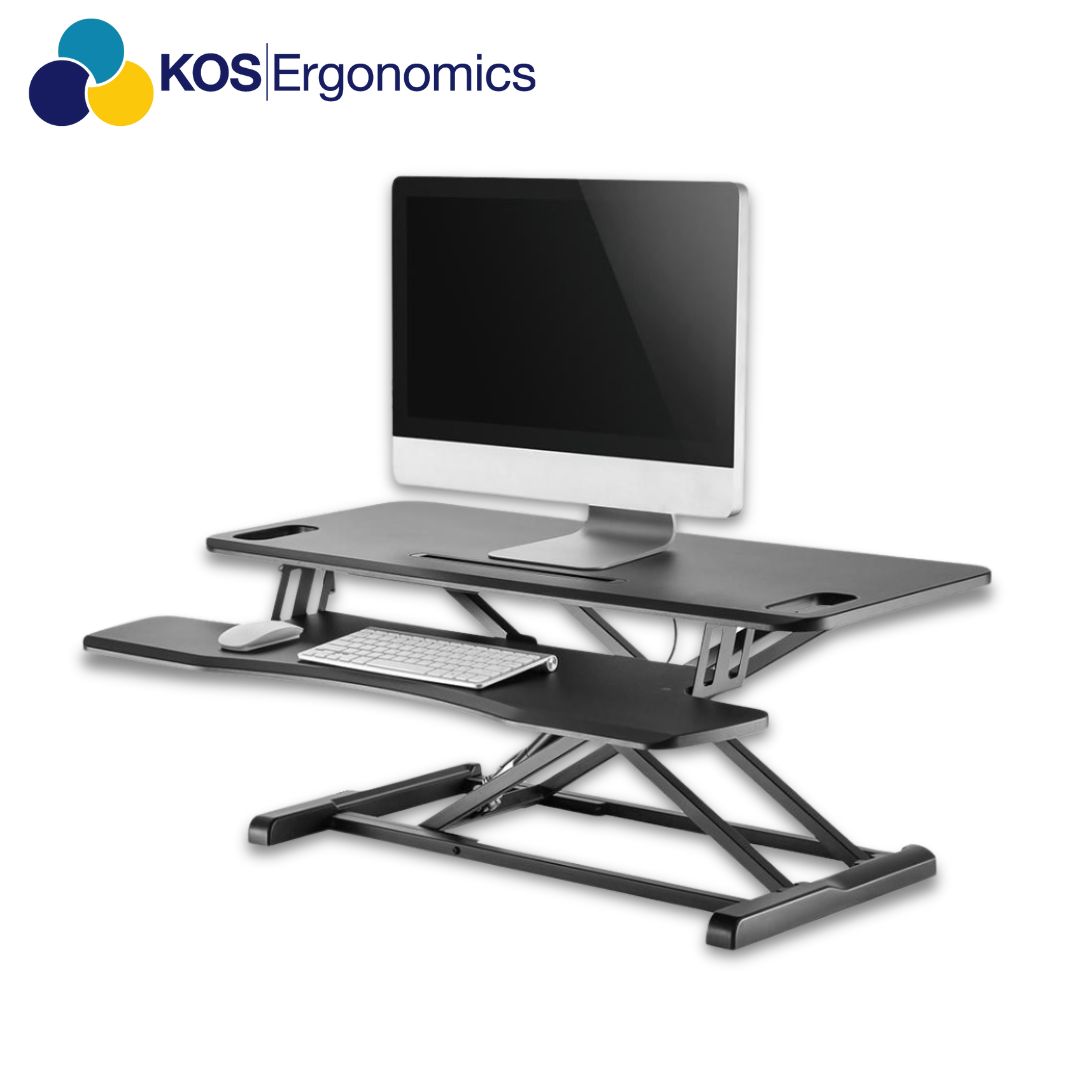
How to choose the right sit-stand desk converter
A complete buying guide from KOS Ergonomics. Learn which features matter, how to match a converter to your desk, your body and your screens, and what Irish DSE regulations require, so you can sit and stand comfortably without replacing your desk.
A sit-stand desk converter sits on top of your existing desk and lifts your screen and keyboard to standing height. It's the fastest way to add sit-stand working to a fixed desk, but only if it holds your equipment steadily and puts your keyboard and screen at the right heights in both positions.
The right converter depends on three things: the desk it sits on, the equipment it carries, and how you plan to use it. Use the table below as a starting point, then read on for the detail.
Sit-stand converters at a glance
| How you work | Converter type | Look for | Examples from KOS |
|---|---|---|---|
| Occasional standing, laptop or single screen | Compact manual converter | Two-tier surface, keyboard tray, simple lever or gas lift | Freedom Desk Pro |
| Full working day, one or two screens | Large-format manual converter | Wide upper surface, stability at full height, smooth one-handed lift | Freedom Desk K28, Ergotron WorkFit-T Large |
| Dual or triple monitors | Electric multi-monitor converter | High weight capacity, wide worksurface, anti-collision protection | StandDesk ESS2, StandDesk ESS3 |
| Shared and hot desks | Electric converter with memory presets | Stored height settings, easy controls, quick changeover between users | StandDesk ESS2, Freedom Desk Electric E3 |
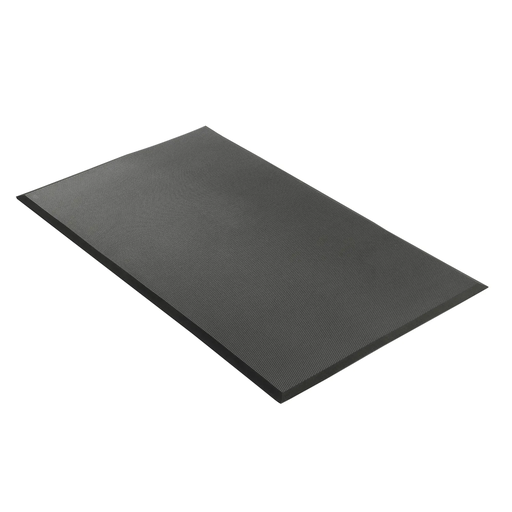
| Longer spells of standing | Converter plus anti-fatigue mat | Cushioned mat with bevelled edges, supportive footwear, room to shift your feet | Posture Mat |
Converter or full sit-stand desk?
Most office workers spend the majority of the working day seated, often in long unbroken stretches.1 Trials of sit-stand desks show they can cut workplace sitting, on average by around 100 minutes a day in the short term, although the quality of that evidence is still low.2 A converter brings the same sit-stand option to a desk you already have. Before you compare models, be clear about the desk and the way you work.
Questions to ask yourself
- Can you replace the desk? Fitted-out offices, rented spaces and home desks you want to keep are where converters make most sense. If you're replacing desks anyway, a full sit-stand desk gives more surface and height range.
- How big is your desk? Measure the width and depth. The converter's base has to sit securely on the desk, with room around it for documents and, for some designs, space to move forward as it rises.
- What will it carry? One laptop, a monitor and laptop, or two or three screens on arms each call for different sizes and weight ratings.
- Will more than one person use it? Shared desks benefit from electric converters with memory presets, so each user can return to their heights at the touch of a button.
- Do you have existing pain or a medical condition? Back, neck, hip, knee or circulation issues can change how much standing is right for you. This is where a consultation pays for itself.
The goal isn't to stand all day. It's to change position regularly. Standing still for long periods brings its own discomfort, so the best converter is the one that's easy enough to adjust that you actually move it several times a day.
The 8 features that matter
A converter is only as good as the posture it gives you in both positions. These are the features our consultants check first, and the ones to look for on any product page.
- 1Height range
- 2Lift mechanism
- 3Keyboard tray
- 4Worksurface size
- 5Weight capacity
- 6Stability
- 7Footprint and desk fit
- 8Standing support
1Height range
Check both ends of the range. At full height the keyboard should reach your standing elbow height. At its lowest, remember the converter still adds height to your desk, which can leave the keyboard too high when you sit.
Check: keyboard at elbow height standing, and not above elbow height when seated.
2Lift mechanism
Gas spring, counterbalance and electric converters all work well when matched to the load. What matters is that you can raise and lower it in one smooth movement, with your equipment on it, without straining.
Check: it lifts easily fully loaded and holds its position without creeping.
3Keyboard tray
A separate lower tier keeps the keyboard and mouse below the screen, so you get the right gap between your hands and your eyes. Single-level converters usually force a choice between a screen that's too low or a keyboard that's too high.
Check: screen at or just below eye level while the keyboard sits at elbow height.
4Worksurface size
The upper surface needs to hold your screens at a comfortable viewing distance, and the lower tier needs room for a keyboard with the mouse beside it, not on a different level.
Check: screens about an arm's length away, mouse right beside the keyboard.
5Weight capacity
Add up everything the converter will carry: monitors, monitor arms, laptop, docking station and speakers. Choose a rating with headroom, because a converter working at its limit is more likely to drift or wobble.
Check: your total equipment weight sits comfortably below the stated capacity.
6Stability
Wobble at full height is the most common complaint about cheaper converters. A rigid frame and a wide, solid base keep your screen steady while you type.
Check: type firmly at full standing height. The screen shouldn't bounce.
7Footprint and desk fit
The base must fit your desk with clearance around it. Some designs move toward you as they rise, so check you have space for that, and that a wall, partition or shelf won't block the movement.
Check: measure your desk depth and width against the converter's footprint and travel.
8Standing support
Standing on a hard floor tires the feet and legs quickly. An anti-fatigue mat and supportive footwear make standing spells more comfortable, and shifting your weight or using a footrest helps too.6
Check: a mat large enough to move your feet, with bevelled edges so it isn't a trip hazard.
Fitting your body and setup
Because a converter sits on a fixed desk, it has to work with both your height and your existing desk height. If you are noticeably taller or shorter than average, or you run several screens, check the specifications carefully before you buy. If you're also reviewing seating, see our guide to choosing an ergonomic office chair.
| If you are or have | Common problem with standard converters | What to look for | Explore |
|---|---|---|---|
| Taller | Keyboard tray tops out below standing elbow height, so you hunch forward | A high maximum keyboard height, checked against your own standing elbow height | Talk to a consultant |
| Shorter | Even at its lowest position the converter lifts the keyboard above seated elbow height | A low-profile design, a chair that raises high enough, plus a footrest | Footrests |
| Two or three monitors | Surface too narrow, weight rating exceeded, screens wobble at height | Wide worksurface, high weight capacity, electric lift | StandDesk ESS3 |
| Laptop only | Screen too low and keyboard attached, so you can't get both heights right | Separate keyboard and mouse, laptop raised on the upper tier | Freedom Desk Pro |
| A shared desk | Each user re-adjusts from scratch, so the converter stops being used | Electric lift with stored height presets | StandDesk ESS2 |
Monitor arms, docking stations and larger screens add up quickly. Check the combined weight of your equipment against the converter's stated capacity, and check your desk is sturdy enough to carry the converter as well.
Lift mechanisms explained
The mechanism decides how the converter moves between sitting and standing, how much effort it takes and how much desk space it needs. It has a big effect on whether you keep using it, so it's worth understanding the options.
| Mechanism | How it moves | Best for |
|---|---|---|
| Gas spring (manual) | Squeeze a lever to release a gas spring that lifts the platform; you guide it to the height you want | Single users, quick adjustments, no power supply needed |
| Counterbalanced vertical lift | The platform travels straight up and down on a counterbalance, without moving toward you | Shallow desks and tight spaces |
| Z-lift or arc lift | The platform rises on hinged arms and moves toward you as it lifts | Deeper desks with clear space in front of the user |
| Electric | A motor raises and lowers the platform at the touch of a button, often with memory presets and anti-collision sensing | Shared desks, heavy multi-monitor setups and users with limited grip or arm strength |
For most single users, a well-built gas spring converter is a strong default. If several people share the desk, or you carry two or three screens, an electric converter with memory presets usually earns its place by making every adjustment effortless.
Converter types in our range
KOS stocks converters for everything from a single laptop to a triple-monitor trading setup. If one of these describes your situation, start here.
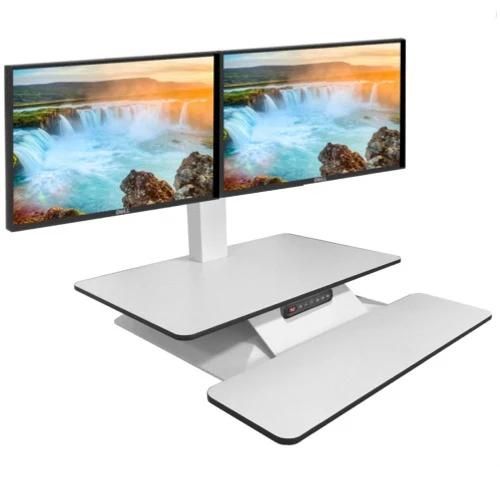
Electric converters
Raise and lower your whole workstation at the touch of a button. The StandDesk ESS2 has room for two monitors, a separate keyboard tray and three stored height settings for shared desks. The StandDesk ESS3 takes three monitors and adds anti-collision protection.
Large-format manual converters
Plenty of surface for full working days without needing a power supply. The Freedom Desk K28 uses a gas spring lift with a 950 x 400 mm upper platform and a lower keyboard tray. The Ergotron WorkFit-T Large arrives ready to use, with no tools or assembly.
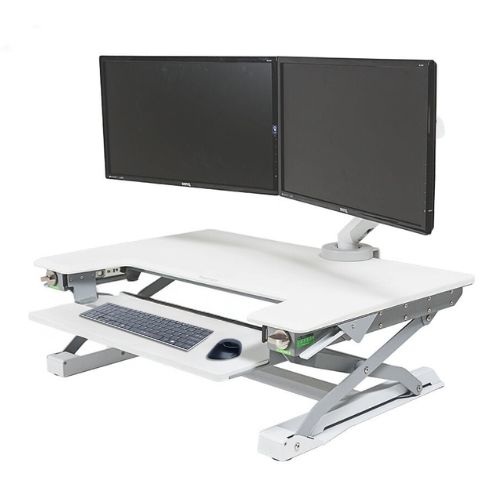
Compact, lever-operated converters
A space-efficient option for smaller desks and home offices. The Freedom Desk Pro arrives fully assembled, has a torque controller to lift up to 18 kg of equipment, a keyboard tray that slides out of the way when seated, and fittings for monitor arms.
Anti-fatigue matting
The finishing piece of any sit-stand setup. The Posture Mat is a 19 mm rubberised sponge mat designed for sit-stand desks, cushioning the feet and encouraging small movements while you stand. Heavier-duty mats are available for labs and industrial areas.
Popular converters in our range
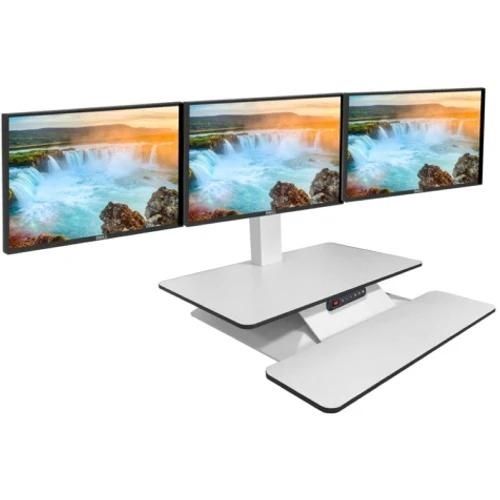
StandDesk ESS3
Electric converter with a spacious worksurface and anti-collision protection.
View converter
StandDesk ESS2
Electric, with a separate keyboard tray and three memory presets.
View converter
Freedom Desk K28
Gas spring lift with a generous two-tier worksurface.
View converter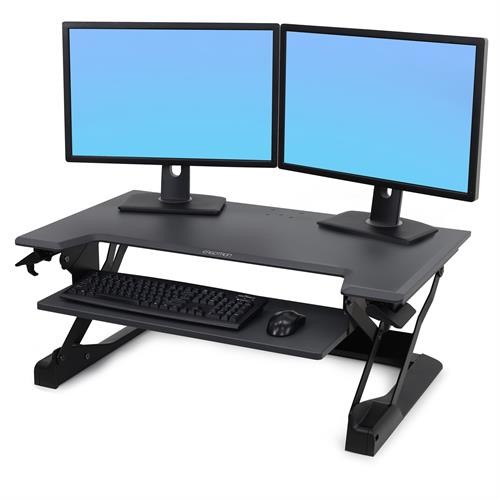
Ergotron WorkFit-T Large
Ready to use out of the box, backed by a 5-year warranty.
View converter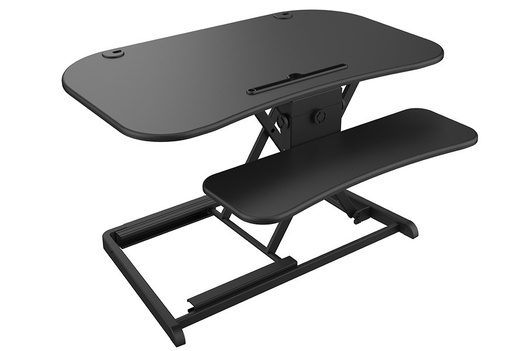
Freedom Desk Electric E3
Push-button height adjustment on a sturdy steel frame.
View converter
Freedom Desk Pro
Fully assembled, lever-operated, lifts up to 18 kg of equipment.
View converterMaterials, build and warranty
Worksurface
- Matt, low-reflectance finishes reduce glare from overhead lighting and windows, which matters for screen work.
- Rounded or softened front edges are kinder to your wrists and forearms when you type standing up.
- Cable management keeps leads from snagging as the converter moves. Check the cables have enough slack at full height.
- Monitor arm compatibility frees up surface space and gives finer control over screen height and distance.
Build quality
Look at the frame and lift mechanism as closely as the worksurface. A durable converter uses a rigid steel frame, holds its height without drifting, moves smoothly after years of daily use, and has no pinch points where fingers can get caught. Ask about the warranty on the frame, the lift mechanism and, for electric models, the motor separately.
Safety
For electric converters, look for anti-collision sensing that stops the platform if it meets an obstruction, and CE marking. For any converter, check the stated weight capacity and that the base sits fully on the desk.
What Irish DSE regulations require
If you're buying for employees, the workstation is part of your legal duties. Chapter 5 of Part 2 of the Safety, Health and Welfare at Work (General Application) Regulations 2007 covers display screen equipment, including workstation assessments by a competent person.5 The Regulations don't require sit-stand equipment, but a converter changes the geometry of a workstation, so it still has to meet the minimum requirements for the desk and the equipment on it:7
Minimum DSE work desk requirements
- The work surface is large enough and low-reflectance
- It allows a flexible arrangement of the screen, keyboard, documents and related equipment
- There is enough space for the worker to find a comfortable position
- The keyboard is separate from the screen, with space in front of it to support the hands and arms
These are minimums. A converter can meet them and still be wrong for a particular employee, which is why a DSE assessment should come before buying for staff with specific needs, and why it's good practice to review the assessment after a significant change such as adding a converter.
How to set up your new converter
Even the best converter won't help if it isn't adjusted. Work through these steps in order, starting with your chair set up correctly.
-
Position the converter Centre it on the desk with the front edge close to your side of the desk, and check there's clearance for it to move.
-
Set your seated position With the converter fully lowered, the keyboard should be at or just below seated elbow height. If it's higher, raise your chair and add a footrest.
-
Set your standing position Raise the converter until your elbows are at roughly 90 degrees with shoulders relaxed and wrists straight. Keep the keyboard and mouse in the same relative position as when seated.6
-
Adjust the screen Set the top of the screen at about eye level, an arm's length away, so you look slightly down at it in both positions.6
-
Save or mark your heights Store your heights as presets on electric models, or note the positions on manual ones, so switching takes seconds.
-
Build up standing gradually Start with short spells and increase over a few weeks. Expert guidance suggests working toward 2 hours of standing and light activity across the working day, progressing to 4 hours.3
See our step-by-step guide: Set up your office workstation in 6 minutes.
Common converter buying mistakes
Standing too long can bring its own foot, knee, hip and back problems.6 Alternate between sitting and standing instead.
Raising the converter past elbow height makes you shrug your shoulders and bend your wrists back.
Without a separate keyboard and mouse, you'll either bend your neck to the screen or lift your wrists to the keys.
Some converters leave the keyboard too high even when fully lowered, which spoils your seated posture.
A converter that's too deep, too wide or blocked by a partition won't sit securely or move freely.
Extra screens and monitor arms can push a converter past its rating, leading to drift and wobble.
Test the converter before you commit
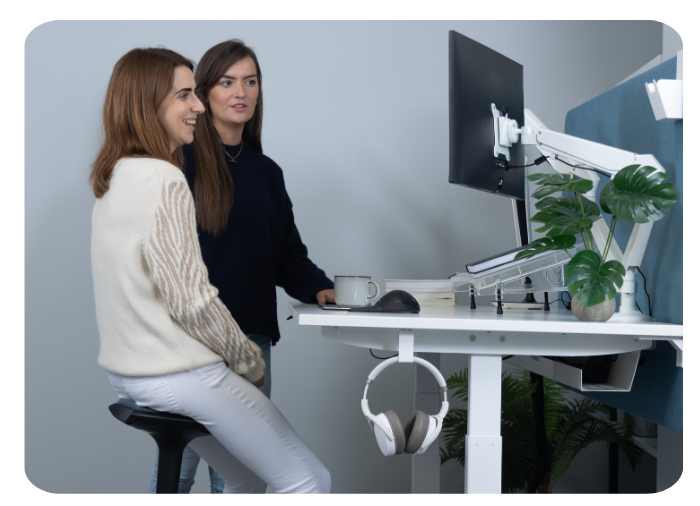
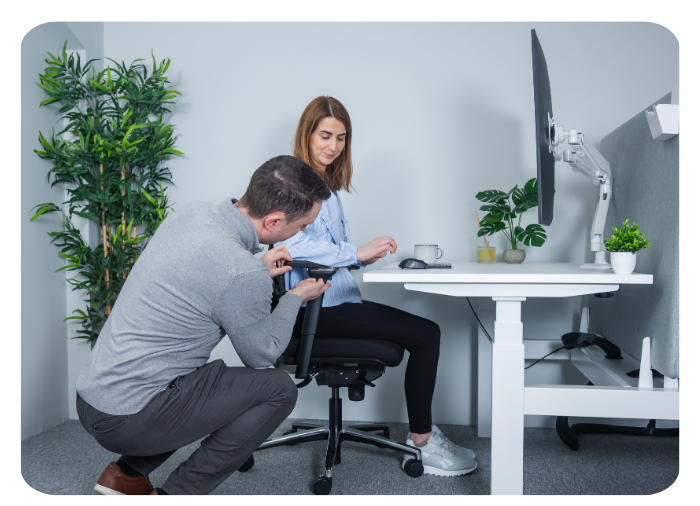
Reading about converters only goes so far. At our showrooms you can try sit-stand converters and desks side by side, and a KOS consultant will set each one up for your height and recreate your working setup, screens and all.
Frequently asked questions
Is a desk converter as good as a full sit-stand desk?
Both let you alternate between sitting and standing. A converter is the better fit when you can't or don't want to replace your desk, such as fitted-out offices, rented spaces and home desks. A full sit-stand desk gives more worksurface and a wider height range, so it suits new fit-outs and users who need extra space or adjustment.
How long should I stand at a sit-stand converter?
Build up gradually. Expert guidance suggests desk-based workers work toward 2 hours of standing and light activity across the working day, progressing to 4 hours. Change position regularly rather than standing for long unbroken spells.
Should I choose an electric or manual converter?
Manual gas spring converters suit single users with one or two screens and need no power supply. Electric converters suit shared desks, heavier multi-monitor setups and anyone who finds manual lifting difficult, and many store your preferred heights.
Will a sit-stand converter fit on my desk?
Measure your desk width and depth and compare them with the converter's footprint. Check that nothing behind or above the desk blocks its movement, that there's room if it moves toward you as it rises, and that the desk can carry the converter plus your equipment.
Do Irish employers have to provide sit-stand desks?
The Safety, Health and Welfare at Work (General Application) Regulations 2007 don't specifically require sit-stand equipment. They do set minimum requirements for work desks and display screen equipment, and a DSE assessment may recommend a sit-stand solution for an individual employee.
Can I try KOS converters before I buy?
Yes. Book a free appointment at our Dublin or Tipperary showroom to test converters with a consultant, add a 1-on-1 ergonomic consultation, or book a remote video consultation if you can't travel.
Sources
- Biddle et al., SMART Work & Life trial protocol, BMC Public Health (2018). ncbi.nlm.nih.gov/pmc/articles/PMC6137871
- Shrestha et al., Workplace interventions for reducing sitting at work, Cochrane Database of Systematic Reviews (2018). cochranelibrary.com
- Buckley et al., The sedentary office: an expert statement on the growing case for change towards better health and productivity, British Journal of Sports Medicine (2015). pubmed.ncbi.nlm.nih.gov/26034192
- Russell, Maître and Watson, Work-related Musculoskeletal Disorders and Stress, Anxiety and Depression in Ireland, ESRI/HSA (2016). esri.ie/pubs/RS53.pdf
- S.I. No. 299/2007, Safety, Health and Welfare at Work (General Application) Regulations 2007. irishstatutebook.ie/eli/2007/si/299
- Canadian Centre for Occupational Health and Safety, Office Ergonomics: Sit/Stand Desk. ccohs.ca
- Minimum requirements for display screen equipment (work desk or work surface), Schedule 4, S.I. No. 299/2007. irishstatutebook.ie

 and then Add to Home Screen.











