

Most organisations know they are supposed to "do DSE assessments". Far fewer can explain exactly what one is, who it applies to, or what a good one should produce. That gap matters, because an assessment that is misunderstood is usually an assessment that is done badly: a form gets filled in, filed and forgotten, and the actual risk at the desk stays the same.
This guide is written for the people who own the process: Health and Safety, EHS, HR and Facilities teams. It explains what a DSE assessment is, what it covers, who needs one and how to tell the difference between an assessment that ticks a box and one that genuinely reduces risk.
What is a DSE assessment? A DSE assessment is a workstation risk assessment for employees who habitually use display screen equipment (computers, laptops, tablets and similar screens) as a significant part of their normal work. It looks at the equipment, the environment, the tasks and the individual, identifies risks to musculoskeletal health, eyesight and fatigue, and records the actions needed to reduce them. In Ireland it is required under Chapter 5 of Part 2 of the Safety, Health and Welfare at Work (General Application) Regulations 2007.
Key takeaways
- A DSE assessment is a risk assessment of how a person works at a screen, not an inspection of the chair alone.
- It applies to "DSE users", defined by how they use a screen in their job rather than a set number of hours.
- It covers six areas: screen, input devices, work surface, chair, environment and the individual's work pattern.
- The output that matters is an action plan that actually gets closed out, not the completed form.
- Assessments can be done by self-assessment, a trained internal assessor or a clinical specialist, and most organisations need a mix.
What DSE assessment actually means
DSE stands for display screen equipment. In the Irish Regulations it refers to any alphanumeric or graphic display screen, regardless of the display process used. In practice that means desktop monitors, laptops, tablets and other screens used for work, along with everything that makes up the workstation around them: keyboard, mouse, desk, chair, document holders, lighting and the software the person uses.
The word "assessment" is the important part. A DSE assessment is a specific type of risk assessment. Under the Safety, Health and Welfare at Work Act 2005, employers must identify hazards, assess the risks and put controls in place. The DSE Regulations apply that general duty to screen work, and set out minimum requirements a workstation must meet.
So a DSE assessment answers three questions for each user:
- Does this workstation meet the minimum requirements?
- Given how this person works, what risks to their health exist?
- What needs to change, who is responsible, and by when?
You will also hear the older term VDU (visual display unit) assessment, and the broader terms workstation assessment or ergonomic assessment. They describe the same core process, although an ergonomic assessment can extend beyond screen work to tasks such as lab work or manual handling.
Why a DSE assessment exists
The purpose is prevention. Prolonged screen work is linked to a predictable set of problems, and almost all of them develop slowly enough that they can be caught early:
- Musculoskeletal disorders such as neck, shoulder, back, wrist and forearm pain, often from poor screen height, reaching for input devices or unsupported sitting.
- Visual fatigue including eye strain, headaches and blurred vision, often linked to glare, screen distance, small text or uncorrected eyesight.
- Fatigue and stress from long uninterrupted periods at the screen, poorly designed software or high workload with no change of activity.
A well run assessment programme gives an organisation two things: fewer of these problems turning into absence and claims, and a documented record showing risks were identified and acted on. For the legal detail, the HSA's DSE guidance is the authoritative starting point, and our post on the real cost of managing DSE compliance manually covers the operational side.
Who counts as a DSE user
The Regulations apply to employees who habitually use display screen equipment as a significant part of their normal work. There is no fixed hours threshold. The test is about dependency and pattern: does the person rely on the screen to do their job, use it for long continuous spells, and use it most working days?
| Likely a DSE user | Likely not a DSE user |
|---|---|
| Office and admin staff working at a computer most of the day | Staff who check a screen occasionally between other tasks |
| Hybrid employees working on a laptop at home and in the office | Employees using a till, calculator or cash register |
| Laboratory staff analysing data or running instruments through software for long spells | Drivers using an in-cab display while driving |
| Contact centre, finance, design and engineering staff | Members of the public using a self-service kiosk |
| Control room operators and dispatchers | Someone using a portable device briefly and not for prolonged periods |
Tip for assessment owners: when in doubt, include the person. Classifying borderline roles out of scope saves very little effort and leaves a gap if that employee later reports a work-related condition.
What a DSE assessment covers
A complete DSE assessment looks at the whole system the person works in. Schedule 4 of the 2007 Regulations sets the minimum requirements, and a competent assessor works through each area while watching how the person actually sits and works, not just how the desk looks when they are away from it.
| Area | What the assessor checks | Common findings |
|---|---|---|
| Screen | Height, distance, tilt, brightness, contrast, stability, glare and reflections | Laptop screens too low, dual monitors set up unevenly, screens facing a window |
| Keyboard and input devices | Position, reach, tilt, legibility, mouse type and placement | Mouse used at full arm reach, laptop keyboard used without a separate keyboard |
| Work surface | Size, height, glare, space for documents and equipment, leg room | Desk too small for two screens, storage under the desk blocking leg room |
| Chair | Stability, seat height and depth, back support, adjustability, footrest need | Chair never adjusted, lumbar support in the wrong place, feet not supported |
| Environment | Lighting, glare, noise, heat, humidity and space around the workstation | Overhead glare, cold or draughty positions, cramped home setups |
| Software and the individual | Software suitability, work pattern, breaks, task variety, existing discomfort, eyesight | No breaks for long spells, existing pain not reported, overdue eye test |
The individual is the area most often skipped, and it is usually the most important. Two employees at identical desks can have very different risk levels depending on their height, their tasks, any pre-existing condition and how long they work without a break. For employees with medical needs or who are pregnant, a detailed DSE assessment adapts the process to their clinical situation.
What a DSE assessment is not
Many DSE programmes underperform because of a few common misunderstandings about what the assessment is meant to do.
| Common belief | The reality |
|---|---|
| "It's a one-off box to tick when someone joins." | It is an ongoing risk assessment that must be reviewed when circumstances change. |
| "Buying ergonomic chairs means we're compliant." | Equipment only helps if it suits the person and is set up correctly. The assessment decides what is needed. |
| "The employee's questionnaire is the assessment." | A questionnaire gathers information. Someone competent still needs to review it, judge the risk and decide on actions. |
| "It only applies in the office." | It applies wherever a DSE user habitually works, including home workstations. |
| "If nobody complains, there's no risk." | Many people work through early discomfort. A good assessment is designed to find risk before it becomes a complaint. |
Equipment setup is still part of the picture. If your team needs a quick refresher, our guide to setting up your workstation properly in five minutes is a useful resource to share with staff before an assessment.
Who can carry out a DSE assessment
The person carrying out or reviewing the assessment must be competent, meaning they have the training, knowledge and experience to identify the risks and recommend suitable controls. Organisations generally use one or more of three approaches.
| Approach | How it works | Best suited to | Watch out for |
|---|---|---|---|
| Self-assessment with review | Employee completes a structured questionnaire, which a competent person reviews and follows up | Large or dispersed workforces with mostly low-risk users | Under-reporting, and questionnaires that are never reviewed |
| Trained internal assessors | Staff in H&S, HR or Facilities are trained to carry out assessments in-house | Organisations with steady assessment volume and staff turnover | Keeping skills current and assessors' time protected |
| External specialist assessors | Clinically trained assessors (for example physiotherapists or ergonomists) carry out assessments | High-risk users, medical and pregnancy cases, backlogs and complex sites | Making sure actions are owned internally after the visit |
In practice most organisations combine these: self-assessment to screen the whole population, internal assessors for routine cases, and specialists for anything complex. If you are weighing up which model fits your organisation, our free guide, Internal vs External DSE Assessor Models, compares them side by side. If you are leaning towards building in-house capability, see our DSE assessor training courses and our post on the benefits of adding a DSE assessor to your organisation.
When an assessment should happen
The Regulations do not set a fixed renewal period. Instead, assessments are driven by events. A practical trigger list for your procedure looks like this:
- A new DSE user joins, or an existing employee moves into a screen-based role
- The employee moves to a new workstation, desk, building or home setup
- Significant changes to equipment, software or the way the work is done
- The employee reports discomfort, pain or visual problems
- The employee returns from long-term absence, injury or illness (see workplace needs assessments)
- The employee tells you they are pregnant
- Periodic review dates set by your own safety management system
Remember eyesight: DSE users are entitled to an eye and eyesight test, and to special corrective appliances where those are needed specifically for screen work. Build the offer of a test into the same process so it is not handled separately and forgotten.
What a good assessment produces
The completed form is not the goal. The goal is reduced risk, and the paperwork is the evidence of it. A good DSE assessment should leave you with:
| Output | Why it matters |
|---|---|
| A written record for each user | Shows what was assessed, when and by whom, as required for risk assessments under the 2005 Act |
| A clear risk rating | Lets you prioritise high-risk users first instead of working through a list alphabetically |
| Specific, owned actions | "Raise screen 10cm, supply separate keyboard and mouse" can be closed out. "Improve posture" cannot |
| Adjustments made on the spot | Many issues are fixed during the assessment by adjusting what is already there, at no cost |
| Follow-up and sign-off | Confirms actions were completed and the risk actually reduced |
| A management overview | Shows open actions, high-risk users and spend across the organisation |
Where DSE programmes break down
For a handful of employees, a DSE assessment is straightforward. At 200 or 2,000 employees, across offices, homes and sites, the challenge shifts from "how do we assess" to "how do we manage". The same failure points come up again and again:
- Backlogs. New starters and movers pile up faster than assessors can get to them.
- Inconsistency. Different assessors rate the same issue differently, so the data cannot be trusted.
- Actions that never close. Equipment is recommended but not ordered, or ordered but never confirmed as set up.
- Hidden home workstations. Hybrid staff are assessed in the office but not where they spend half their week.
- Records in too many places. Spreadsheets, emails and paper forms make it hard to show an inspector the full picture.
These are process problems rather than assessment problems, which is why many organisations move their programme onto a central system. DSE management software brings training, self-assessments, assessor review, high-risk escalation, equipment and sign-off into one place, so the record and the action plan stay together.
Frequently asked questions
What does DSE stand for?
DSE stands for display screen equipment. It covers any screen used for work, such as monitors, laptops and tablets, together with the workstation around it: the keyboard, mouse, desk, chair, software and working environment.
Is a DSE assessment the same as an eye test?
No. A DSE assessment reviews the whole workstation and how the person works, including screen position, glare and lighting. An eye and eyesight test is a separate entitlement for DSE users, carried out by an optometrist or other qualified professional. The two should be linked in your process, but one does not replace the other.
Is a self-assessment checklist enough on its own?
A checklist is a useful way to gather information at scale, but it is only the first step. A competent person needs to review the answers, judge the level of risk and decide what action to take. Higher-risk users, or anyone reporting discomfort, usually need a full assessment by a trained assessor.
Is an ergonomic assessment the same as a DSE assessment?
They overlap. A DSE assessment focuses specifically on screen-based work and the requirements of the DSE Regulations. An ergonomic assessment can be broader, covering other tasks such as lab work, standing work or manual handling. For an office or hybrid employee, the terms are often used interchangeably.
Who is responsible for acting on a DSE assessment?
The employer. The assessor identifies the risks and recommends actions, but the organisation is responsible for making sure those actions are carried out. Employees also have a duty to cooperate, for example by using adjustable equipment correctly and reporting discomfort.
Can an employee refuse a DSE assessment?
Employees have a general duty under the 2005 Act to cooperate with their employer on safety measures. If an employee is reluctant, it usually helps to explain that the assessment is about their comfort and health rather than monitoring, and to offer a format that suits them, such as a remote session for home workers.
The bottom line
A DSE assessment is a structured way of answering a simple question: is the way this person works at a screen putting their health at risk, and if so, what will we do about it? Organisations that treat it as a living risk assessment, with clear triggers, competent assessors and actions that are followed through, get fewer injuries and a much easier time showing compliance. Organisations that treat it as a form tend to get neither.
If you would rather hand the process to clinically trained assessors, KOS Ergonomics provides professional DSE assessments in the office, at home and for employees with medical or pregnancy needs.
Need help with DSE assessments for your team?
Talk to our consultants about the right mix of in-house, remote and specialist assessments for your organisation.
Book a Consultation Learn MoreExplore KOS Ergonomics solutions
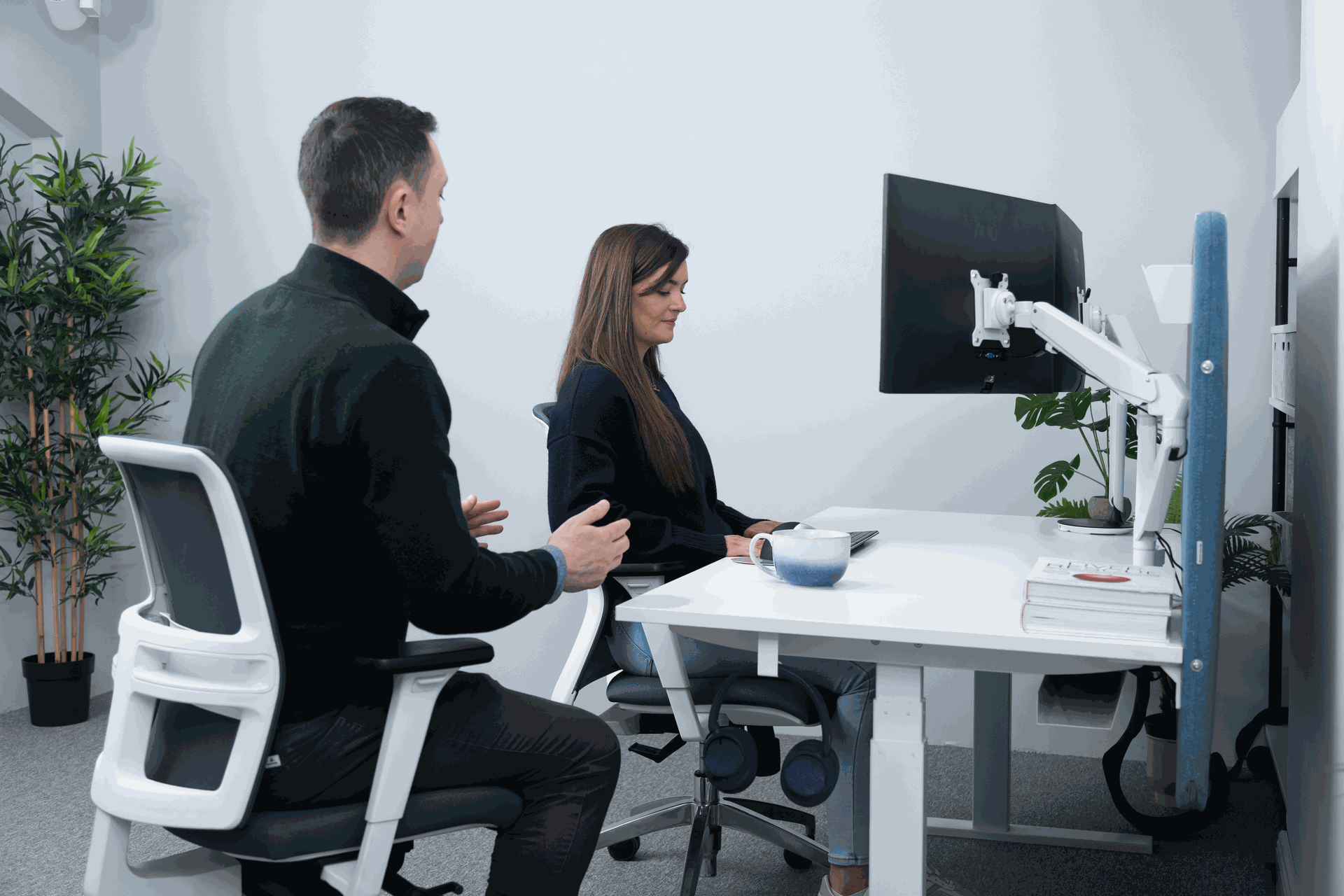
DSE Assessments
In-person, remote and detailed assessments by clinically trained assessors, with full reporting included.
Learn more →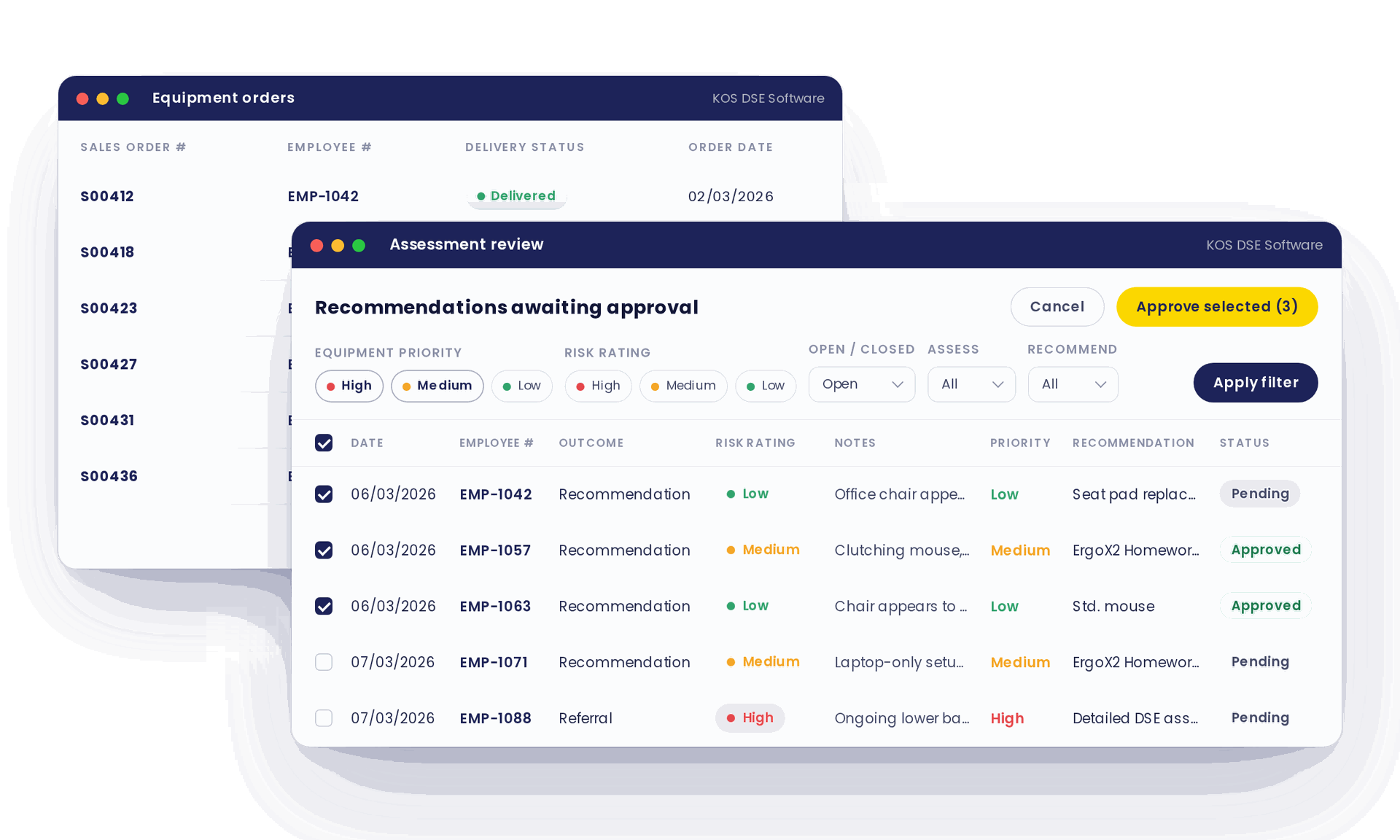
DSE Management Software
Training, self-assessments, risk ratings, equipment and sign-off in one secure platform.
Learn more →
DSE Assessor Training
Train your own team to carry out competent assessments, online or as a private group course.
Learn more →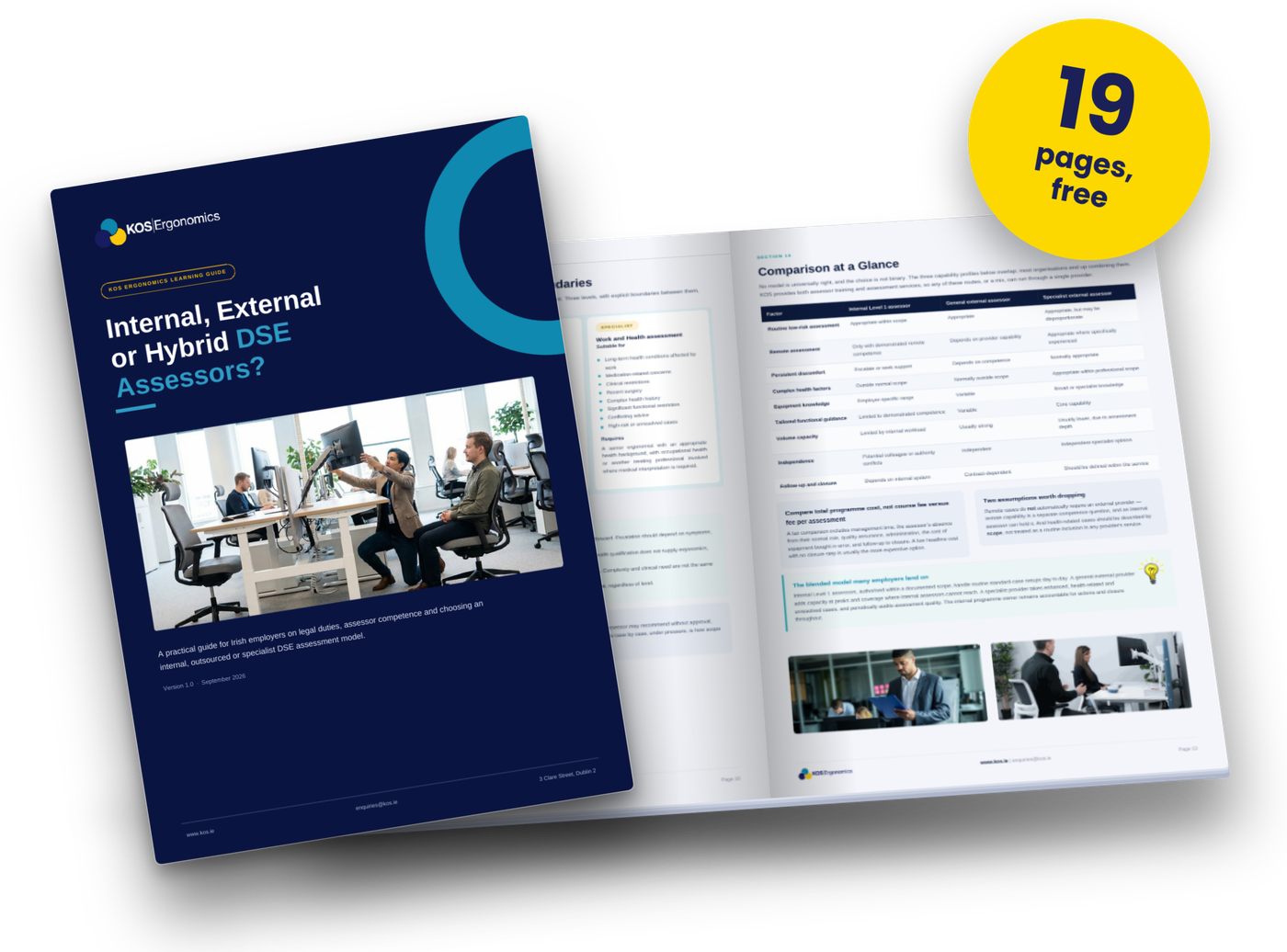
Internal vs External DSE Assessor Models
Compare in-house and external assessor models to choose the right approach for your organisation.
Download the guide →Most organisations know they are supposed to "do DSE assessments". Far fewer can explain exactly what one is, who it applies to, or what a good one should produce. That gap matters, because an assessment that is misunderstood is usually an assessment that is done badly: a form gets filled in, filed and forgotten, and the actual risk at the desk stays the same.
This guide is written for the people who own the process: Health and Safety, EHS, HR and Facilities teams. It explains what a DSE assessment is, what it covers, who needs one and how to tell the difference between an assessment that ticks a box and one that genuinely reduces risk.
What is a DSE assessment? A DSE assessment is a workstation risk assessment for employees who habitually use display screen equipment (computers, laptops, tablets and similar screens) as a significant part of their normal work. It looks at the equipment, the environment, the tasks and the individual, identifies risks to musculoskeletal health, eyesight and fatigue, and records the actions needed to reduce them. In Ireland it is required under Chapter 5 of Part 2 of the Safety, Health and Welfare at Work (General Application) Regulations 2007.
Key takeaways
- A DSE assessment is a risk assessment of how a person works at a screen, not an inspection of the chair alone.
- It applies to "DSE users", defined by how they use a screen in their job rather than a set number of hours.
- It covers six areas: screen, input devices, work surface, chair, environment and the individual's work pattern.
- The output that matters is an action plan that actually gets closed out, not the completed form.
- Assessments can be done by self-assessment, a trained internal assessor or a clinical specialist, and most organisations need a mix.
What DSE assessment actually means
DSE stands for display screen equipment. In the Irish Regulations it refers to any alphanumeric or graphic display screen, regardless of the display process used. In practice that means desktop monitors, laptops, tablets and other screens used for work, along with everything that makes up the workstation around them: keyboard, mouse, desk, chair, document holders, lighting and the software the person uses.
The word "assessment" is the important part. A DSE assessment is a specific type of risk assessment. Under the Safety, Health and Welfare at Work Act 2005, employers must identify hazards, assess the risks and put controls in place. The DSE Regulations apply that general duty to screen work, and set out minimum requirements a workstation must meet.
So a DSE assessment answers three questions for each user:
- Does this workstation meet the minimum requirements?
- Given how this person works, what risks to their health exist?
- What needs to change, who is responsible, and by when?
You will also hear the older term VDU (visual display unit) assessment, and the broader terms workstation assessment or ergonomic assessment. They describe the same core process, although an ergonomic assessment can extend beyond screen work to tasks such as lab work or manual handling.
Why a DSE assessment exists
The purpose is prevention. Prolonged screen work is linked to a predictable set of problems, and almost all of them develop slowly enough that they can be caught early:
- Musculoskeletal disorders such as neck, shoulder, back, wrist and forearm pain, often from poor screen height, reaching for input devices or unsupported sitting.
- Visual fatigue including eye strain, headaches and blurred vision, often linked to glare, screen distance, small text or uncorrected eyesight.
- Fatigue and stress from long uninterrupted periods at the screen, poorly designed software or high workload with no change of activity.
A well run assessment programme gives an organisation two things: fewer of these problems turning into absence and claims, and a documented record showing risks were identified and acted on. For the legal detail, the HSA's DSE guidance is the authoritative starting point, and our post on the real cost of managing DSE compliance manually covers the operational side.
Who counts as a DSE user
The Regulations apply to employees who habitually use display screen equipment as a significant part of their normal work. There is no fixed hours threshold. The test is about dependency and pattern: does the person rely on the screen to do their job, use it for long continuous spells, and use it most working days?
| Likely a DSE user | Likely not a DSE user |
|---|---|
| Office and admin staff working at a computer most of the day | Staff who check a screen occasionally between other tasks |
| Hybrid employees working on a laptop at home and in the office | Employees using a till, calculator or cash register |
| Laboratory staff analysing data or running instruments through software for long spells | Drivers using an in-cab display while driving |
| Contact centre, finance, design and engineering staff | Members of the public using a self-service kiosk |
| Control room operators and dispatchers | Someone using a portable device briefly and not for prolonged periods |
Tip for assessment owners: when in doubt, include the person. Classifying borderline roles out of scope saves very little effort and leaves a gap if that employee later reports a work-related condition.
What a DSE assessment covers
A complete DSE assessment looks at the whole system the person works in. Schedule 4 of the 2007 Regulations sets the minimum requirements, and a competent assessor works through each area while watching how the person actually sits and works, not just how the desk looks when they are away from it.
| Area | What the assessor checks | Common findings |
|---|---|---|
| Screen | Height, distance, tilt, brightness, contrast, stability, glare and reflections | Laptop screens too low, dual monitors set up unevenly, screens facing a window |
| Keyboard and input devices | Position, reach, tilt, legibility, mouse type and placement | Mouse used at full arm reach, laptop keyboard used without a separate keyboard |
| Work surface | Size, height, glare, space for documents and equipment, leg room | Desk too small for two screens, storage under the desk blocking leg room |
| Chair | Stability, seat height and depth, back support, adjustability, footrest need | Chair never adjusted, lumbar support in the wrong place, feet not supported |
| Environment | Lighting, glare, noise, heat, humidity and space around the workstation | Overhead glare, cold or draughty positions, cramped home setups |
| Software and the individual | Software suitability, work pattern, breaks, task variety, existing discomfort, eyesight | No breaks for long spells, existing pain not reported, overdue eye test |
The individual is the area most often skipped, and it is usually the most important. Two employees at identical desks can have very different risk levels depending on their height, their tasks, any pre-existing condition and how long they work without a break. For employees with medical needs or who are pregnant, a detailed DSE assessment adapts the process to their clinical situation.
What a DSE assessment is not
Many DSE programmes underperform because of a few common misunderstandings about what the assessment is meant to do.
| Common belief | The reality |
|---|---|
| "It's a one-off box to tick when someone joins." | It is an ongoing risk assessment that must be reviewed when circumstances change. |
| "Buying ergonomic chairs means we're compliant." | Equipment only helps if it suits the person and is set up correctly. The assessment decides what is needed. |
| "The employee's questionnaire is the assessment." | A questionnaire gathers information. Someone competent still needs to review it, judge the risk and decide on actions. |
| "It only applies in the office." | It applies wherever a DSE user habitually works, including home workstations. |
| "If nobody complains, there's no risk." | Many people work through early discomfort. A good assessment is designed to find risk before it becomes a complaint. |
Equipment setup is still part of the picture. If your team needs a quick refresher, our guide to setting up your workstation properly in five minutes is a useful resource to share with staff before an assessment.
Who can carry out a DSE assessment
The person carrying out or reviewing the assessment must be competent, meaning they have the training, knowledge and experience to identify the risks and recommend suitable controls. Organisations generally use one or more of three approaches.
| Approach | How it works | Best suited to | Watch out for |
|---|---|---|---|
| Self-assessment with review | Employee completes a structured questionnaire, which a competent person reviews and follows up | Large or dispersed workforces with mostly low-risk users | Under-reporting, and questionnaires that are never reviewed |
| Trained internal assessors | Staff in H&S, HR or Facilities are trained to carry out assessments in-house | Organisations with steady assessment volume and staff turnover | Keeping skills current and assessors' time protected |
| External specialist assessors | Clinically trained assessors (for example physiotherapists or ergonomists) carry out assessments | High-risk users, medical and pregnancy cases, backlogs and complex sites | Making sure actions are owned internally after the visit |
In practice most organisations combine these: self-assessment to screen the whole population, internal assessors for routine cases, and specialists for anything complex. If you are weighing up which model fits your organisation, our free guide, Internal vs External DSE Assessor Models, compares them side by side. If you are leaning towards building in-house capability, see our DSE assessor training courses and our post on the benefits of adding a DSE assessor to your organisation.
When an assessment should happen
The Regulations do not set a fixed renewal period. Instead, assessments are driven by events. A practical trigger list for your procedure looks like this:
- A new DSE user joins, or an existing employee moves into a screen-based role
- The employee moves to a new workstation, desk, building or home setup
- Significant changes to equipment, software or the way the work is done
- The employee reports discomfort, pain or visual problems
- The employee returns from long-term absence, injury or illness (see workplace needs assessments)
- The employee tells you they are pregnant
- Periodic review dates set by your own safety management system
Remember eyesight: DSE users are entitled to an eye and eyesight test, and to special corrective appliances where those are needed specifically for screen work. Build the offer of a test into the same process so it is not handled separately and forgotten.
What a good assessment produces
The completed form is not the goal. The goal is reduced risk, and the paperwork is the evidence of it. A good DSE assessment should leave you with:
| Output | Why it matters |
|---|---|
| A written record for each user | Shows what was assessed, when and by whom, as required for risk assessments under the 2005 Act |
| A clear risk rating | Lets you prioritise high-risk users first instead of working through a list alphabetically |
| Specific, owned actions | "Raise screen 10cm, supply separate keyboard and mouse" can be closed out. "Improve posture" cannot |
| Adjustments made on the spot | Many issues are fixed during the assessment by adjusting what is already there, at no cost |
| Follow-up and sign-off | Confirms actions were completed and the risk actually reduced |
| A management overview | Shows open actions, high-risk users and spend across the organisation |
Where DSE programmes break down
For a handful of employees, a DSE assessment is straightforward. At 200 or 2,000 employees, across offices, homes and sites, the challenge shifts from "how do we assess" to "how do we manage". The same failure points come up again and again:
- Backlogs. New starters and movers pile up faster than assessors can get to them.
- Inconsistency. Different assessors rate the same issue differently, so the data cannot be trusted.
- Actions that never close. Equipment is recommended but not ordered, or ordered but never confirmed as set up.
- Hidden home workstations. Hybrid staff are assessed in the office but not where they spend half their week.
- Records in too many places. Spreadsheets, emails and paper forms make it hard to show an inspector the full picture.
These are process problems rather than assessment problems, which is why many organisations move their programme onto a central system. DSE management software brings training, self-assessments, assessor review, high-risk escalation, equipment and sign-off into one place, so the record and the action plan stay together.
Frequently asked questions
What does DSE stand for?
DSE stands for display screen equipment. It covers any screen used for work, such as monitors, laptops and tablets, together with the workstation around it: the keyboard, mouse, desk, chair, software and working environment.
Is a DSE assessment the same as an eye test?
No. A DSE assessment reviews the whole workstation and how the person works, including screen position, glare and lighting. An eye and eyesight test is a separate entitlement for DSE users, carried out by an optometrist or other qualified professional. The two should be linked in your process, but one does not replace the other.
Is a self-assessment checklist enough on its own?
A checklist is a useful way to gather information at scale, but it is only the first step. A competent person needs to review the answers, judge the level of risk and decide what action to take. Higher-risk users, or anyone reporting discomfort, usually need a full assessment by a trained assessor.
Is an ergonomic assessment the same as a DSE assessment?
They overlap. A DSE assessment focuses specifically on screen-based work and the requirements of the DSE Regulations. An ergonomic assessment can be broader, covering other tasks such as lab work, standing work or manual handling. For an office or hybrid employee, the terms are often used interchangeably.
Who is responsible for acting on a DSE assessment?
The employer. The assessor identifies the risks and recommends actions, but the organisation is responsible for making sure those actions are carried out. Employees also have a duty to cooperate, for example by using adjustable equipment correctly and reporting discomfort.
Can an employee refuse a DSE assessment?
Employees have a general duty under the 2005 Act to cooperate with their employer on safety measures. If an employee is reluctant, it usually helps to explain that the assessment is about their comfort and health rather than monitoring, and to offer a format that suits them, such as a remote session for home workers.
The bottom line
A DSE assessment is a structured way of answering a simple question: is the way this person works at a screen putting their health at risk, and if so, what will we do about it? Organisations that treat it as a living risk assessment, with clear triggers, competent assessors and actions that are followed through, get fewer injuries and a much easier time showing compliance. Organisations that treat it as a form tend to get neither.
If you would rather hand the process to clinically trained assessors, KOS Ergonomics provides professional DSE assessments in the office, at home and for employees with medical or pregnancy needs.
Need help with DSE assessments for your team?
Talk to our consultants about the right mix of in-house, remote and specialist assessments for your organisation.
Book a Consultation Learn MoreExplore KOS Ergonomics solutions
DSE Assessments
In-person, remote and detailed assessments by clinically trained assessors, with full reporting included.
Learn more →DSE Management Software
Training, self-assessments, risk ratings, equipment and sign-off in one secure platform.
Learn more →DSE Assessor Training
Train your own team to carry out competent assessments, online or as a private group course.
Learn more →Internal vs External DSE Assessor Models
Compare in-house and external assessor models to choose the right approach for your organisation.
Download the guide →

 and then Add to Home Screen.











