CPD-accredited training for Irish employers, online or on-site
Workstation Assessor Course Ireland
Workstation assessor training that qualifies your own staff to carry out, record and follow up workstation assessments for office, hybrid and home-based screen users.
Looking for dates, fees and every course level side by side? See our DSE & VDU training course guide.
What does a workstation assessor do?
A workstation assessor is the person an employer appoints to check each screen user's desk, chair, equipment and working habits, record the risks they find, and agree practical fixes. In Ireland, these assessments are required under Chapter 5, Part 2 of the Safety, Health and Welfare at Work (General Application) Regulations 2007, and should be carried out by a competent person. A workstation assessor course gives that person the knowledge and method to do the job properly.
Official guidance: HSA Display Screen Equipment FAQs
What you can do after workstation assessor training
The course is built around the assessments your staff will actually carry out on Monday morning, not a tick-box theory session.
-
Run a complete assessment
Follow a structured method from first question to signed-off record, for desk-based and laptop users.
-
Spot the risks that cause pain
Recognise the posture, reach and screen issues behind neck, back, wrist and eye complaints.
-
Recommend fixes that stick
Prioritise quick adjustments first, then equipment, and know when a case needs a specialist.
-
Keep audit-ready records
Document findings and actions so your organisation can show what was assessed, when and by whom.

Your workstation assessor course pathway
Most new assessors start at Level 1, add remote assessment if they support hybrid staff, and return for Level 2 to deepen their skills or renew their certificate.
-
Level 1: Beginner workstation assessor
For HR, health & safety, facilities and team leads with no assessment experience.
Irish legal duties, core ergonomics and a step-by-step method for standard office workstation assessments.
Book Level 1 -
Remote and hybrid workstation assessments
For Level 1 assessors supporting home or hybrid workers.
How to assess a home set-up by video and photos, and give clear guidance employees can act on alone.
Book the remote course -
Level 2: Advanced assessor and refresher
For practising assessors, clinicians and anyone renewing a certificate.
Complex cases, employees with existing pain or injuries, and specialist equipment selection.
Book Level 2
Training several assessors at once?
We run private workstation assessor training for your team, on-site anywhere in Ireland or as a private online session, built around your own workplace, policies and equipment.
Should you train an in-house workstation assessor?
Many organisations use both: trained staff for day-to-day assessments, and an external specialist for complex cases. Here is how the two compare.
| In-house trained assessor | External assessor | |
|---|---|---|
| Cost model | One-off training, then staff time | Fee per assessment or per block |
| New starters and moves | Assessed quickly by someone on site | Booked around the assessor's schedule |
| Knowledge of your workplace | Knows your people, desks and equipment | Brings an outside, independent view |
| Complex or medical cases | Level 2 training, or refer on | Handled by clinical specialists |
| Best suited to | Steady headcount, regular changes | Small teams, backlogs, specialist needs |
Prefer to outsource? See our external DSE assessments.
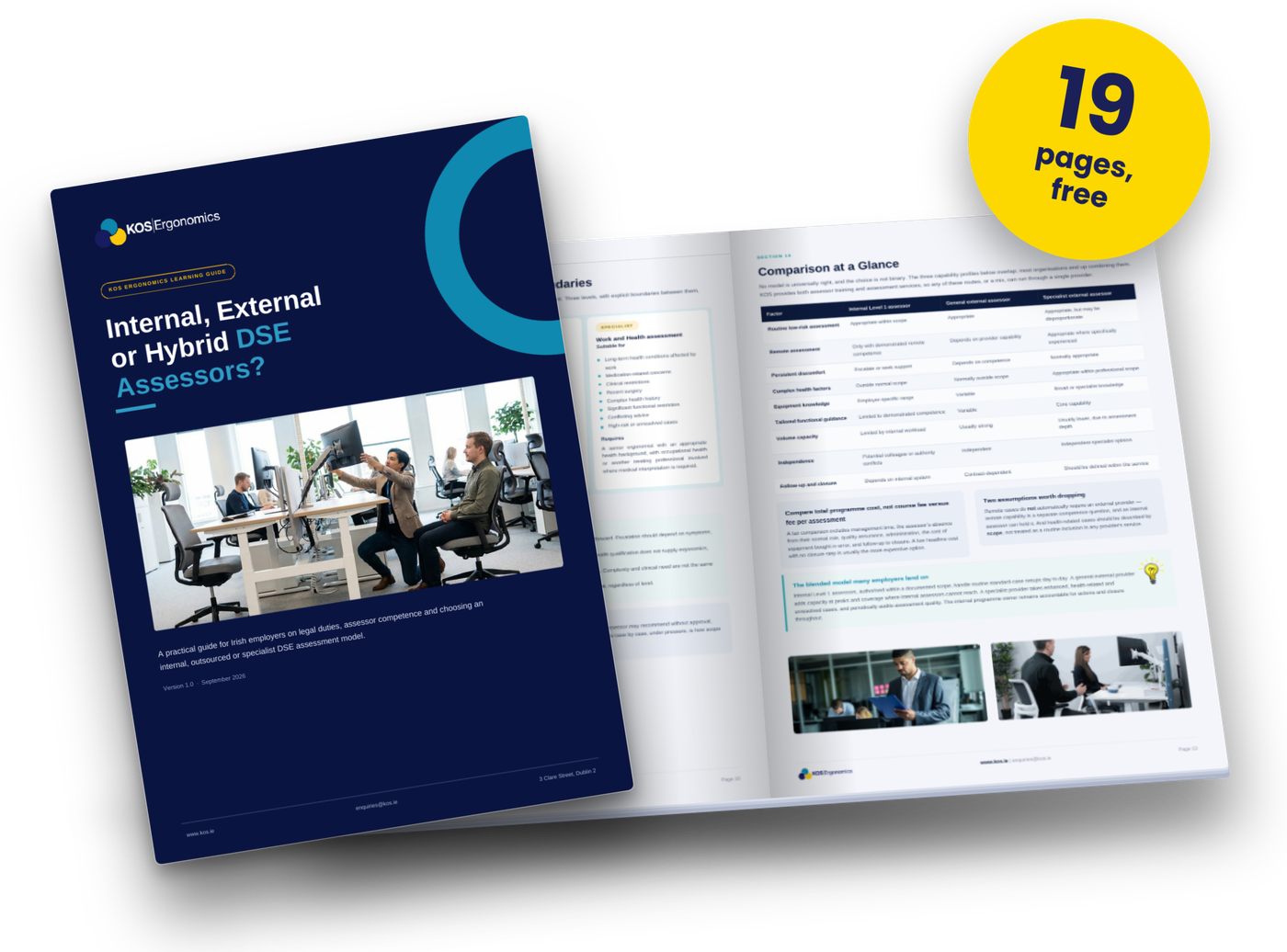
Free guide for Irish employers
Internal, External or Hybrid DSE Assessors?
Before you book a workstation assessor course, decide which model suits your organisation. This practical guide compares an internally trained assessor, a general external assessor and a specialist, so you choose based on the outcomes you need.
- Who the DSE Regulations cover, including home and hybrid workers
- What "competent person" means in practice, and why training alone isn't enough
- Where to set Level 1, Level 2 and specialist escalation boundaries
- Ten questions that point you to the right programme model
Workstation assessor training for physios, chiropractors and clinicians
Add workstation assessments to your practice. Employers across Ireland need their screen users assessed, and clinicians who already understand posture, pain and injury are well placed to deliver them.
-
A new service for local employers
Offer on-site and remote workstation assessments to offices, schools and businesses near your clinic.
-
Builds on what you already know
The course covers Irish legal duties, a structured assessment method and reporting, so your clinical skills carry straight over.
-
A natural link to your clinic
Assessments often identify employees with ongoing discomfort who need the hands-on care you already provide.
Suitable for physiotherapists, chiropractors, osteopaths, occupational therapists, occupational health nurses and other musculoskeletal practitioners.

Learn from a practising ergonomist
Every workstation assessor course is led by James Kennedy, who has assessed thousands of real workstations for Irish organisations. What you learn comes from real desks, real employees and real problems, not a textbook.
- Thousands of assessments Carried out for Irish companies across office, hybrid and home settings
- Guest lecturer in ergonomics Teaching physiotherapy students at Trinity College Dublin and RCSI
- Occupational Ergonomics Colorado State University
- Occupational Health & Safety Technological University Dublin
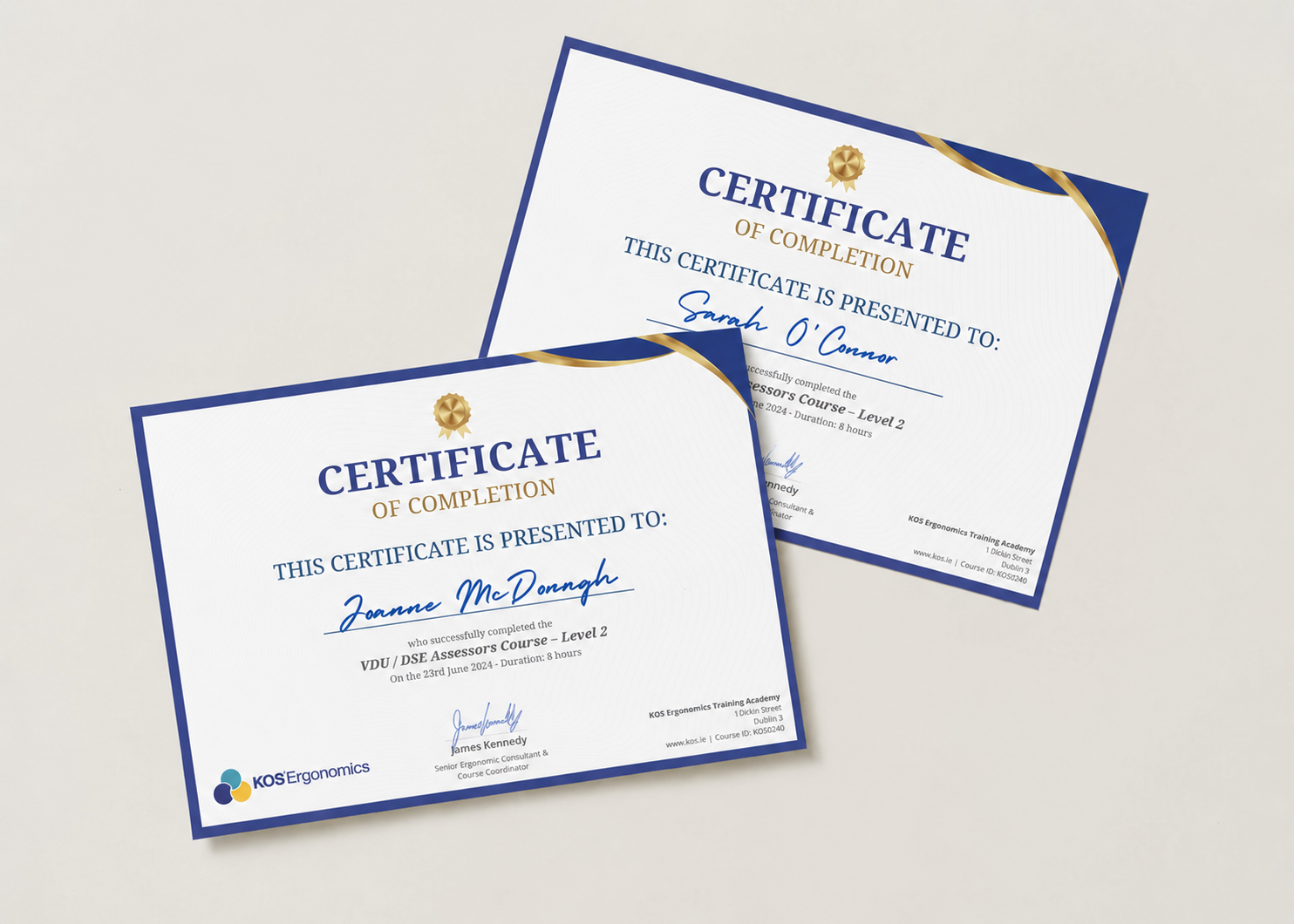
Your workstation assessor certificate
- CPD-accredited Counts towards your annual professional development.
- Valid for three years Renew with the Level 2 refresher to stay current.
- Assessor toolkit included Assessment templates and checklists so you can start straight away.
Workstation assessor training FAQs
Is a workstation assessor the same as a DSE or VDU assessor?
Yes. "Workstation assessor", "DSE assessor" and "VDU assessor" all describe the same role. VDU is the older legal term, DSE (display screen equipment) is the current one, and "workstation" is the everyday word most employers use. For a full breakdown of course levels, see our DSE & VDU training course guide.
Do I need any qualifications before a workstation assessor course?
No. Level 1 is designed for people with no ergonomics background. Physiotherapists, chiropractors, occupational therapists and occupational health professionals can usually go straight to Level 2.
Can physiotherapists and chiropractors become workstation assessors?
Yes. Clinicians already understand posture and musculoskeletal pain, which makes them strong assessors. Most start with our Level 2 course and then offer workstation assessments to employers as an additional service.
How many workstation assessors does my organisation need?
There is no fixed ratio in Irish law. It depends on headcount, number of sites, how many staff work from home, and how often people join or move desks. Many organisations train at least two assessors so there is cover for leave. Contact us and we'll suggest a number based on your set-up.
Can an in-house workstation assessor assess home workers?
Yes. Home and hybrid workstations need assessing too. After Level 1, our remote and hybrid course teaches you to assess a home set-up by video and photographs.
When should a workstation assessment be repeated?
Assess each screen user when they start, and review the assessment when their workstation or work changes significantly, or when they report discomfort. A trained in-house assessor makes these reviews quick to arrange.
How long does a workstation assessor certificate last?
Three years. To renew, complete the Level 2 advanced and refresher course, which also updates you on new equipment and hybrid working practice.
Start your workstation assessor training
Book a place on the next Level 1 course, or tell us how many staff you want to train and we'll put together a group proposal.
Free guide
Internal, External or Hybrid DSE Assessors?
Should you train in-house workstation assessors, outsource, or combine both? Our free guide helps you choose the right model for your organisation.
CPD-accredited training for Irish employers, online or on-site
Workstation Assessor Course Ireland
Workstation assessor training that qualifies your own staff to carry out, record and follow up workstation assessments for office, hybrid and home-based screen users.
Looking for dates, fees and every course level side by side? See our DSE & VDU training course guide.
What does a workstation assessor do?
A workstation assessor is the person an employer appoints to check each screen user's desk, chair, equipment and working habits, record the risks they find, and agree practical fixes. In Ireland, these assessments are required under Chapter 5, Part 2 of the Safety, Health and Welfare at Work (General Application) Regulations 2007, and should be carried out by a competent person. A workstation assessor course gives that person the knowledge and method to do the job properly.
Official guidance: HSA Display Screen Equipment FAQs
What you can do after workstation assessor training
The course is built around the assessments your staff will actually carry out on Monday morning, not a tick-box theory session.
-
Run a complete assessment
Follow a structured method from first question to signed-off record, for desk-based and laptop users.
-
Spot the risks that cause pain
Recognise the posture, reach and screen issues behind neck, back, wrist and eye complaints.
-
Recommend fixes that stick
Prioritise quick adjustments first, then equipment, and know when a case needs a specialist.
-
Keep audit-ready records
Document findings and actions so your organisation can show what was assessed, when and by whom.
Your workstation assessor course pathway
Most new assessors start at Level 1, add remote assessment if they support hybrid staff, and return for Level 2 to deepen their skills or renew their certificate.
-
Level 1: Beginner workstation assessor
For HR, health & safety, facilities and team leads with no assessment experience.
Irish legal duties, core ergonomics and a step-by-step method for standard office workstation assessments.
Book Level 1 -
Remote and hybrid workstation assessments
For Level 1 assessors supporting home or hybrid workers.
How to assess a home set-up by video and photos, and give clear guidance employees can act on alone.
Book the remote course -
Level 2: Advanced assessor and refresher
For practising assessors, clinicians and anyone renewing a certificate.
Complex cases, employees with existing pain or injuries, and specialist equipment selection.
Book Level 2
Training several assessors at once?
We run private workstation assessor training for your team, on-site anywhere in Ireland or as a private online session, built around your own workplace, policies and equipment.
Should you train an in-house workstation assessor?
Many organisations use both: trained staff for day-to-day assessments, and an external specialist for complex cases. Here is how the two compare.
| In-house trained assessor | External assessor | |
|---|---|---|
| Cost model | One-off training, then staff time | Fee per assessment or per block |
| New starters and moves | Assessed quickly by someone on site | Booked around the assessor's schedule |
| Knowledge of your workplace | Knows your people, desks and equipment | Brings an outside, independent view |
| Complex or medical cases | Level 2 training, or refer on | Handled by clinical specialists |
| Best suited to | Steady headcount, regular changes | Small teams, backlogs, specialist needs |
Prefer to outsource? See our external DSE assessments.
Free guide for Irish employers
Internal, External or Hybrid DSE Assessors?
Before you book a workstation assessor course, decide which model suits your organisation. This practical guide compares an internally trained assessor, a general external assessor and a specialist, so you choose based on the outcomes you need.
- Who the DSE Regulations cover, including home and hybrid workers
- What "competent person" means in practice, and why training alone isn't enough
- Where to set Level 1, Level 2 and specialist escalation boundaries
- Ten questions that point you to the right programme model
Workstation assessor training for physios, chiropractors and clinicians
Add workstation assessments to your practice. Employers across Ireland need their screen users assessed, and clinicians who already understand posture, pain and injury are well placed to deliver them.
-
A new service for local employers
Offer on-site and remote workstation assessments to offices, schools and businesses near your clinic.
-
Builds on what you already know
The course covers Irish legal duties, a structured assessment method and reporting, so your clinical skills carry straight over.
-
A natural link to your clinic
Assessments often identify employees with ongoing discomfort who need the hands-on care you already provide.
Suitable for physiotherapists, chiropractors, osteopaths, occupational therapists, occupational health nurses and other musculoskeletal practitioners.
Learn from a practising ergonomist
Every workstation assessor course is led by James Kennedy, who has assessed thousands of real workstations for Irish organisations. What you learn comes from real desks, real employees and real problems, not a textbook.
- Thousands of assessments Carried out for Irish companies across office, hybrid and home settings
- Guest lecturer in ergonomics Teaching physiotherapy students at Trinity College Dublin and RCSI
- Occupational Ergonomics Colorado State University
- Occupational Health & Safety Technological University Dublin
Your workstation assessor certificate
- CPD-accredited Counts towards your annual professional development.
- Valid for three years Renew with the Level 2 refresher to stay current.
- Assessor toolkit included Assessment templates and checklists so you can start straight away.
Workstation assessor training FAQs
Is a workstation assessor the same as a DSE or VDU assessor?
Yes. "Workstation assessor", "DSE assessor" and "VDU assessor" all describe the same role. VDU is the older legal term, DSE (display screen equipment) is the current one, and "workstation" is the everyday word most employers use. For a full breakdown of course levels, see our DSE & VDU training course guide.
Do I need any qualifications before a workstation assessor course?
No. Level 1 is designed for people with no ergonomics background. Physiotherapists, chiropractors, occupational therapists and occupational health professionals can usually go straight to Level 2.
Can physiotherapists and chiropractors become workstation assessors?
Yes. Clinicians already understand posture and musculoskeletal pain, which makes them strong assessors. Most start with our Level 2 course and then offer workstation assessments to employers as an additional service.
How many workstation assessors does my organisation need?
There is no fixed ratio in Irish law. It depends on headcount, number of sites, how many staff work from home, and how often people join or move desks. Many organisations train at least two assessors so there is cover for leave. Contact us and we'll suggest a number based on your set-up.
Can an in-house workstation assessor assess home workers?
Yes. Home and hybrid workstations need assessing too. After Level 1, our remote and hybrid course teaches you to assess a home set-up by video and photographs.
When should a workstation assessment be repeated?
Assess each screen user when they start, and review the assessment when their workstation or work changes significantly, or when they report discomfort. A trained in-house assessor makes these reviews quick to arrange.
How long does a workstation assessor certificate last?
Three years. To renew, complete the Level 2 advanced and refresher course, which also updates you on new equipment and hybrid working practice.
Start your workstation assessor training
Book a place on the next Level 1 course, or tell us how many staff you want to train and we'll put together a group proposal.
Free guide
Internal, External or Hybrid DSE Assessors?
Should you train in-house workstation assessors, outsource, or combine both? Our free guide helps you choose the right model for your organisation.

To install this Web App in your iPhone/iPad press  and then Add to Home Screen.