








In-Person DSE Assessments
Onsite assessments at your workplace as individual, half-day or full-day sessions, nationwide.
View assessmentChoose Your Shopping Experience
Select whether you're shopping for business or home
to see prices with or without VAT.
Write a quote here from one of your customers. Quotes are a great way to build confidence in your products or services.
Talk To Us!
0504 43341
sales@kos.ie
Dublin - 3. Clare St, Dublin 2, D02 KC82
Tipperary - Tobin's Cross, Holycross, Tipperary, E41 TP04
Tobins Cross Holycross. Thurles, Co Tipperary Tipperary (IE) E41TP04 Ireland
We find and fix home-working risks such as poor posture, laptop-only setups and unsuitable chairs.
100,000+ Workspaces Assessed, from Start-Ups to Global Enterprises
100,000+ workplaces assessed, across start-ups to enterprises
Whether you need to assess one person working from home or a whole hybrid team, our qualified assessors carry out every assessment by live video call. Every option is compliant with the DSE Regulations 2007 and comes with written reports.

A 45-minute, one-to-one video assessment at the employee's home or remote workstation. Our assessor reviews their setup, posture and equipment on camera, identifies any risks, and follows up with a clear written report.
Best for: new starters working from home, an employee who has reported discomfort, or someone who has changed their home setup or role.
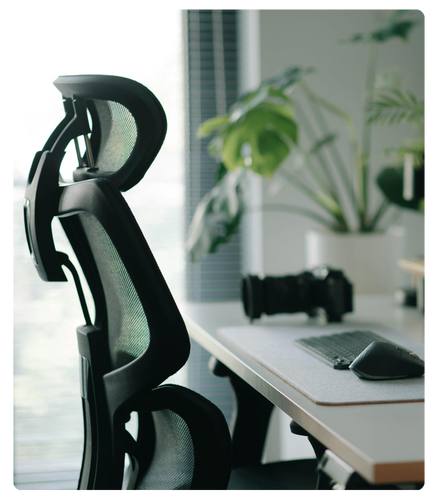
Assess a small remote or hybrid team in one block of back-to-back video calls. Employees join from wherever they work, so you get a group of staff compliant in one go without anyone travelling.
Best for: smaller distributed teams, single departments or phased roll-outs across a larger organisation.

For larger remote and hybrid workforces and company-wide compliance projects. Our experienced assessors work through your staff by video over the day, helping reduce risk and improve wellbeing wherever your people work.
Best for: large remote or hybrid workforces, multi-site organisations and company-wide compliance efforts.
Whether you need to assess one person working from home or a whole hybrid team, our qualified assessors carry out every assessment by live video call. Every option is compliant with the DSE Regulations 2007 and comes with written reports.
A 45-minute, one-to-one video assessment at the employee's home or remote workstation. Our assessor reviews their setup, posture and equipment on camera, identifies any risks, and follows up with a clear written report.
Best for: new starters working from home, an employee who has reported discomfort, or someone who has changed their home setup or role.
Assess a small remote or hybrid team in one block of back-to-back video calls. Employees join from wherever they work, so you get a group of staff compliant in one go without anyone travelling.
Best for: smaller distributed teams, single departments or phased roll-outs across a larger organisation.
For larger remote and hybrid workforces and company-wide compliance projects. Our experienced assessors work through your staff by video over the day, helping reduce risk and improve wellbeing wherever your people work.
Best for: large remote or hybrid workforces, multi-site organisations and company-wide compliance efforts.
From first enquiry to final report, the process is built around your employees' working day and needs nothing more than a laptop or phone with a camera.
Request a quote with the number of employees and their working arrangements. We'll recommend an individual, half-day or full-day format.
We agree times with you and your employees, and send simple instructions so everyone is ready with their workstation on camera.
A qualified KOS assessor reviews each workstation and posture over video, making small adjustments with the employee in real time.
Each employee gets a written report with prioritised recommendations. Group bookings also receive a management summary for your records.
Our assessments follow the minimum requirements for display screen equipment set out in the Safety, Health and Welfare at Work (General Application) Regulations 2007, applied to the realities of working from home.
Where we find a risk, the report explains why it matters and what to change, from quick adjustments to equipment recommendations.
From first enquiry to final report, the process is built around your employees' working day and needs nothing more than a laptop or phone with a camera.
Request a quote with the number of employees and their working arrangements. We'll recommend an individual, half-day or full-day format.
We agree times with you and your employees, and send simple instructions so everyone is ready with their workstation on camera.
A qualified KOS assessor reviews each workstation and posture over video, making small adjustments with the employee in real time.
Each employee gets a written report with prioritised recommendations. Group bookings also receive a management summary for your records.
Our assessments follow the minimum requirements for display screen equipment set out in the Safety, Health and Welfare at Work (General Application) Regulations 2007, applied to the realities of working from home.
Where we find a risk, the report explains why it matters and what to change, from quick adjustments to equipment recommendations.
Over 20 years helping Irish employers manage workstation risk, at home and in the office.
Trained in ergonomics, anatomy and physiology, so we look beyond the checklist.
James Kennedy, our Director of Ergonomics, lectures at Trinity College Dublin and RCSI.
We supply the equipment and software to act on every recommendation.
Your duties under the Safety, Health and Welfare at Work Act 2005 and the 2007 DSE Regulations apply wherever employees work, including at home.
Document a risk assessment for each screen user, including their home setup.
The HSA says self-assessment software alone isn't enough.
A new workstation, equipment or technology means a new assessment.
Such as a monitor, keyboard, mouse or chair where the assessment shows a need.
Break up screen work and train employees to use their workstation safely.
Make eye and eyesight tests available, plus glasses for screen work if needed.
Based on Health and Safety Authority guidance on Display Screen Equipment and Remote Working. This is a summary, not legal advice.
Over 20 years helping Irish employers manage workstation risk, at home and in the office.
Trained in ergonomics, anatomy and physiology, so we look beyond the checklist.
James Kennedy, our Director of Ergonomics, lectures at Trinity College Dublin and RCSI.
We supply the equipment and software to act on every recommendation.
Your duties under the Safety, Health and Welfare at Work Act 2005 and the 2007 DSE Regulations apply wherever employees work, including at home.
Document a risk assessment for each screen user, including their home setup.
The HSA says self-assessment software alone isn't enough.
A new workstation, equipment or technology means a new assessment.
Such as a monitor, keyboard, mouse or chair where the assessment shows a need.
Break up screen work and train employees to use their workstation safely.
Make eye and eyesight tests available, plus glasses for screen work if needed.
Based on Health and Safety Authority guidance on Display Screen Equipment and Remote Working. This is a summary, not legal advice.
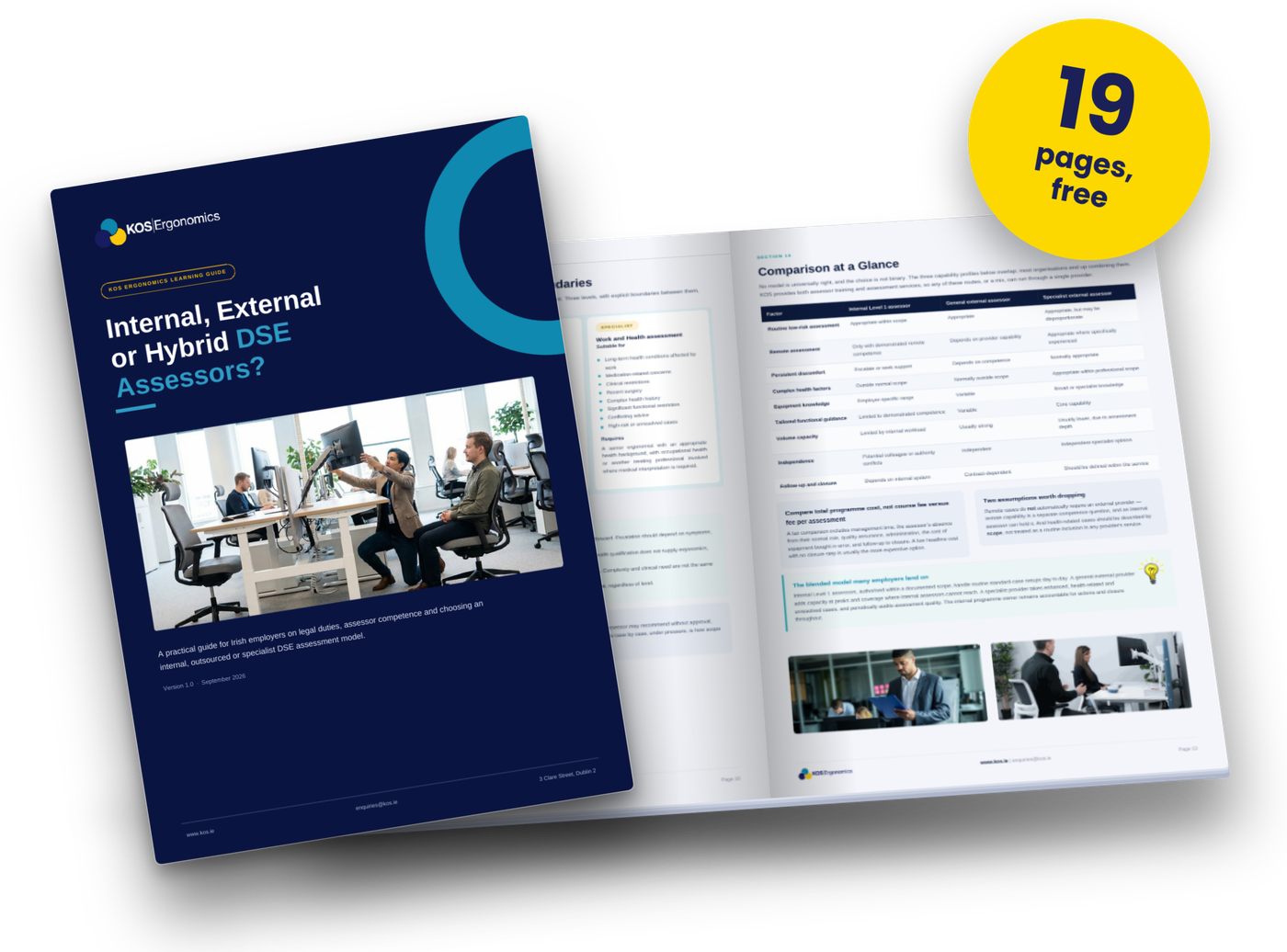
Every DSE user's workstation must be assessed by a competent person. Our free guide, Internal vs External DSE Assessor Models, helps you decide whether to train your own staff, use an external assessor, or combine both.
How organisations across technology, finance and the public sector have worked with KOS Ergonomics to improve comfort, compliance and wellbeing.
A leading technology firm partnered with KOS Ergonomics to optimise their remote work setup. Through virtual DSE assessments and tailored equipment recommendations, employee comfort improved significantly, leading to a 25% boost in productivity.
Get Results Like TheseA prominent financial institution sought KOS Ergonomics' expertise to support their hybrid workforce. Implementing a full-cycle ergonomic programme, including training and equipment provision, resulted in a 20% decrease in absenteeism due to work-related strain.
Get Results Like TheseA government department collaborated with KOS Ergonomics to redesign their office environment. By introducing ergonomic furniture and conducting comprehensive workstation assessments, staff reported a 30% reduction in musculoskeletal discomfort.
Get Results Like TheseHow organisations across technology, finance and the public sector have worked with KOS Ergonomics to improve comfort, compliance and wellbeing.
A leading technology firm partnered with KOS Ergonomics to optimise their remote work setup. Through virtual DSE assessments and tailored equipment recommendations, employee comfort improved significantly, leading to a 25% boost in productivity.
Get Results Like TheseA prominent financial institution sought KOS Ergonomics' expertise to support their hybrid workforce. Implementing a full-cycle ergonomic programme, including training and equipment provision, resulted in a 20% decrease in absenteeism due to work-related strain.
Get Results Like TheseA government department collaborated with KOS Ergonomics to redesign their office environment. By introducing ergonomic furniture and conducting comprehensive workstation assessments, staff reported a 30% reduction in musculoskeletal discomfort.
Get Results Like TheseAnswers to the questions employers ask most about assessing home and hybrid workers, based on Health and Safety Authority guidance.
A remote DSE (display screen equipment) assessment is a workstation risk assessment carried out over a live video call. A qualified assessor observes the employee at their home or remote workstation, reviews their screen, keyboard, mouse, chair, desk and environment, and checks how they sit and work. The employee then receives a written report with practical recommendations.
Yes. The Health and Safety Authority (HSA) states that its DSE guidance, written for office settings, applies equally to remote working. The DSE Regulations (Chapter 5 of the Safety, Health and Welfare at Work (General Application) Regulations 2007) do not require the assessment to take place in person. What matters is that a competent person carries out the assessment and that it is documented.
Any employee who habitually uses a computer, laptop or other screen as a significant part of their normal work is a DSE user, and their workstation must be assessed wherever they work. For hybrid employees, that means assessing both their office workstation and their home setup, because each carries different risks.
Not on its own. The HSA states that it is not sufficient to let employees assess their own workstations using a software package or other means, because analysing each workstation is the employer's duty. Self-assessment checklists can be a useful way to gather information, but the assessment itself should be carried out or reviewed by a competent person.
The HSA says a DSE assessment must be carried out by a competent person, meaning someone with sufficient training, experience and knowledge to assess a workstation. All KOS assessors are trained in ergonomics, anatomy and physiology, and carry out assessments to the requirements of the Irish DSE Regulations.
Yes. Many organisations build an internal assessor team, use an external provider, or combine both. KOS runs a dedicated Remote DSE Assessor course for assessing home and remote workers, alongside our Level 1 course for in-office assessments. Together, these two courses cover hybrid workforces. See our DSE and VDU training course guide, or download our Internal vs External DSE Assessor Models guide to compare the options.
Assess each DSE user when they start and carry out a new assessment whenever something changes. The HSA lists a move to a new workstation or the introduction of new equipment or technology as triggers for reassessment. It is also good practice to reassess when an employee reports discomfort or moves to a new home setup. Many employers also review assessments periodically as part of their safety management system.
Where an employee's remote work involves using display screen equipment at a workstation, the HSA's remote working guidance says employers will need to provide equipment such as a mouse, keyboard and monitor, in addition to a suitable desk and chair. Employees can use their own equipment if it is deemed suitable. The assessment identifies exactly what each person needs, and KOS can supply the recommended ergonomic equipment.
Yes. Under the DSE Regulations, employers must make an appropriate eye and eyesight test available to DSE users before they start display screen work, at regular intervals afterwards, and if they experience visual difficulties. Where a special corrective appliance, such as glasses for screen work, is needed, the employer must provide it. This applies to remote and hybrid workers in the same way as office staff.
Just a laptop, tablet or phone with a camera and a stable internet connection, set up where they normally work. During the call, the assessor may ask them to move the camera to show their chair, desk, screen position and surroundings. Each individual assessment takes about 45 minutes.
We offer individual assessments for one employee, half-day sessions for up to eight employees, and full-day sessions for up to sixteen employees, depending on the assessment type. Group bookings include individual reports plus a management summary for your records.
These situations usually need a more detailed evaluation. Our detailed ergonomic assessments are designed for pregnancy, medical and on-demand needs, and can be carried out remotely or in person depending on the individual.
Answers to the questions employers ask most about assessing home and hybrid workers, based on Health and Safety Authority guidance.
A remote DSE (display screen equipment) assessment is a workstation risk assessment carried out over a live video call. A qualified assessor observes the employee at their home or remote workstation, reviews their screen, keyboard, mouse, chair, desk and environment, and checks how they sit and work. The employee then receives a written report with practical recommendations.
Yes. The Health and Safety Authority (HSA) states that its DSE guidance, written for office settings, applies equally to remote working. The DSE Regulations (Chapter 5 of the Safety, Health and Welfare at Work (General Application) Regulations 2007) do not require the assessment to take place in person. What matters is that a competent person carries out the assessment and that it is documented.
Any employee who habitually uses a computer, laptop or other screen as a significant part of their normal work is a DSE user, and their workstation must be assessed wherever they work. For hybrid employees, that means assessing both their office workstation and their home setup, because each carries different risks.
Not on its own. The HSA states that it is not sufficient to let employees assess their own workstations using a software package or other means, because analysing each workstation is the employer's duty. Self-assessment checklists can be a useful way to gather information, but the assessment itself should be carried out or reviewed by a competent person.
The HSA says a DSE assessment must be carried out by a competent person, meaning someone with sufficient training, experience and knowledge to assess a workstation. All KOS assessors are trained in ergonomics, anatomy and physiology, and carry out assessments to the requirements of the Irish DSE Regulations.
Yes. Many organisations build an internal assessor team, use an external provider, or combine both. KOS runs a dedicated Remote DSE Assessor course for assessing home and remote workers, alongside our Level 1 course for in-office assessments. Together, these two courses cover hybrid workforces. See our DSE and VDU training course guide, or download our Internal vs External DSE Assessor Models guide to compare the options.
Assess each DSE user when they start and carry out a new assessment whenever something changes. The HSA lists a move to a new workstation or the introduction of new equipment or technology as triggers for reassessment. It is also good practice to reassess when an employee reports discomfort or moves to a new home setup. Many employers also review assessments periodically as part of their safety management system.
Where an employee's remote work involves using display screen equipment at a workstation, the HSA's remote working guidance says employers will need to provide equipment such as a mouse, keyboard and monitor, in addition to a suitable desk and chair. Employees can use their own equipment if it is deemed suitable. The assessment identifies exactly what each person needs, and KOS can supply the recommended ergonomic equipment.
Yes. Under the DSE Regulations, employers must make an appropriate eye and eyesight test available to DSE users before they start display screen work, at regular intervals afterwards, and if they experience visual difficulties. Where a special corrective appliance, such as glasses for screen work, is needed, the employer must provide it. This applies to remote and hybrid workers in the same way as office staff.
Just a laptop, tablet or phone with a camera and a stable internet connection, set up where they normally work. During the call, the assessor may ask them to move the camera to show their chair, desk, screen position and surroundings. Each individual assessment takes about 45 minutes.
We offer individual assessments for one employee, half-day sessions for up to eight employees, and full-day sessions for up to sixteen employees, depending on the assessment type. Group bookings include individual reports plus a management summary for your records.
These situations usually need a more detailed evaluation. Our detailed ergonomic assessments are designed for pregnancy, medical and on-demand needs, and can be carried out remotely or in person depending on the individual.
Not every employee's needs are the same. Find the right assessment for office staff, specific health needs, return to work and the public sector.
Onsite assessments at your workplace as individual, half-day or full-day sessions, nationwide.
View assessment
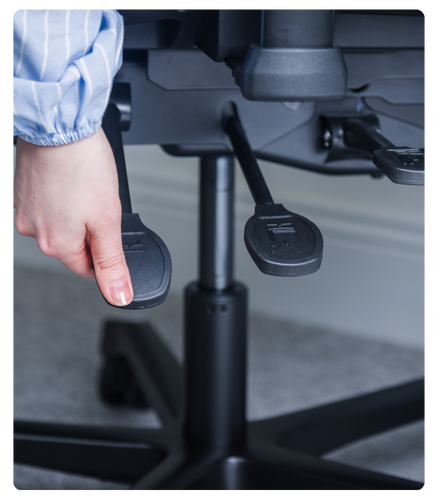
Detailed 45-minute assessments for employees with chronic pain, complex needs or medical referrals.
View assessment

Assessments that address pregnancy-specific risks for employees at home or in hybrid roles.
View assessment
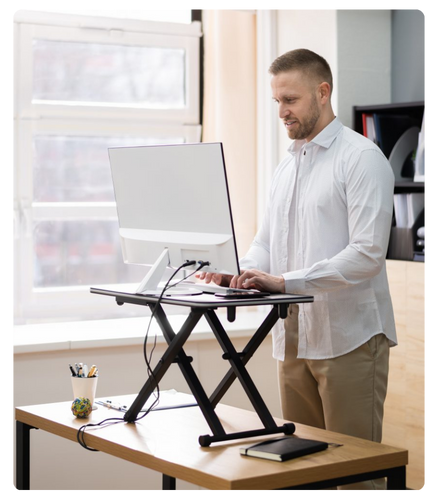
Quick 30-minute video assessments with flexible booking, ideal for onboarding and one-off checks.
View assessment

Occupational therapist-led assessments for returning to work after illness or injury, with grant guidance.
View assessment

Approved provider under the Office of Government Procurement framework for public sector organisations.
View assessmentNot every employee's needs are the same. Find the right assessment for office staff, specific health needs, return to work and the public sector.
Onsite assessments at your workplace as individual, half-day or full-day sessions, nationwide.
View assessment
Detailed 45-minute assessments for employees with chronic pain, complex needs or medical referrals.
View assessment
Assessments that address pregnancy-specific risks for employees at home or in hybrid roles.
View assessment
Quick 30-minute video assessments with flexible booking, ideal for onboarding and one-off checks.
View assessment
Occupational therapist-led assessments for returning to work after illness or injury, with grant guidance.
View assessment
Approved provider under the Office of Government Procurement framework for public sector organisations.
View assessmentFill in the form below and tell us how many employees need assessing and how they work, whether from home, a remote hub or on a hybrid pattern. Our team will come back to you with a tailored quote and expert guidance to help your organisation meet its DSE obligations.
Complete the form below
Fill in the form below and tell us how many employees need assessing and how they work, whether from home, a remote hub or on a hybrid pattern. Our team will come back to you with a tailored quote and expert guidance to help your organisation meet its DSE obligations.
Complete the form below
Request a tailored quote for remote ergonomic assessments. Our team will provide expert guidance and scalable solutions
to ensure your organisation meets DSE compliance efficiently
Our team will be in touch shortly to answer your query!
To install this Web App in your iPhone/iPad press

and then Add to Home Screen.

We use cookies to enhance your experience. Essential cookies are always on, but you can choose to accept or reject analytics and marketing cookies. Read Cookie Policy
Show your desired products in the suitable layout just in a few clicks!
Easily highlight any sections with an image hotspot









