

If you are responsible for DSE compliance across an office, a hybrid workforce or several sites, the hard part is not knowing what the law says. It is doing it for every person, keeping it current, and proving it on the day an inspector or a solicitor asks. This guide explains where software genuinely helps, where the HSA says it cannot replace people, and how to build a system that stands up.
Display Screen Equipment rules were written for a world of fixed desks. Today one employee might have an assigned desk, a hot desk two days a week, and a kitchen table at home. Each of those is a workstation. Each one can trigger a reassessment when it changes. Multiply that by a few hundred people and paper checklists, shared spreadsheets and reminder emails stop being a process and become a liability.
What the law actually asks of you
DSE duties in Ireland sit in Chapter 5 of Part 2 of the Safety, Health and Welfare at Work (General Application) Regulations 2007, Regulations 70 to 73 and Schedule 4, on top of the general duties in the Safety, Health and Welfare at Work Act 2005. Stripped back, the employer must:
- Analyse every workstation used by a habitual screen user, with particular regard to eyesight, physical problems and mental stress (Regulation 72(1)(b)).
- Remedy the risks found, measured against the minimum requirements in Schedule 4.
- Plan breaks or changes of activity so screen work is periodically interrupted.
- Inform and train users before screen work starts and whenever the workstation changes substantially.
- Reassess when someone moves to a new workstation or gets significant new equipment or technology (Regulation 72(1)(f)).
- Offer eye and eyesight tests and fund special corrective appliances where needed for screen work (Regulation 73).
The line software cannot cross
The HSA is explicit on one point that many software vendors gloss over: letting employees assess their own workstations through a software package does not, on its own, discharge the employer's duty. The employer must be actively engaged in analysing the workstation and acting on the findings. See the HSA DSE FAQs.
So the question is never "software or assessor". It is how software gets the right cases in front of a competent person quickly, and keeps a record of what that person decided and did.
Why manual DSE programmes fail at scale
Most organisations we work with do not lack good intentions. They lack throughput and evidence. The same five failure points show up again and again:
| Failure point | What it looks like day to day | What it costs you |
|---|---|---|
| Coverage gaps | New starters, home workers and people who moved desk are never assessed | Unassessed users are the first thing an inspector or claimant's solicitor looks for |
| Stale records | Assessments done once, years ago, on a different desk | Paperwork that no longer describes the real workstation |
| Open actions | A chair or monitor arm was recommended but never ordered | Evidence that you knew about the risk and did not act |
| Assessor overload | Trained staff spend their week chasing forms and signatures | Genuine high-risk cases wait in the same queue as simple ones |
| Blanket buying | Everyone gets the same "ergonomic" chair | Budget spent on people who did not need it, while those who did still go without |
These gaps are explored further in our articles on compliance risk and outdated DSE policies.
How good DSE management software should work
The KOS Ergonomic Management Software is built around the sequence the regulations already describe, so every step leaves a record. This is the workflow we recommend whatever platform you use:
- Train first. Each user completes short DSE training with course materials, so they know how to adjust a chair, screen and keyboard before they assess anything.
- Self-assessment at the desk. The user answers a structured questionnaire at their actual workstation, office or home, and can upload a photo of their setup.
- Competent-person review. A trained assessor reviews every submission. Low-risk setups are confirmed; anything flagged is reviewed in detail.
- High-risk escalation. People reporting pain, existing conditions, pregnancy or complex setups are routed for a detailed assessment rather than a generic fix.
- Equipment and actions. Specific recommendations are raised, approved and tracked to completion, so procurement buys what was actually prescribed.
- Digital sign-off. The competent person (for example your H&S manager) signs off each case, and the full history sits in one place, ready for an HSA inspection.
Triage: putting expert time where the risk is
The practical value of software is triage. In a typical office population most users simply need to know how to set up what they already have. A smaller group needs a piece of equipment. A small minority needs clinical attention. Treating all three the same way is what buries assessors.
| Risk tier | Typical profile | Right response | Who acts |
|---|---|---|---|
| Low | No symptoms, adjustable equipment, setup corrected after training | Confirm and record; schedule the next review trigger | System plus assessor sign-off |
| Moderate | Laptop without riser or separate keyboard, non-adjustable chair, glare | Specific equipment or layout change, tracked to completion | Assessor and procurement |
| High | Reported pain, diagnosed MSK condition, pregnancy, post-surgery return, visual or mobility needs | Detailed ergonomic assessment or workplace needs assessment | Clinical ergonomist or physiotherapist |
Where software earns its keep
Hot-desking and agile offices
When nobody owns a desk, assessing the furniture is pointless on its own. What travels with the person is competence: knowing how to set seat height, backrest, screen height and distance at whatever desk they book. Training plus a short per-user assessment, recorded centrally, is the only model that scales. Build in a prompt to re-check when someone reports discomfort, because that is still a reassessment trigger.
Hybrid and home workers
The duty of care follows the employee home (see Citizens Information). Photo upload lets an assessor see the chair, desk depth, screen position and lighting without a home visit. Where the photo raises questions, escalate to a remote video assessment carried out by a trained assessor rather than guessing.
New starters and onboarding
Regulation 72(1)(d) requires training before screen work begins. Embedding the training and self-assessment link in the induction pack means every new hire is covered from their first week, with no separate scheduling exercise.
Multi-site and international teams
A single platform gives one standard and one dashboard across sites. The Irish regulations transpose EU Directive 90/270/EEC, so a programme built to Irish requirements maps closely to other EU member states and to UK DSE rules. Local law still applies in each country, so confirm any jurisdiction-specific requirements with your safety adviser.
Procurement and budget control
When every equipment request is tied to an assessment finding, you stop buying on preference and start buying on need. That protects budget and, just as importantly, creates a clear trail showing each identified risk was addressed.
What to ask any DSE software provider
Use these questions in a demo. Vague answers to any of them are a warning sign.
| Question | Why it matters | What a good answer sounds like |
|---|---|---|
| Who reviews the assessments? | HSA guidance requires an employer-led analysis by a competent person | A named, trained internal assessor, or a clinical team supplied by the provider |
| What happens to high-risk cases? | Pain and medical cases need more than a generic tip sheet | Automatic escalation to a detailed or clinical assessment, with the outcome recorded |
| Can I evidence closed actions? | Recommendations without follow-through are a liability | Every action has an owner, a date, and a sign-off |
| How is health data protected? | Assessments capture special category data under GDPR | Clear data residency, access controls, retention and erasure processes |
| Does it train users? | Training is a separate legal duty, not a nice extra | Training is completed and logged before the self-assessment |
| Does it need IT integration to start? | Long IT projects stall compliance | Cloud-based access that can go live without complex integration |
Data protection and security
Ergonomic assessments collect health information, which is special category data under GDPR. Your Data Protection Officer will want to know where it is stored, who can see it and how long it is kept. The KOS platform is cloud-based, needs no installation, is hosted with EU data residency, and is operated under ISO 27001 certified information security with GDPR-compliant access and erasure controls. Limit access to named reviewers and keep a documented retention period.
Building the human side: competent people
Section 18 of the 2005 Act frames competence as sufficient training, experience and knowledge for the task. Software needs competent reviewers behind it. You have three routes, and many organisations combine them:
| Route | Best for | How KOS supports it |
|---|---|---|
| Train internal assessors | Organisations that want the capability in-house | VDU & DSE assessor training (Level 1, Level 2 and remote assessment) |
| Use an external clinical team | Organisations without H&S headcount or with high case complexity | KOS clinical ergonomists review and close cases on your behalf |
| Hybrid model | Most mid-sized and large employers | Internal assessors handle routine cases; complex cases escalate to KOS |
If you are weighing up the internal and external models, our free guide, Internal vs External DSE Assessor Models, sets out the trade-offs.
Audit-ready in five checks
Run these against your current programme. Any "no" is a gap worth closing before the next inspection.
- Can you produce a list of every habitual DSE user, including home and hybrid workers, and show each has a current assessment?
- Was each assessment reviewed by a named competent person, not just submitted by the employee?
- Can you show every recommended action was completed, with a date?
- Are reassessment triggers (new desk, new equipment, reported discomfort) actually firing?
- Are high-risk cases routed to a clinical assessment and the outcome recorded?
Related reading
- DSE software vs EHS software: do you need both?
- 5 benefits of an ergonomic management software
- Measuring the ROI of upskilling your EHS team
- Compliance at risk: what 67% of Irish companies are missing
- Furniture compliance: are your office chairs breaking Irish law?
Next steps for your DSE programme
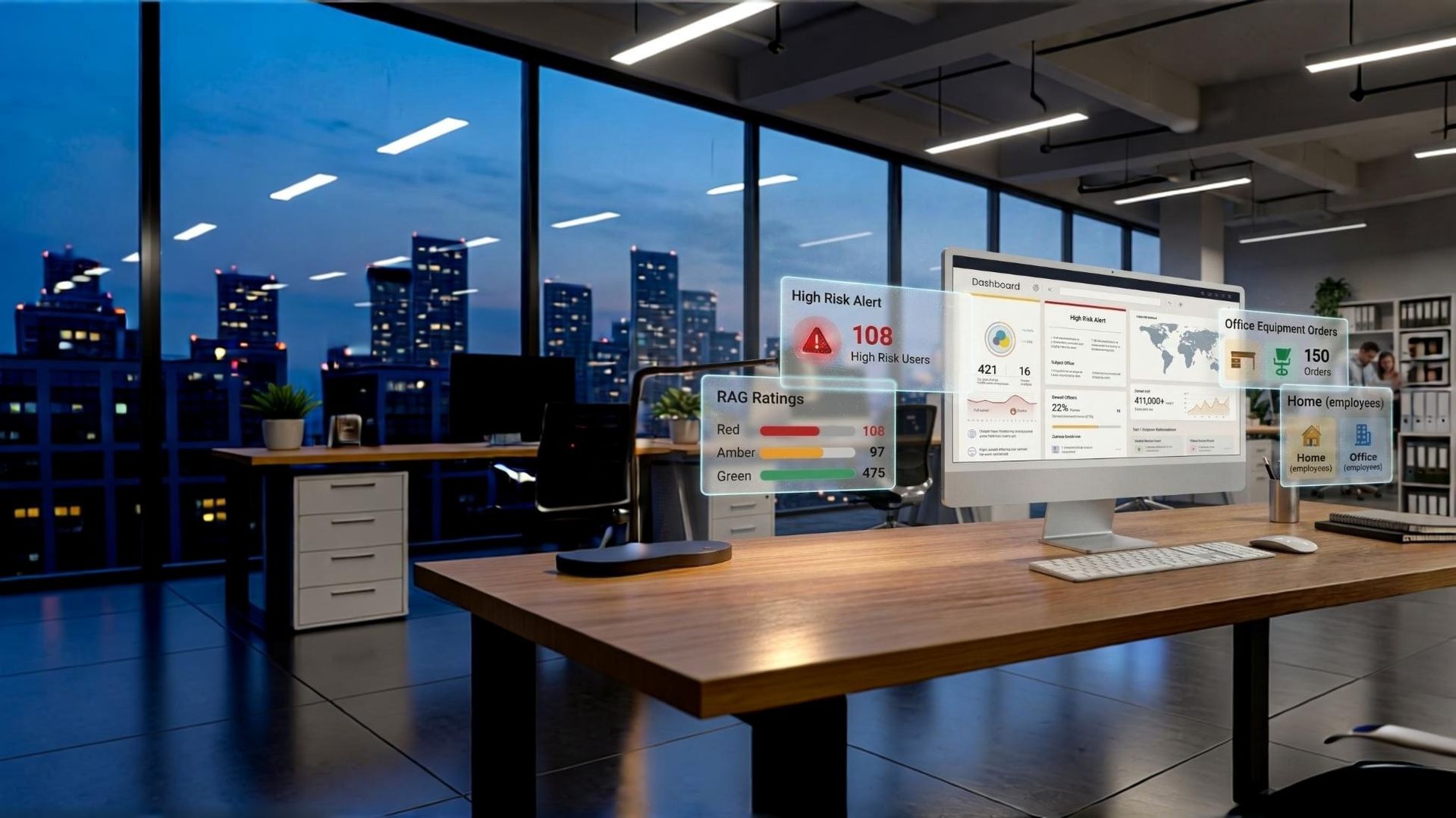
KOS Ergonomic Management Software
Training, self-assessment, triage, actions and sign-off for every DSE user, in one audit-ready dashboard.
Book a demo
DSE Assessor Training
Certify your own competent people with Level 1, Level 2 and remote assessment courses, online or on-site.
View courses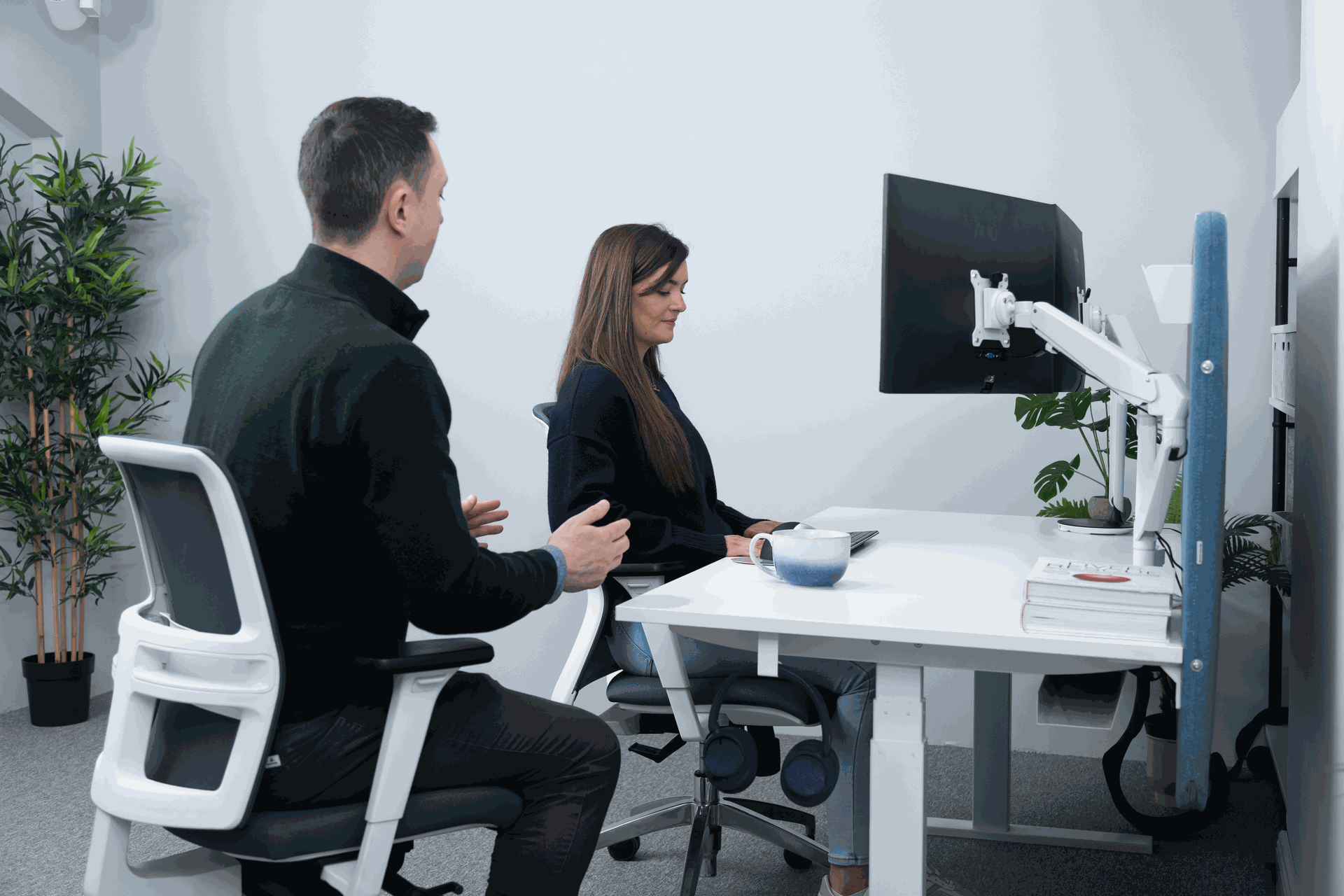
DSE Assessments
In-person, remote and detailed clinical assessments for cases your software flags as high risk.
Explore assessments
Free DSE Compliance Self-Audit
Find the gaps in your current programme in a few minutes, before an inspector does.
Start the auditFrequently asked questions
Is DSE software alone enough to comply with Irish law?
No. The HSA states that allowing employees to assess their own workstations through software is not sufficient on its own. The employer must be actively engaged, with a competent person analysing the workstation and acting on the findings. Software is the system that organises, triages and records that work.
How does software help during an HSA inspection?
An inspector is looking for a systematic approach: who is a DSE user, whether they have been trained and assessed, what risks were found, and what was done about them. A central dashboard lets you export that evidence in minutes, including open and closed actions, instead of searching folders and inboxes.
Does the employer have to pay for home office equipment?
Where a risk assessment shows specific equipment is necessary to control an identified risk, the cost falls on the employer and cannot be passed to the employee. Assessment-led procurement makes sure spending is tied to a genuine, documented need.
Who counts as a competent person for DSE assessments?
Under Section 18 of the Safety, Health and Welfare at Work Act 2005, a competent person has sufficient training, experience and knowledge for the task. For DSE this usually means a certified assessor, which is what our assessor courses provide, or an external clinical ergonomist.
How often do DSE assessments need to be repeated?
The regulations require reassessment when an employee moves to a new workstation or when significant new equipment or technology is introduced. Reported discomfort should also prompt a review. Many organisations add a periodic review as good practice, which software can schedule automatically.
Can the platform handle employees with existing medical conditions?
Yes. Users who report pain, a diagnosed condition, pregnancy or a return to work after surgery are escalated to a high-priority queue, and can be referred for a detailed ergonomic assessment with a clinical specialist.
If you are responsible for DSE compliance across an office, a hybrid workforce or several sites, the hard part is not knowing what the law says. It is doing it for every person, keeping it current, and proving it on the day an inspector or a solicitor asks. This guide explains where software genuinely helps, where the HSA says it cannot replace people, and how to build a system that stands up.
Display Screen Equipment rules were written for a world of fixed desks. Today one employee might have an assigned desk, a hot desk two days a week, and a kitchen table at home. Each of those is a workstation. Each one can trigger a reassessment when it changes. Multiply that by a few hundred people and paper checklists, shared spreadsheets and reminder emails stop being a process and become a liability.
What the law actually asks of you
DSE duties in Ireland sit in Chapter 5 of Part 2 of the Safety, Health and Welfare at Work (General Application) Regulations 2007, Regulations 70 to 73 and Schedule 4, on top of the general duties in the Safety, Health and Welfare at Work Act 2005. Stripped back, the employer must:
- Analyse every workstation used by a habitual screen user, with particular regard to eyesight, physical problems and mental stress (Regulation 72(1)(b)).
- Remedy the risks found, measured against the minimum requirements in Schedule 4.
- Plan breaks or changes of activity so screen work is periodically interrupted.
- Inform and train users before screen work starts and whenever the workstation changes substantially.
- Reassess when someone moves to a new workstation or gets significant new equipment or technology (Regulation 72(1)(f)).
- Offer eye and eyesight tests and fund special corrective appliances where needed for screen work (Regulation 73).
The line software cannot cross
The HSA is explicit on one point that many software vendors gloss over: letting employees assess their own workstations through a software package does not, on its own, discharge the employer's duty. The employer must be actively engaged in analysing the workstation and acting on the findings. See the HSA DSE FAQs.
So the question is never "software or assessor". It is how software gets the right cases in front of a competent person quickly, and keeps a record of what that person decided and did.
Why manual DSE programmes fail at scale
Most organisations we work with do not lack good intentions. They lack throughput and evidence. The same five failure points show up again and again:
| Failure point | What it looks like day to day | What it costs you |
|---|---|---|
| Coverage gaps | New starters, home workers and people who moved desk are never assessed | Unassessed users are the first thing an inspector or claimant's solicitor looks for |
| Stale records | Assessments done once, years ago, on a different desk | Paperwork that no longer describes the real workstation |
| Open actions | A chair or monitor arm was recommended but never ordered | Evidence that you knew about the risk and did not act |
| Assessor overload | Trained staff spend their week chasing forms and signatures | Genuine high-risk cases wait in the same queue as simple ones |
| Blanket buying | Everyone gets the same "ergonomic" chair | Budget spent on people who did not need it, while those who did still go without |
These gaps are explored further in our articles on compliance risk and outdated DSE policies.
How good DSE management software should work
The KOS Ergonomic Management Software is built around the sequence the regulations already describe, so every step leaves a record. This is the workflow we recommend whatever platform you use:
- Train first. Each user completes short DSE training with course materials, so they know how to adjust a chair, screen and keyboard before they assess anything.
- Self-assessment at the desk. The user answers a structured questionnaire at their actual workstation, office or home, and can upload a photo of their setup.
- Competent-person review. A trained assessor reviews every submission. Low-risk setups are confirmed; anything flagged is reviewed in detail.
- High-risk escalation. People reporting pain, existing conditions, pregnancy or complex setups are routed for a detailed assessment rather than a generic fix.
- Equipment and actions. Specific recommendations are raised, approved and tracked to completion, so procurement buys what was actually prescribed.
- Digital sign-off. The competent person (for example your H&S manager) signs off each case, and the full history sits in one place, ready for an HSA inspection.
Triage: putting expert time where the risk is
The practical value of software is triage. In a typical office population most users simply need to know how to set up what they already have. A smaller group needs a piece of equipment. A small minority needs clinical attention. Treating all three the same way is what buries assessors.
| Risk tier | Typical profile | Right response | Who acts |
|---|---|---|---|
| Low | No symptoms, adjustable equipment, setup corrected after training | Confirm and record; schedule the next review trigger | System plus assessor sign-off |
| Moderate | Laptop without riser or separate keyboard, non-adjustable chair, glare | Specific equipment or layout change, tracked to completion | Assessor and procurement |
| High | Reported pain, diagnosed MSK condition, pregnancy, post-surgery return, visual or mobility needs | Detailed ergonomic assessment or workplace needs assessment | Clinical ergonomist or physiotherapist |
Where software earns its keep
Hot-desking and agile offices
When nobody owns a desk, assessing the furniture is pointless on its own. What travels with the person is competence: knowing how to set seat height, backrest, screen height and distance at whatever desk they book. Training plus a short per-user assessment, recorded centrally, is the only model that scales. Build in a prompt to re-check when someone reports discomfort, because that is still a reassessment trigger.
Hybrid and home workers
The duty of care follows the employee home (see Citizens Information). Photo upload lets an assessor see the chair, desk depth, screen position and lighting without a home visit. Where the photo raises questions, escalate to a remote video assessment carried out by a trained assessor rather than guessing.
New starters and onboarding
Regulation 72(1)(d) requires training before screen work begins. Embedding the training and self-assessment link in the induction pack means every new hire is covered from their first week, with no separate scheduling exercise.
Multi-site and international teams
A single platform gives one standard and one dashboard across sites. The Irish regulations transpose EU Directive 90/270/EEC, so a programme built to Irish requirements maps closely to other EU member states and to UK DSE rules. Local law still applies in each country, so confirm any jurisdiction-specific requirements with your safety adviser.
Procurement and budget control
When every equipment request is tied to an assessment finding, you stop buying on preference and start buying on need. That protects budget and, just as importantly, creates a clear trail showing each identified risk was addressed.
What to ask any DSE software provider
Use these questions in a demo. Vague answers to any of them are a warning sign.
| Question | Why it matters | What a good answer sounds like |
|---|---|---|
| Who reviews the assessments? | HSA guidance requires an employer-led analysis by a competent person | A named, trained internal assessor, or a clinical team supplied by the provider |
| What happens to high-risk cases? | Pain and medical cases need more than a generic tip sheet | Automatic escalation to a detailed or clinical assessment, with the outcome recorded |
| Can I evidence closed actions? | Recommendations without follow-through are a liability | Every action has an owner, a date, and a sign-off |
| How is health data protected? | Assessments capture special category data under GDPR | Clear data residency, access controls, retention and erasure processes |
| Does it train users? | Training is a separate legal duty, not a nice extra | Training is completed and logged before the self-assessment |
| Does it need IT integration to start? | Long IT projects stall compliance | Cloud-based access that can go live without complex integration |
Data protection and security
Ergonomic assessments collect health information, which is special category data under GDPR. Your Data Protection Officer will want to know where it is stored, who can see it and how long it is kept. The KOS platform is cloud-based, needs no installation, is hosted with EU data residency, and is operated under ISO 27001 certified information security with GDPR-compliant access and erasure controls. Limit access to named reviewers and keep a documented retention period.
Building the human side: competent people
Section 18 of the 2005 Act frames competence as sufficient training, experience and knowledge for the task. Software needs competent reviewers behind it. You have three routes, and many organisations combine them:
| Route | Best for | How KOS supports it |
|---|---|---|
| Train internal assessors | Organisations that want the capability in-house | VDU & DSE assessor training (Level 1, Level 2 and remote assessment) |
| Use an external clinical team | Organisations without H&S headcount or with high case complexity | KOS clinical ergonomists review and close cases on your behalf |
| Hybrid model | Most mid-sized and large employers | Internal assessors handle routine cases; complex cases escalate to KOS |
If you are weighing up the internal and external models, our free guide, Internal vs External DSE Assessor Models, sets out the trade-offs.
Audit-ready in five checks
Run these against your current programme. Any "no" is a gap worth closing before the next inspection.
- Can you produce a list of every habitual DSE user, including home and hybrid workers, and show each has a current assessment?
- Was each assessment reviewed by a named competent person, not just submitted by the employee?
- Can you show every recommended action was completed, with a date?
- Are reassessment triggers (new desk, new equipment, reported discomfort) actually firing?
- Are high-risk cases routed to a clinical assessment and the outcome recorded?
Related reading
- DSE software vs EHS software: do you need both?
- 5 benefits of an ergonomic management software
- Measuring the ROI of upskilling your EHS team
- Compliance at risk: what 67% of Irish companies are missing
- Furniture compliance: are your office chairs breaking Irish law?
Next steps for your DSE programme
KOS Ergonomic Management Software
Training, self-assessment, triage, actions and sign-off for every DSE user, in one audit-ready dashboard.
Book a demoDSE Assessor Training
Certify your own competent people with Level 1, Level 2 and remote assessment courses, online or on-site.
View coursesDSE Assessments
In-person, remote and detailed clinical assessments for cases your software flags as high risk.
Explore assessmentsFree DSE Compliance Self-Audit
Find the gaps in your current programme in a few minutes, before an inspector does.
Start the auditFrequently asked questions
Is DSE software alone enough to comply with Irish law?
No. The HSA states that allowing employees to assess their own workstations through software is not sufficient on its own. The employer must be actively engaged, with a competent person analysing the workstation and acting on the findings. Software is the system that organises, triages and records that work.
How does software help during an HSA inspection?
An inspector is looking for a systematic approach: who is a DSE user, whether they have been trained and assessed, what risks were found, and what was done about them. A central dashboard lets you export that evidence in minutes, including open and closed actions, instead of searching folders and inboxes.
Does the employer have to pay for home office equipment?
Where a risk assessment shows specific equipment is necessary to control an identified risk, the cost falls on the employer and cannot be passed to the employee. Assessment-led procurement makes sure spending is tied to a genuine, documented need.
Who counts as a competent person for DSE assessments?
Under Section 18 of the Safety, Health and Welfare at Work Act 2005, a competent person has sufficient training, experience and knowledge for the task. For DSE this usually means a certified assessor, which is what our assessor courses provide, or an external clinical ergonomist.
How often do DSE assessments need to be repeated?
The regulations require reassessment when an employee moves to a new workstation or when significant new equipment or technology is introduced. Reported discomfort should also prompt a review. Many organisations add a periodic review as good practice, which software can schedule automatically.
Can the platform handle employees with existing medical conditions?
Yes. Users who report pain, a diagnosed condition, pregnancy or a return to work after surgery are escalated to a high-priority queue, and can be referred for a detailed ergonomic assessment with a clinical specialist.

 and then Add to Home Screen.











