

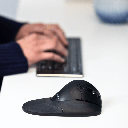
Newtral Ergonomic Wireless Mouse
1
Newtral Ergonomic Wireless Mouse – Advanced Comfort and Precision for Everyday Work
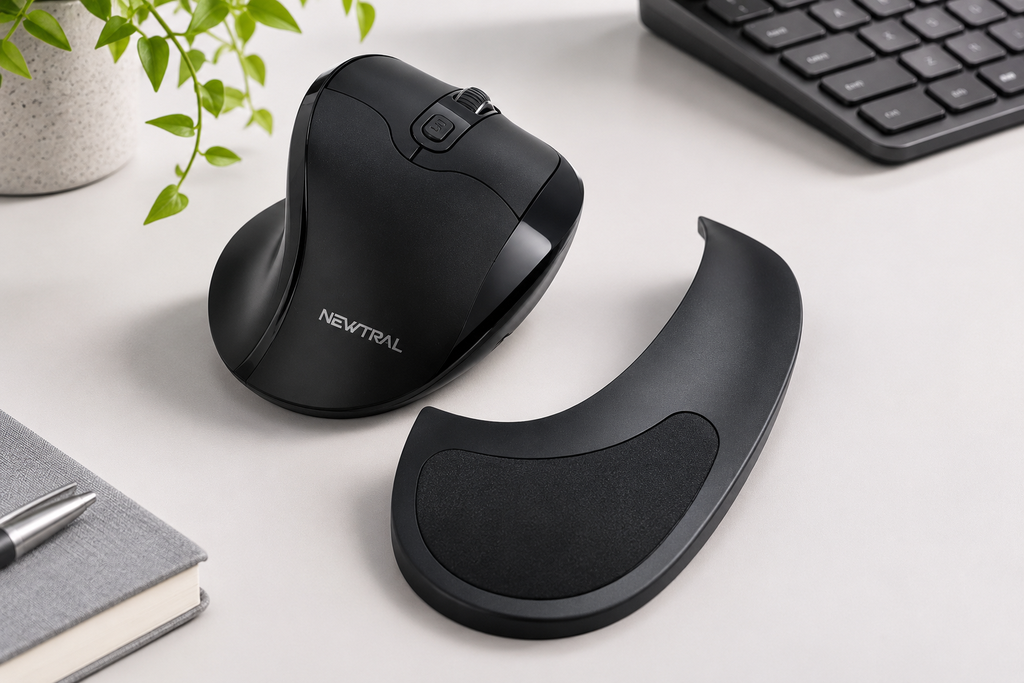
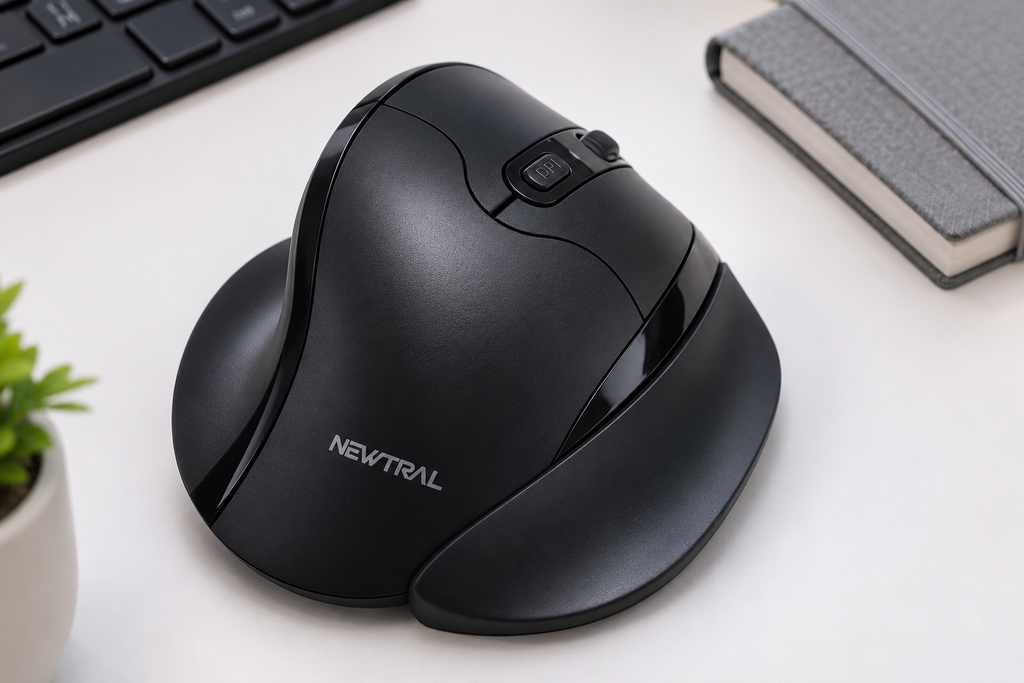
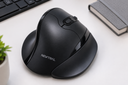
The Newtral Ergonomic Wireless Mouse is designed to provide a more natural and comfortable hand position while maintaining precision and control. Its unique semi-vertical shape positions the hand at a 33-degree angle from the horizontal, helping reduce wrist and forearm pronation compared to traditional mouse designs.
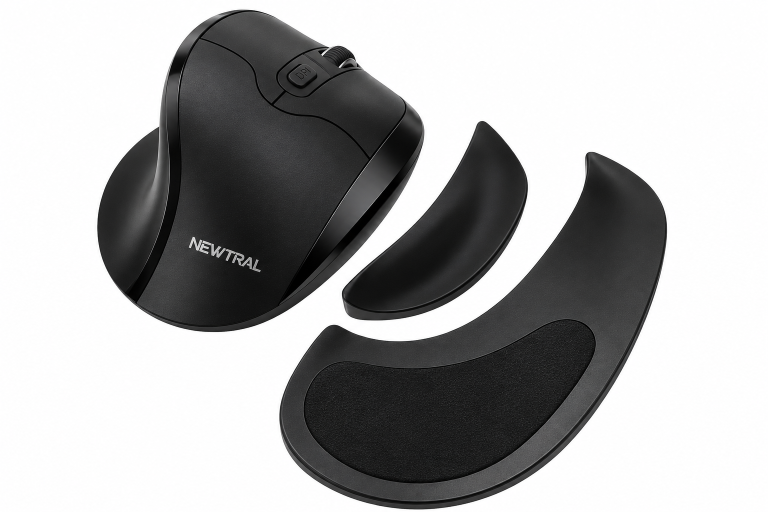
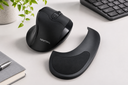
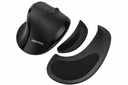
Featuring two interchangeable grip options, Precision Grip and Ergo-Grip, the Newtral Mouse allows users to choose between enhanced fingertip control and additional ergonomic support.
With 2.4 GHz wireless connectivity, adjustable DPI settings and six programmable buttons, the Newtral combines ergonomic comfort with practical functionality for everyday computer use.
Key Features:
Two Interchangeable Grips: Includes Precision Grip for enhanced fingertip control and Ergo-Grip for additional ergonomic comfort.
Natural Hand Position: The 33-degree angled design helps reduce wrist and forearm pronation.
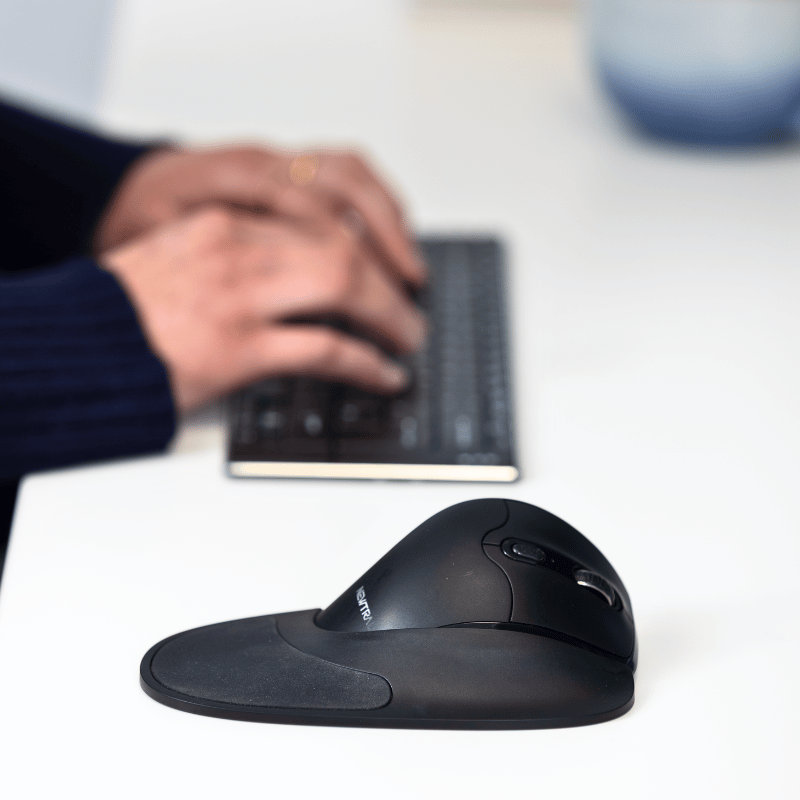
Detachable Palm Support: The Ergo-Grip features a detachable palm support with soft silicone gel for additional comfort and reduced pressure on the wrist.
Adjustable DPI: Select between 800, 1600 and 2400 DPI to suit your preferred pointer speed.
Six Buttons: Six-button functionality with programmable controls through the dedicated Windows driver.
2.4 GHz Wireless Connection: Reliable wireless operation with a range of up to 10 metres.
Plug-and-Play Installation: Basic functionality is available without installing additional software.
Ergonomic Benefits:
The Newtral Mouse is designed to address common discomfort associated with prolonged mouse use:
Reduced Wrist and Forearm Pronation: The angled design encourages a more natural hand position.
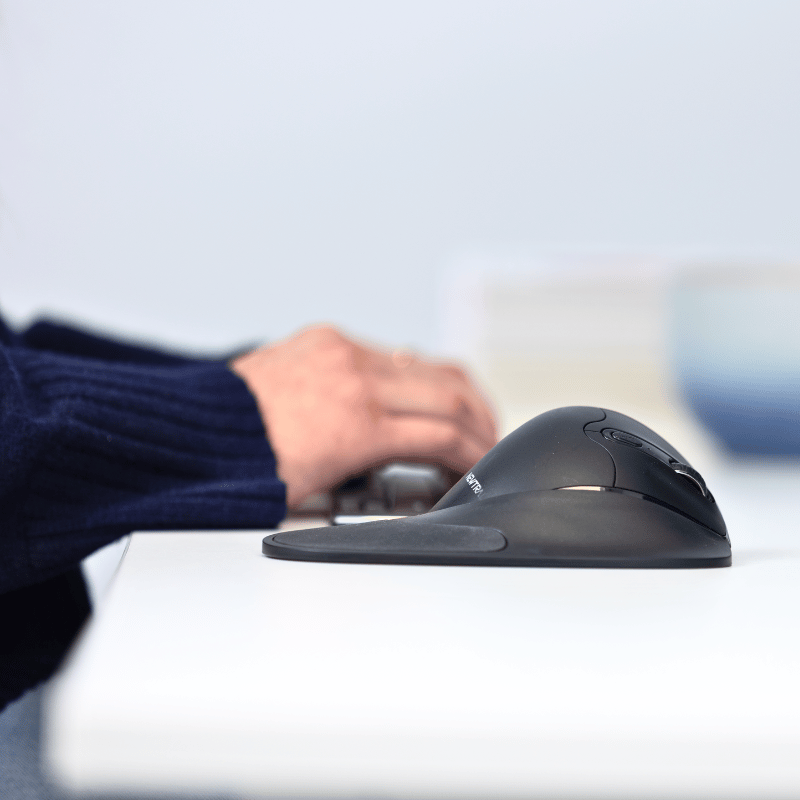
Reduced Wrist Movement: The Ergo-Grip palm support allows users to move their whole arm rather than relying exclusively on wrist movements.
Reduced Contact Pressure: The soft gel palm support provides a larger supporting surface for the hand.
Reduced Grip Requirements: Its semi-fist shape allows the hand to rest naturally on the mouse, reducing the need to grip it tightly.
Reduced Surface Friction: The palm support helps keep the underside of the palm and fifth finger away from the desk surface.
Specifications:
Interface: 2.4 GHz Wireless
Wireless Range: Up to 10m
DPI Resolution: 800 / 1600 / 2400
Number of Buttons: 6
Grip Options: Precision Grip / Ergo-Grip
Warranty: 3 Years
Installation: Plug-and-Play
Driver Compatibility: Windows only
Compatibility:
Windows 10, 8, 7, Vista, 2000 and XP
Mac OS 9 and Mac OS X 10.2.8 or later
Linux
Note: On Mac systems, button functions cannot be programmed and the side buttons are not supported. The dedicated driver for button programming is only compatible with Windows.
Posture Tips & Improved Ergonomics
Sitting for long periods can often lead to discomfort or pain, especially in areas like your hips, lower back, and tailbone. Here are some simple, effective tips to help improve your posture and reduce common issues like hip pain when sitting, lower back pain when sitting, and tailbone pain when sitting.
1. Support Your Lower Back
If your lower back hurts when sitting, it's often due to a lack of proper support. Make sure your chair has good lumbar support to keep your spine aligned. You can also use a small cushion to provide extra support if needed.
2. Keep Your Hips at the Right Angle
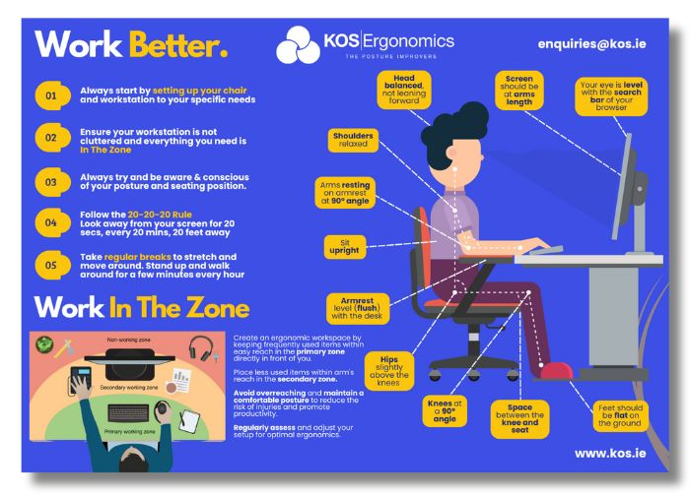
When your hip hurts when sitting, it may be due to poor alignment. Your hips should be level with or slightly higher than your knees. Adjust your chair height so your feet are flat on the ground and your knees form a 90-degree angle. This can help reduce hip joint pain while sitting and prevent buttock pain when sitting and lying down.
3. Adjust Your Seat Position
For those dealing with coccyx pain when sitting or a sore tailbone from sitting, ensure your seat isn’t pressing too hard on your tailbone. Try a cushion with a cut-out section to relieve pressure on the tailbone and improve comfort.
4. Move Regularly
If you feel buttock ache when sitting or hip discomfort when sitting, it's a sign that your body needs a break. Stand up, stretch, or take a short walk every 30-60 minutes. Regular movement can ease tension and prevent hip ache when sitting or lower back pain while sitting.
5. Exercise for Strength and Flexibility
A good workout for back pain can strengthen your core and back muscles, reducing discomfort. Exercises like gentle stretches or yoga can help relieve bottom pain when sitting, butt pain while sitting, and improve overall posture.
By following these posture tips and incorporating ergonomic tips into your daily routine, you can reduce discomfort and improve your overall well-being while sitting. Make sure to listen to your body and adjust your workspace as needed to stay comfortable throughout the day.
Download Your FREE Posture Watch Poster!
Get Serious About Your Posture With This Helpful, Free Reminder!
Work More Comfortably with the Newtral Ergonomic Wireless Mouse
A More Natural Hand Position. Greater Comfort. Precision Without Compromise.
The Newtral Mouse – Designed Around the Way Your Hand Works
Traditional mouse designs often require the wrist and forearm to remain in a pronated position during extended computer use. The Newtral Ergonomic Wireless Mouse offers an alternative with its unique angled design, encouraging a more natural hand position while maintaining precise cursor control.
With two interchangeable grip options and adjustable DPI settings, the Newtral allows you to customise your mouse to suit your hand, working style and everyday requirements.
Here's What Makes the Newtral Mouse Stand Out:
Two Interchangeable Grips for Different Working Styles
The Newtral Mouse comes with two interchangeable grip options, allowing you to choose the level of ergonomic support and control that best suits your needs.
Precision Grip: Designed for enhanced fingertip control, making it particularly suitable for activities requiring precise movements, such as computer drawing and gaming.
Ergo-Grip: Designed for additional ergonomic comfort, featuring a detachable palm support that helps support the hand and wrist. Ideal for everyday office use.
A More Natural Hand Position
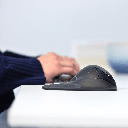
The Newtral's distinctive semi-vertical design positions the hand at a 33-degree angle from the horizontal.
The concave thumb-side design and downward slope towards the fifth finger encourage a more natural wrist and forearm position compared to conventional flat mouse designs.
This design helps reduce wrist and forearm pronation while allowing the hand to rest in a relaxed position rather than gripping the mouse.
Additional Comfort with Soft Gel Palm Support
The Ergo-Grip features a detachable palm support with soft silicone gel, providing an additional supporting surface for the palm and wrist.
This design helps distribute the weight of the hand over a larger area, reducing concentrated pressure and allowing users to move their whole arm rather than relying solely on wrist movements.
Precision and Control Without Compromise
Ergonomic comfort doesn't mean sacrificing functionality. The Newtral offers several features designed to support precise and efficient computer use.
Adjustable DPI: Choose between 800, 1600 and 2400 DPI to find your preferred cursor speed.
Six Buttons: Six-button functionality with programmable controls through the dedicated Windows driver.
2.4 GHz Wireless Connection: Enjoy wireless freedom with an operating range of up to 10 metres.
Easy Mouse Lifting: The Precision Grip design allows easy lifting and repositioning of the mouse.
Simple Installation and Compatibility
The Newtral Mouse offers plug-and-play functionality, allowing you to get started without installing additional software for basic operation.
For users who wish to customise button functions, a dedicated driver is available for Windows systems.
Compatibility:
Windows 10, 8, 7, Vista, 2000 and XP
Mac OS 9 and Mac OS X 10.2.8 or later
Linux
Mac users should note that button programming is unavailable and the side buttons do not function on Mac systems.
A More Comfortable Way to Work
Combining a natural hand position, interchangeable grips and precise wireless control, the Newtral Ergonomic Wireless Mouse offers a versatile solution for users looking for greater comfort and flexibility at their workstation.
Try Before You Buy
Not sure which setup is right for you? Visit our Dublin or Tipperary showrooms to test our full range of ergonomic office chairs, sit-stand desks, mice, keyboards, and accessories. You'll get free 1-1 ergonomic advice on the day from our experts to ensure you choose the equipment that works best for your body. Can't make it in person? Book a consultation via our online virtual studio.
Book Your Consultation Below
Dublin
Showroom

Tipperary
Showroom

Online
Virtual
Try Before You Buy
Not sure which setup is right for you? Visit our Dublin or Tipperary showrooms to test our full range of ergonomic office chairs, sit-stand desks, mice, keyboards, and accessories. You'll get free 1-1 ergonomic advice on the day from our experts to ensure you choose the equipment that works best for your body. Can't make it in person? Book a consultation via our online virtual studio.
Book Your Consultation Below
Dublin
Showroom
Tipperary
Showroom
Online
Virtual

To install this Web App in your iPhone/iPad press  and then Add to Home Screen.